
windows-powershell-docs
 windows-powershell-docs copied to clipboard
 MicrosoftDocs
Documentation of Hyper-V Object Details Missing
The cmdlets contained in the Hype-V Module are well documented here on docs.microsoft.com. However, the objects produced by these cmdlets are NOT defined in detail.
It would be useful to have Microsoft.HyperV.PowerShell.VMHost, Microsoft.HyperV.PowerShell.VMBios, and the other classess more fully defined. The goal would be to do as good and preferably better than the documentation that exists today for .NET Classes or WMI classes.
Steps to be taken:
- Define the full set of classes which need a definition
- Define what the layout should look like (do we need just one page for each class or separate pages for each property/method as well as one for the class).
- Develop and publish those pages.
- Update the Hyper-V Cmdlet documentation to create a URL to the class documentation.

Any news on this? it would be great to have a documention for the Hyper-V classes.
For example i was looking for the difference between Property "Status" and "State" for Microsoft.HyperV.PowerShell.VirtualMachine and all possible values. (Status values appear to be localized)

I would love to help - but much of the detail would need input from the Hyper-V team.
anything we can do about this or can we only wait?
@e0i - any hints or clues??

Thanks. Just for the record, what this issue is asking for is to have full documentation of each object emitted or used by the Hyper-V Cmdlets. In each cmdlet help text, any objects output would be hyperlinked to a page defining the object. and parameters.
There are a couple of options too for the documentation. You could go .NET like with one page describing the members with each member on a separate page. OR you could put all the documentation about each object type on a single page. I suspect since these objects are prettlyi much all just containing properties (or aliases, etc), a single page per object is adequate.
Each property needs to be defined sufficiently for an IT pro to understand easily the use of that property.
If/when you get the basic format decided and built, I am happy to volunteer to fill in the details or at least some of them!
Any news on this? it would be great to have a documention for the Hyper-V classes.
For example i was looking for the difference between Property "Status" and "State" for Microsoft.HyperV.PowerShell.VirtualMachine and all possible values. (Status values appear to be localized)
Bumping this; especially the "Status values appear to be localized"-part. State seems not to be.
This makes it difficult to check Status in different languages, but might not be a documentation problem. The documentation would however be helpful for confirming that this is the case.
Compare these command-results
[enum]::GetNames([Microsoft.HyperV.Powershell.VMState])
==>
Other
Running
Off
Stopping
Saved
Paused...
and
[enum]::GetNames([Microsoft.HyperV.Powershell.VMOperationalStatus])
==>
Other
Running
Off
Stopping
Saved
Paused...
with this result for a given VM in another language (Norwegian in this case):
Name State   CPUUsage(%) MemoryAssigned(M) Uptime           Status               Version
---- -----   ----------- ----------------- ------           ------               -------
HA   Running 0           4096              01:19:17.3460000 Fungerer som normalt 9.0

To make it easier for you to submit feedback on articles on learn.microsoft.com, we're transitioning our feedback system from GitHub Issues to a new experience.
As part of the transition, this GitHub Issue will be moved to a private repository. We're moving Issues to another repository so we can continue working on Issues that were open at the time of the transition. When this Issue is moved, you'll no longer be able to access it.
If you want to provide additional information before this Issue is moved, please update this Issue before December 15th, 2023.
With the new experience, you no longer need to sign in to GitHub to enter and submit your feedback. Instead, you can choose directly on each article's page whether the article was helpful. Then you can then choose one or more reasons for your feedback and optionally provide additional context before you select Submit.
Here's what the new experience looks like.
Note: The new experience is being rolled out across learn.microsoft.com in phases. If you don't see the new experience on an article, please check back later.
First, select whether the article was helpful:
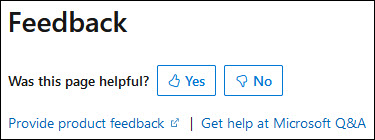
Then, choose at least one reason for your feedback and optionally provide additional details about your feedback:
| Article was helpful | Article was unhelpful |
|---|---|
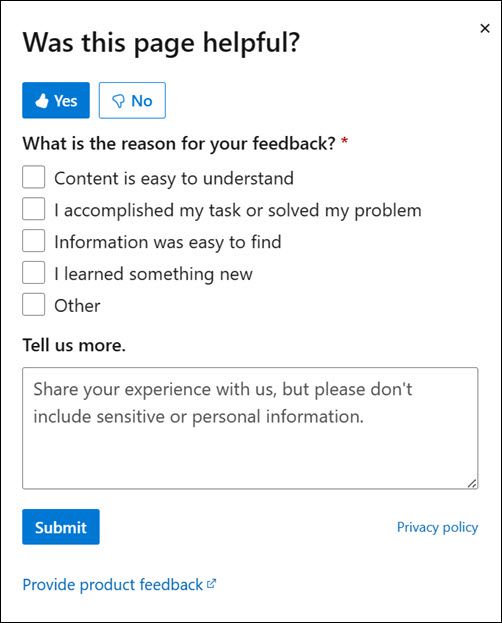 |
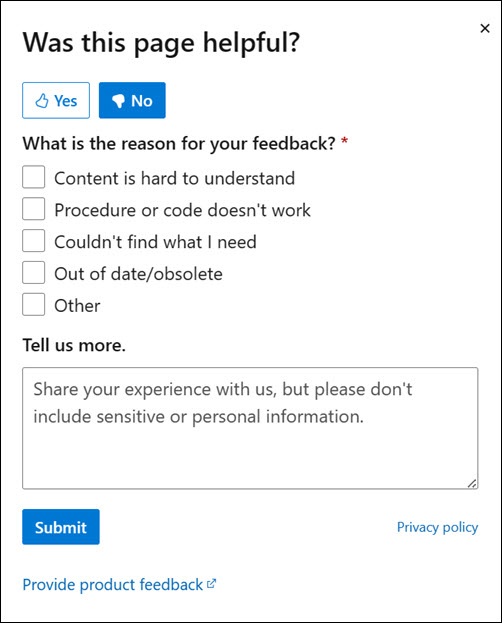 |
Finally, select Submit and you're done!
