

 MicrosoftDocs
Too many includes in one folder, only goes to the functions-
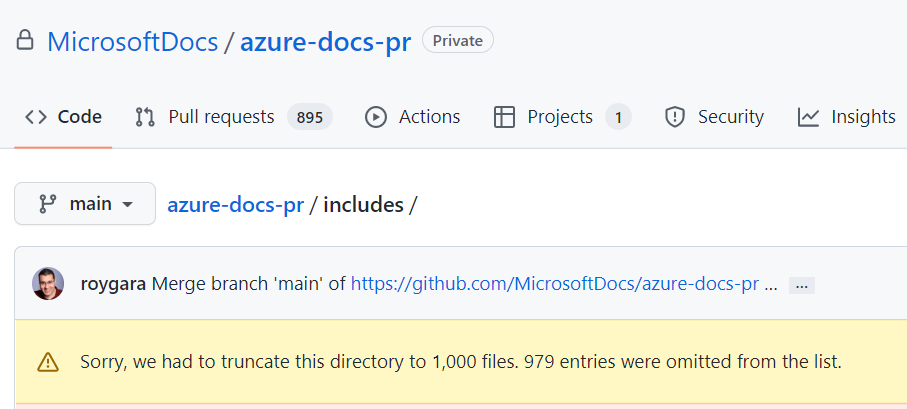
Wow, the includes directory needs folders rather that thousands of includes. I went to edit an include and I got that error.
<!-- Install IoT Edge on Linux H2 and content -->
[!INCLUDE [install-iot-edge-linux.md](../../includes/iot-edge-install-linux.md)]
First, run the following commands to add the package repository and then add the Microsoft package signing key to your list of trusted keys.
First is dead wood. Per MS style guide
Use bigger ideas, fewer words Our modern design hinges on crisp minimalism. Shorter is always better.
Replace that with:
Run the following commands to add the package repository and then add the Microsoft package signing key to your list of trusted keys.
Document Details
⚠ Do not edit this section. It is required for learn.microsoft.com ➟ GitHub issue linking.
- ID: a3b8296d-c923-e990-dcad-35ef2b908a2a
- Version Independent ID: 5f85fd7b-f2b6-b3b1-6be2-b6054bb33507
- Content: Create and provision an IoT Edge device on Linux using symmetric keys - Azure IoT Edge
- Content Source: articles/iot-edge/how-to-provision-single-device-linux-symmetric.md
- Service: iot-edge
- GitHub Login: @PatAltimore
- Microsoft Alias: patricka

@Rick-Anderson Thanks for your feedback! We will investigate and update as appropriate.

I have assigned the issue to the content author @PatAltimore to evaluate and update as appropriate.

Hi @Rick-Anderson ,
Thanks for the rewording. I changed the include and merged it.
Thanks again, Pat
#please-close

@PatAltimore @SaibabaBalapur-MSFT what about fixing too many includes? That's really a bad system. You should use folders to make it more manageable. Should I open another issue someplace else? Anything more than about 200 files is too many. An open source environment should be able to use the browser to make a PR, but you can only see the first 1,000 files.
Hi @Rick-Anderson ,
In azure-docs, the author / owner gets to choose where includes are located. Some early initial guidance recommended to put all includes in the root include folder. It's a bit of legacy. I'm considering moving the iot-edge includes in the article/iot-edge/include folder. Before the move, I need to investigate if they are only used in the IoT Edge content and not in other content in the repo. I'll put it on the backlog. You can always get around the GitHub 1,000 file issue by using the VS Code web editor by changing your PR URL from github.com to github.dev. I'll send you an email about a content structure contact.
Pat
Some early initial guidance recommended to put all includes in the root include folder.
Right, but it doesn't mandate no folders. See the aspnetcore/includes
Just make an azure-docs/tree/main/includes/iot-edge folder. azure-docs/tree/main/includes/ has two folders, it needs about 50 more.
I'm considering moving the iot-edge includes in the article/iot-edge/include folder.
With the default settings, it has to be includes
Before the move, I need to investigate if they are only used in the IoT Edge content and not in other content in the repo.
Why do you need to investigate, can't you just try it? You'll get build warnings if other content is using the include. Global search is pretty easy in VSC.
You can always get around the GitHub 1,000 file issue by using the VS Code web editor
Or just fork the repo. I know there are ways around it but over 1K files is not customer friendly. I was happy to make an improvement in the editor but a little annoyed I had to sort through thousands of files to find the right one, only to find out it wasn't listed. At that point I decided to point out the bigger problem, an unfriendly file hierarchy .
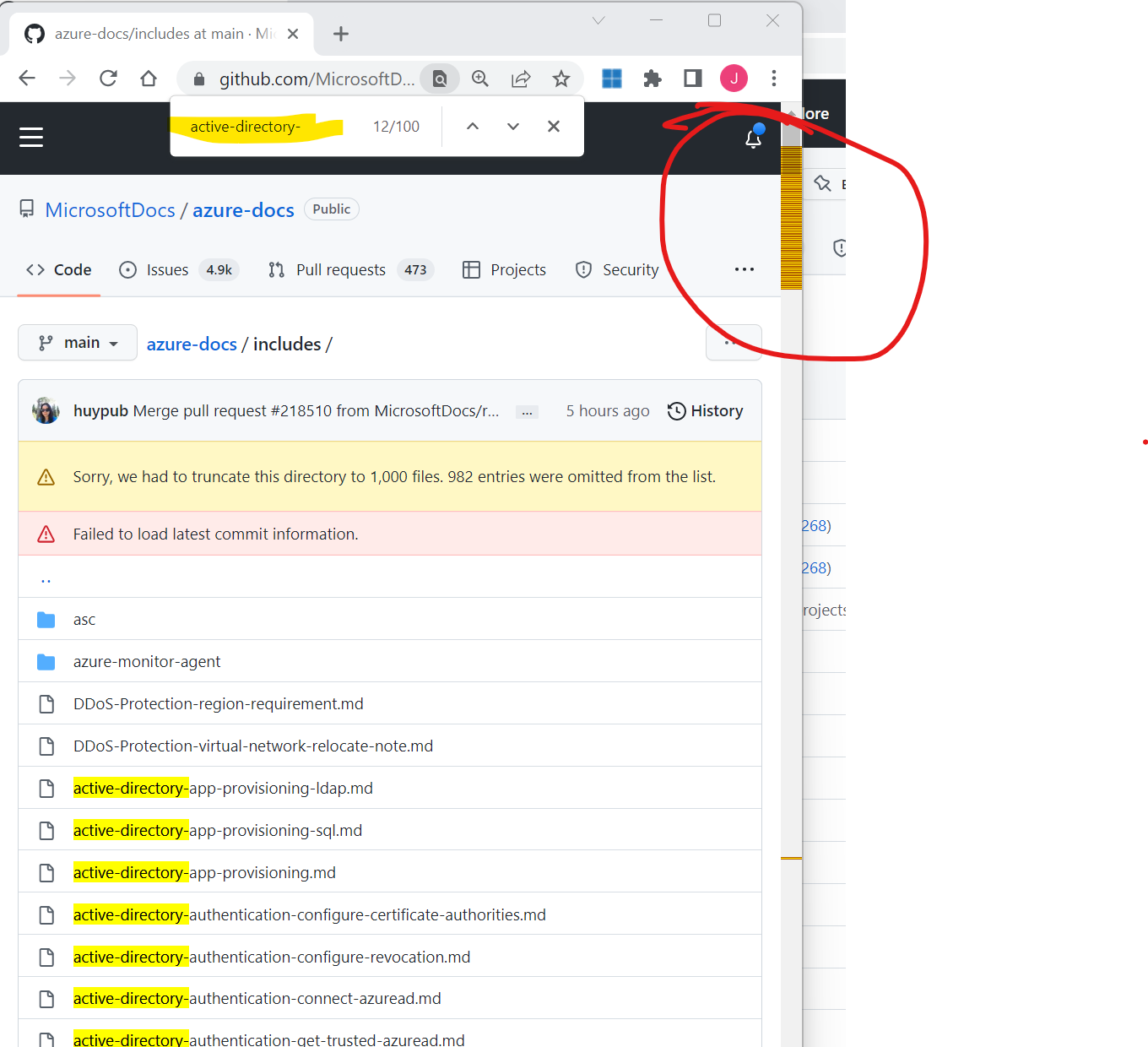
All the active-directory-* files should be in the /active-directory- folder
Hi @Rick-Anderson ,
Thanks for tips. I'll be moving the IoT edge includes soon.
Pat