

 MerginMaps
Geometry editing handles visual problems
There are a few minor things with handles (lines that go from the first and last points in line geometry).
-
Length of handles does not respect a change of scale (when a user zooms in/out). They are updated only when the geometry is changed. See the attached video (it has an old UI) https://user-images.githubusercontent.com/22449698/191178167-393beea9-2e56-409c-8a49-284af2bc58c8.mp4
-
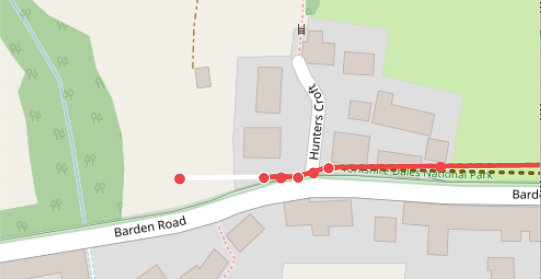
There is a visual glitch - sometimes one of the handles is just a white line. I can reproduce it in this scenario: a. Zoom in enough so that the end of a line feature is outside of the visible canvas b. Select the feature c. Start editing geometry d. When you move to the first handle, it is only a white line (see image below 👇🏻)

Step 0:
- set handle size in device-independent pixels
Step 1:
- hide handles at specific condition -> e.g. when the drawn geometry is too small to see/work with
Step 2:
- hide middle points too under the same condition
Step 3:
- hide middle points for polygons