

 MerginMaps
Better handling of overlapping identified features
Currently, only one feature appears in the panel. It is very difficult to identify features close to each other.
IMO, there should be panel, to list all the features and then user can select them from the list.

Or alternatively, Next and Previous buttons on top of the pop-up window. For landscape/larger screens having a side panel helps more.
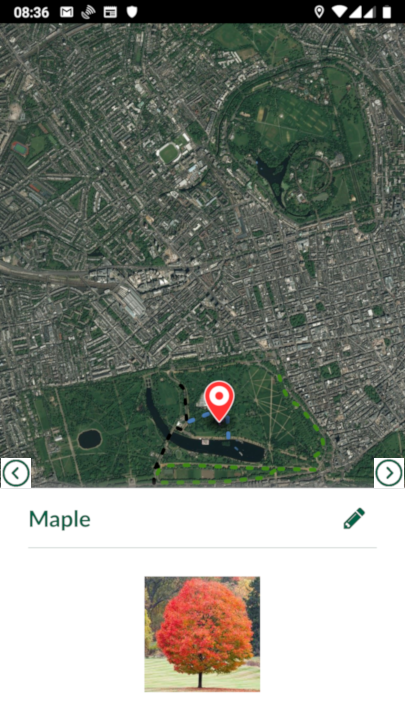
Requested by another customer: https://merginmaps.slack.com/archives/C02BTUKJQ0H/p1678724984891699?thread_ts=1678713868.990349&cid=C02BTUKJQ0H

I don't think Slack archive will be available in long term, here is the description: Having several polygons in a same layer overlapping, it is not possible to select then one underneath. It would be better to list all polygons and the user can go through them using arrow and highlighted on the map canvas
Overlapping features should be shown in both situations - either they are from same or different layers - so user can select which to pick.
Also there will be (project) setting in QGIS plugin about the behaviour of this feature - OFF (current implementation) or ON (on overlapping features user can select which one to pick)

Also there will be (project) setting in QGIS plugin about the behaviour of this feature - OFF (current implementation) or ON (on overlapping features user can select which one to pick)
The current behaviour is a big limitation and should not be available once this feature is implemented.