

 Megvii-BaseDetection
多GPU训练验证完卡死的情况
使用3090多GPU训练,在验证完后,就没有在接着训练了。调试发现是经过sysynchronize函数的dist.barrier(),是不法同步?请问可以怎么解决

Is there any eval result logged out? Which epoch during training are your process hangs ?

我也遇到类似情况,我是自己在 trainer.py 下面,添加日志的,每个种类的 ap50 和 ap50_95。在使用两个 gpu 的时候也是在 synchronize() 函数中的 dist.barrier() 卡住了。使用 1 个 gpu 是可以运行的。
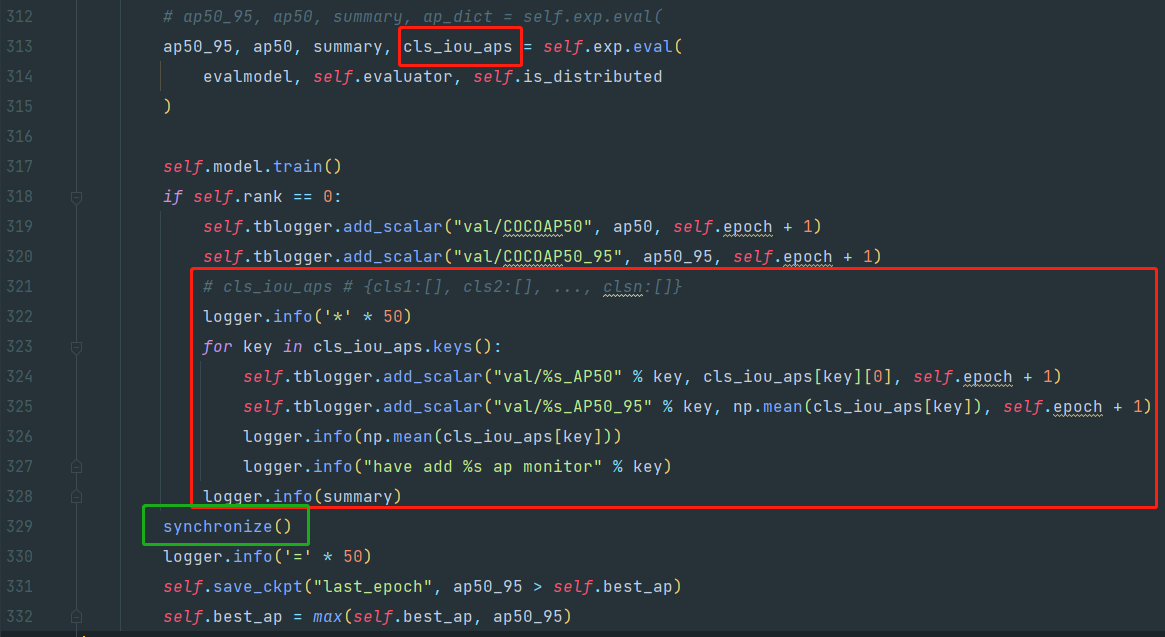
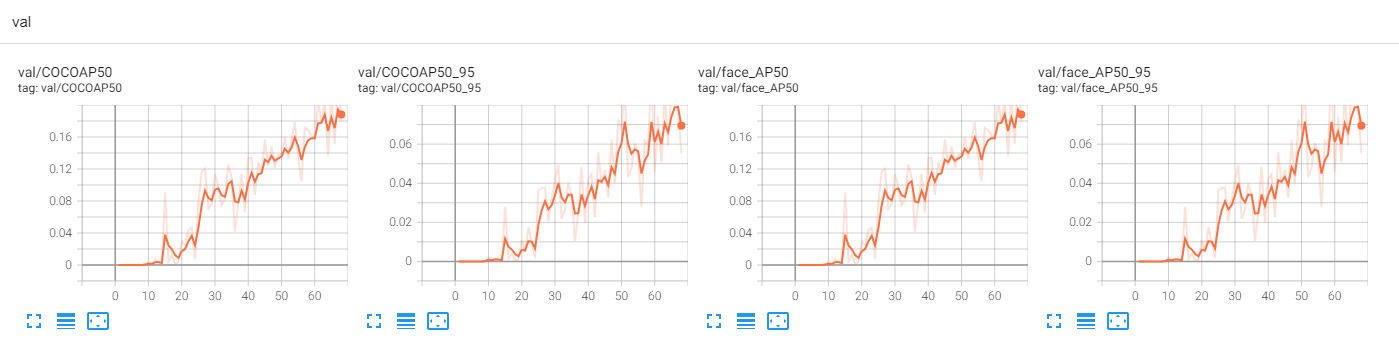
下图是我使用一个 gpu 的结果:(只有一个人脸类别检测)

@FateScript 大佬,这个 synchronize() 有什么问题吗?
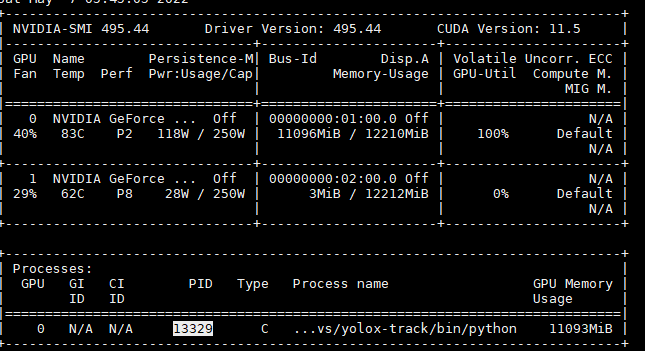
下图是在 2个 gpu 卡死时,显卡情况
另外,我看到还有其他人在 eval 后,也出现 卡主的现象

What if you try solution in #1316 @YuNaruto @yannixzhu
I got two questions: 1) I don't figure out what's the 0.3.0 and 0.2.0 version stands for ?
2) I run this proj without pip install -v -e, and I put some modification for my own data training, the evaluation takes long time with my own evaluation function.
How can I fix this ?
好像是因为在coco_evaluator中出现过一次synchronize,之后跳出来又有一次synchronize,按照dist.barrier的定义,所有的线程都跑到同一个地方之后,才会开始继续跑,这里因为不同的GPU卡在不同的地方,所以会挂起。你可以注释掉外面那个synchronize,就可以不挂起了。 另外,好像yolox的多卡代码是有问题的,我照着改完我的代码之后,训练一直无法收敛了。可能是优化器或者是scheduler的初始化处出现了问题,我目前还没有定位。

好像是因为在coco_evaluator中出现过一次synchronize,之后跳出来又有一次synchronize,按照dist.barrier的定义,所有的线程都跑到同一个地方之后,才会开始继续跑,这里因为不同的GPU卡在不同的地方,所以会挂起。你可以注释掉外面那个synchronize,就可以不挂起了。 另外,好像yolox的多卡代码是有问题的,我照着改完我的代码之后,训练一直无法收敛了。可能是优化器或者是scheduler的初始化处出现了问题,我目前还没有定位。
我分别注释过这两个synchronize,还是会卡死

好像是因为在coco_evaluator中出现过一次synchronize,之后跳出来又有一次synchronize,按照dist.barrier的定义,所有的线程都跑到同一个地方之后,才会开始继续跑,这里因为不同的GPU卡在不同的地方,所以会挂起。你可以注释掉外面那个synchronize,就可以不挂起了。 另外,好像yolox的多卡代码是有问题的,我照着改完我的代码之后,训练一直无法收敛了。可能是优化器或者是scheduler的初始化处出现了问题,我目前还没有定位。
我分别注释过这两个synchronize,还是会卡死
使用 pip install -v -e . 解决
Hey guys. I found a workaround in my case.
(please fix me if I'm mistaken😉)
only allows IP socket communication
try setting these variables, in the scripts or in python by using os.environ[XXX] = ...
export NCCL_LL_THRESHOLD=0
export NCCL_P2P_DISABLE=1
export NCCL_IB_DISABLE=1
The NCCL_P2P_DISABLE variable disables the peer to peer (P2P) transport, which uses CUDA direct access between GPUs, using NVLink or PCI.
The NCCL_IB_DISABLE variable disables the IB/RoCE transport that is to be used by NCCL. Instead, NCCL will fallback to using IP sockets.
explanation
For distributed training, subprocesses are always initialized dist.init_process_group by IP
So, IP communication seems reasonable.
My colleague told me that on other machines, it may not need this kind of disabling and falling back to IP. I donnot know why, either.
caution
NCCL_LL_THRESHOLD is often set as zero. I don't know why.
export NCCL_LL_THRESHOLD=0
Caution ❗ They may influence the model performance.
https://github.com/NVIDIA/nccl/issues/369#issue-678319427
change of start method
In this commit and before, multi-gpu subprocesses are started by launch_by_subprocess, which calls subprocess.Popen
I use YOLOX in ByteTrack. It uses the old version of starting multiple processes
launch_by_subprocess(
        sys.argv,
        world_size,
        num_machines,
        machine_rank,
        num_gpus_per_machine,
        dist_url,
        args,
    )
In the subsequent commits, start methods are set to mp.start_processes, and there may also be some other related but hidden changes.
I haven't check whether switching to the later versions could directly fix the problem.❤️
I'm not familiar with CUDA or NCCL.
However, I think this workaround makes sense, in that it considers the communication between gpus, and the bug lie in the SYNCHRONIZATION.😃
