MaterialDesignInXamlToolkit
 MaterialDesignInXamlToolkit copied to clipboard
 MaterialDesignInXAML
Dialog does not size to content
This is an issue I have not been able to repeatably reproduce and I mostly see it in production. I'm not sure how to troubleshoot it so any pointers would be appreciated.
I use a single dialog host in the "shell" view:
<UserControl>
    <Grid>
      <mdt:DialogHost Name="ShellDialogHost" Identifier="ShellDialog" UseLayoutRounding="True" >
    </Grid>
</UserControl>
Dialogs are opened by calling DialogHost.Show.
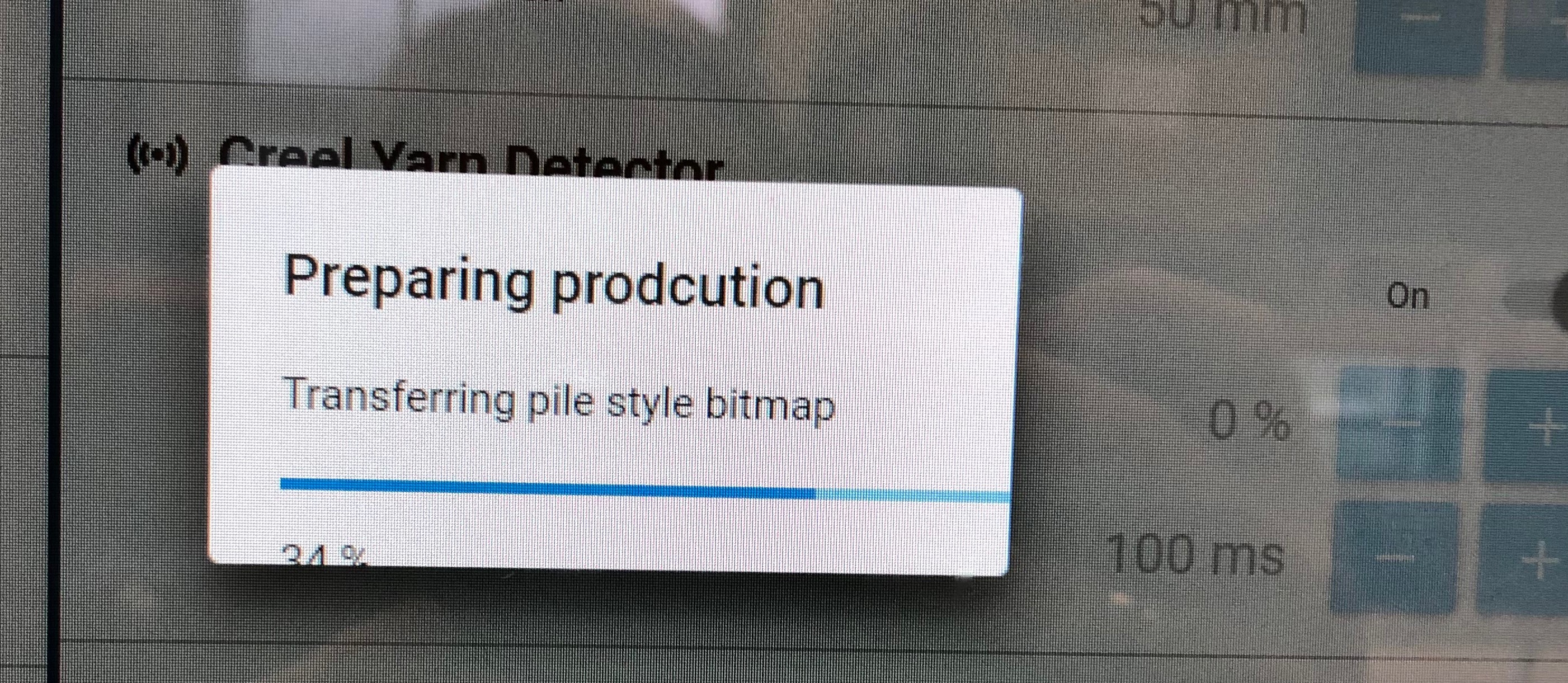
Most of the time the dialogs are opened with the correct size but sometimes they open like this:

Does it resize itself if you resize the window? I am (or was?) having this issue as well. I seem to recall it being about what kind of content I put into it.

How is the dialog content specified? Is it done by passing the view in directly to the Dialog.Show or are you passing a view model and using a data template?

The window is always full screen. I'm using a view model and a data template. Most of the time it works. Some times it doesn't and then mostly in production.
I'm currently using TransitionAssist.DisableTransitions=True on my dialog host to see if the problem will go away. Not a solution but maybe it can help figuring out what that cause is.
I am thinking it has to do with the Card not picking up child elements resizing when it is opening. I think it works like this for example:
- The child elements inside the dialoghost has size 100x100
- Dialoghost starts opening and plays the opening animation from 0x0 to 100x100
- Meanwhile the dialoghost is opening, the child elements inside are resizing to 200x200
- The child elements finish their animation to 200x200
- The dialoghost finish its animation to 100x100.
So I am thinking we need something tell the dialoghost to open even larger while animations are ongoing
Interesting. Why would the Card resize? Let's say this is the actual cause of the problem, would it then help if the Card or its child had a explicit size? Width="200" Height="200"
Update: The Card is part of the DialogHost template so, yes, it does have to resize because of the content :)
If it is a timing problem that we can not control, maybe the DialogHost needs to ensure it fits the content after it has animated?
The DialogHost has some weird timing callback to work around other issues see here. Perhaps this is the timing issue. I think for now going to move this out of the 3.0.0 milestone.
@Keboo in which case it could look like this as an example with a DialogHost with a Progressbar inside that also animates as it shows up.
Let's say the child elements inside the dialoghost's Card has the size 100x100 at animation frame 0 (start of animations) and 120x200 at animation frame X (end of animations).
- Dialoghost starts opening and plays the opening animation from 0x0 to 100x100
- Meanwhile the dialoghost is opening, the
Processbarinside is resizing from 0x0 to 20x200 - The 300ms pass which might update the dialoghost's animation end from 100x100 to 110x150
- The child elements finish their animation to 120x200
- The dialoghost finish its animation to 110x150.
Was it possible to disable scale animations inside the dialoghost while allowing other animations to run?
@jespersh the DialogHost does allow you to turn off the animations that are triggered by the VisualStateManager and jump directly to the end state. https://github.com/MaterialDesignInXAML/MaterialDesignInXamlToolkit/blob/master/MaterialDesignThemes.Wpf/DialogHost.cs#L240 I think your explanation above is accurate, I think disabling the transitions makes the problem very unlikely to occur (but will need someone to verify this), but not impossible. Because Tasks simply get queued, the delay task is making the assumption the 300 milliseconds is long enough. Most of the time it probably is, but there is no guarantee of that.
Another test that you could do would be to add a button to your dialog that simply walks up the visual tree until it find the popup, and then calls InvalidateVisual on the Popup's child. Basically redo the same code that is being done in the task, but do it on command with a button.
I have made a little progress on this issue. Recently I've been able to get this to happen on my own machine and not only in production.
I can confirm that I have disabled transitions. I also looked at "hacky code" in DialogHost mentioned above. It calls InvalidateVisual which in turn as far as I can tell will cause WPF to update the layout and render.
I managed to have this issue happen while in the debugger. It seems to me that WPF is continuously trying to update the layout over and over again. While the dialog was open (with the wrong size) I copied the stack trace, waited a bit and the took another copy of the stack trace. Usually when I do this it is very quiet in the call stack and you usually ends up way up in the top of the stack somewhere near your Application.Run. I've put the stack traces in a gist if anyone wants to look at them. https://gist.github.com/mgnslndh/c0c821877789a61a3d877b81b45aa033
I will implement the suggestion you made @Keboo and put a button in the dialog that will invalidate the popup child.
I noticed I've switched to using the MaterialDesignEmbeddedDialogHost style which does not use the Popup which in turns effectively disables the "hacky code".
Ok, so the button for invalidating the visual is in the code. Is there anything in the debugger I should look at when I get into this state?
We could do something like this in DialogHost.cs:
        private void OnLoaded(object sender, RoutedEventArgs routedEventArgs)
        {
            ...

            Grid grid = (Grid)this.Template.FindName("DialogHostRoot", this);
            var groups = VisualStateManager.GetVisualStateGroups(grid);
            VisualTransition visualTransition = (VisualTransition)((VisualStateGroup)groups[0]).Transitions[0]; // Gets the Closed->Open transition
            visualTransition.Storyboard.Completed += OpeningStoryboardCompleted;
        }

        private void OpeningStoryboardCompleted(object sender, EventArgs e)
        {
            UIElement child = this.FocusPopup();
            // Invalidates the layout once the storyboard is completed
            if (child != null) child.Dispatcher.BeginInvoke(new Action(() => child.InvalidateVisual()));
        }
Looks better. I just want to be clear that I am seeing the same behavior using the MaterialDesignEmbeddedDialogHost style as I did with the popup. Not sure, but maybe the content needs to be invalidated also for this style that does not have a popup. FocusPopup return null if the PART_Popup is not a Popup.
That is a lot of of popups :)
@jespersh but don't we need to call InvalidateVisual after the storyboard is completed even for the style MaterialDesignEmbeddedDialogHost which does not contain a popup?
I've managed to reproduce this issue in our application. I have not been able to make a minimal reproduction with only the MDT library. I'll try to explain what I found out.
The issue started to occur when we looped over a collection making changes to properties (IsPaused, IsCompleted, IsExecuting) which would eventually trigger binding to the Badged control. Don't ask me but this is a snippet of the XAML in question (for each item in the DataGrid):
<mdt:Badged BadgeForeground="White" BadgeBackground="ForestGreen" mahApps:VisibilityHelper.IsVisible="{Binding IsCompleted}" HorizontalAlignment="Right" VerticalAlignment="Bottom" Margin="0,0,4,4">
    <mdt:Badged.Badge>
        <mdt:PackIcon Kind="Check"/>
    </mdt:Badged.Badge>
</mdt:Badged>
<mdt:Badged BadgeForeground="White" BadgeBackground="DarkOrange" mahApps:VisibilityHelper.IsVisible="{Binding IsPaused}" HorizontalAlignment="Right" VerticalAlignment="Bottom" Margin="0,0,4,4">
    <mdt:Badged.Badge>
        <mdt:PackIcon Kind="Pause"/>
    </mdt:Badged.Badge>
</mdt:Badged>
<mdt:Badged BadgeForeground="White" BadgeBackground="RoyalBlue" mahApps:VisibilityHelper.IsVisible="{Binding IsExecuting}" HorizontalAlignment="Right" VerticalAlignment="Bottom" Margin="0,0,4,4">
    <mdt:Badged.Badge>
        <mdt:PackIcon Kind="Play"/>
    </mdt:Badged.Badge>
</mdt:Badged>
As you can see the Badged controls are empty I just wanted a quick and dirty way of showing a nice icon with a disc background.
So, if we looped over enough items in the collections making changes to the bound properties we would eventually get a broken dialog when we tried to show them. Also the PopupBox dropdown would be affected. If we skipped making changes to the bound properties everything was OK.
I did a profile session with dotTrace and noticed that when we experience the broken dialog the CPU is slightly higher and the ArrangeOverride method of the Badged control was in the hot path:
https://github.com/ControlzEx/ControlzEx/blob/25549687403991c05b3c97bd85817995d9518b64/src/ControlzEx/BadgedEx.cs#L152-L171
I ripped out the XAML shown above and replaced it with a custom control and voila! The dialogs worked great after looping through the collection making changes to the bound properties.
This is not a proof that there is a bug in the Badged control but I thought I'd at least make a brain dump of my findings until I have time to make a proper attempt at a minimal reproduction. I might have abused how you are supposed to use the control though :)
There's various controls that can trigger the bug. I say this because I've seen it in situations where I hadn't used Badged's.
Could you try the (somewhat?) repeatable bug you're having along with the (honestly ugly fix) code I posted in a comment above?
We're using the embedded version of the dialog host and we're not using transitions. So, I'm not 100% sure the code in the fix would even run in our case?
I could do it but I need to compile the fix based on 2.6.0 version since we have not yet transitioned to the 3.x release. If you think that would work, I'll do it.
I think it should work for 2.6.0 And try to remove the hacky code with it https://github.com/MaterialDesignInXAML/MaterialDesignInXamlToolkit/blob/cca77f4b2e27d4a58013eece1d3ec5782501a171/MaterialDesignThemes.Wpf/DialogHost.cs#L295
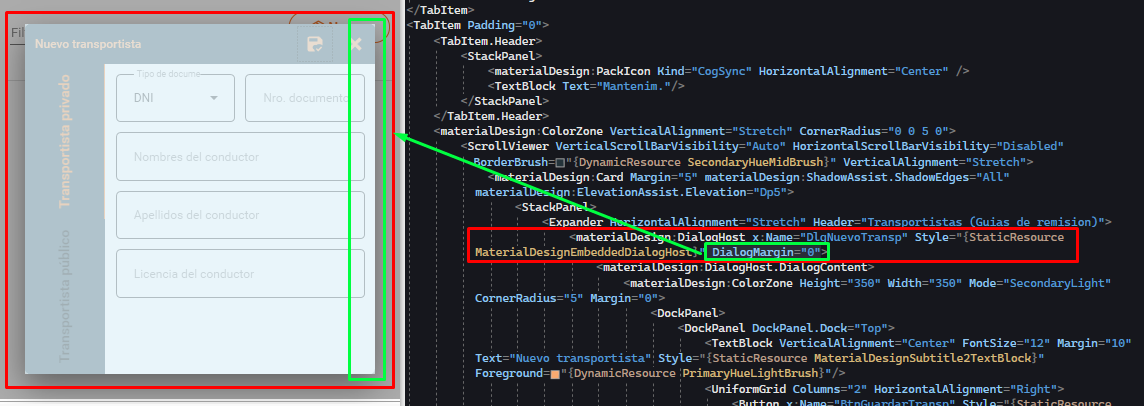
Hi everyone, in my case occurs with ColorZone ONLY if the DialogMargin property is not settled as 0 in the DialogHost tag.
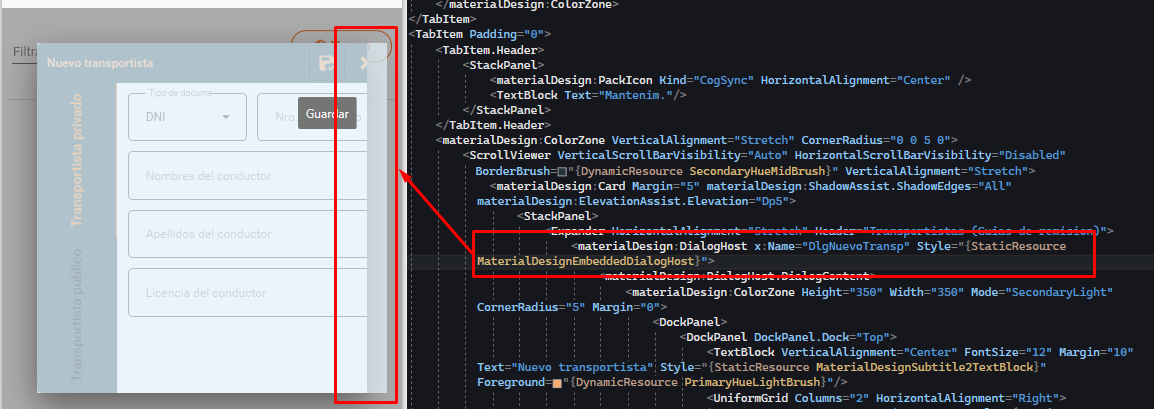
If DialogMargin is settled, the behavior disappears