

 MasaCMS
Cannot deploy a bundle
Hi, I wanted to see Masa in action, so I installed it locally and then tried to deploy theMuraBoostrap4Bundle, just to create some demo content.
First of all, I got a JS error in console, just clicking the browse button and showing the file upload dialog:
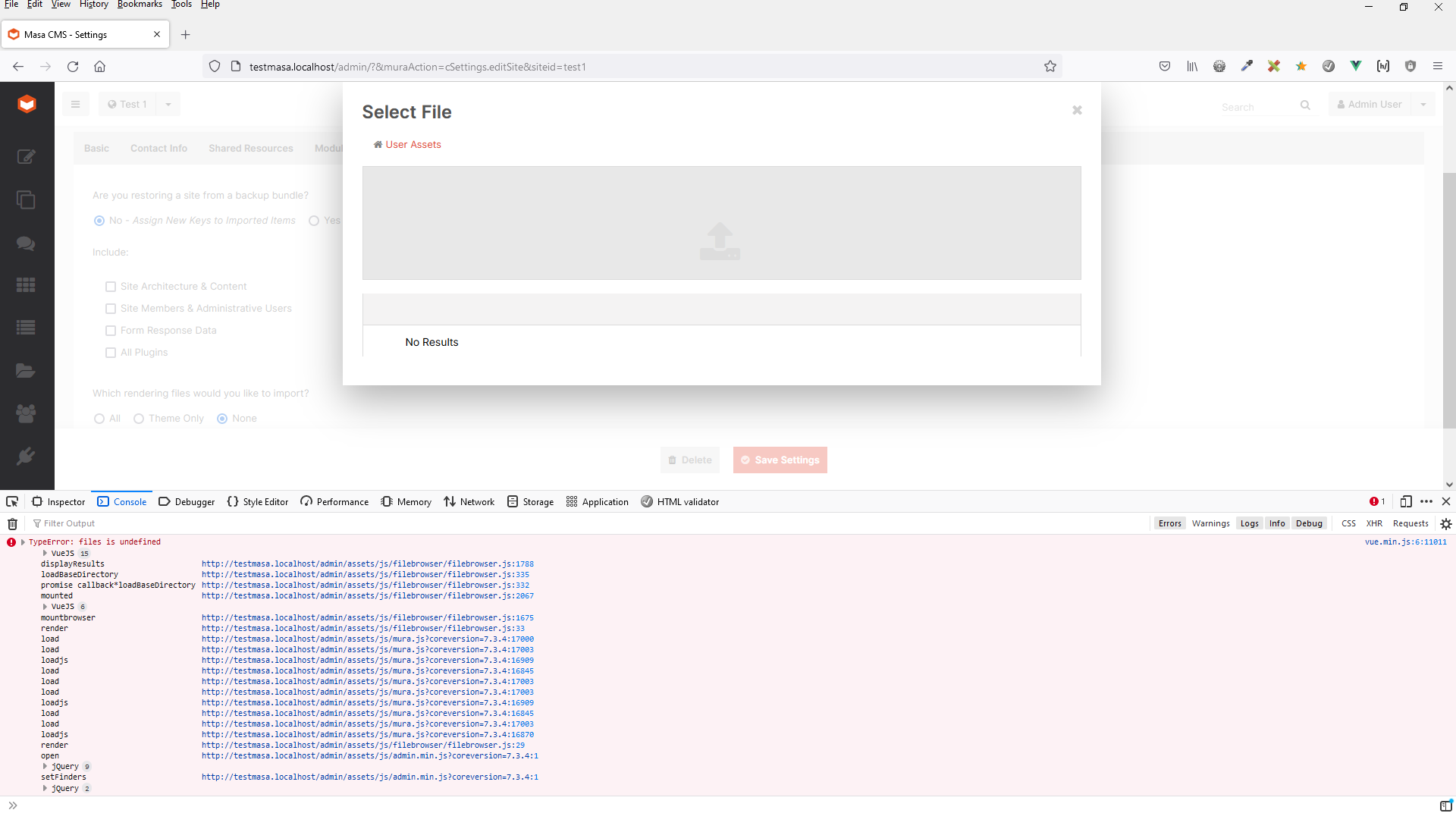
Then I was able to open the system file browser (by clicking anywhere else in the grey area than the file upload icon) and select the bundle , but the upload has never completed. After 1 minute I could see a request timeout error in the Lucee requesttimeout.log:
"Severity","ThreadID","Date","Time","Application","Message"
"ERROR","Thread-950","05/25/2022","10:32:36","controller","stop request (3) because run into a timeout. ATM we have 1 active request(s) and 0 active cfthreads (no path available).;java.lang.Throwable;java.lang.Throwable
	at [email protected]/jdk.internal.misc.Unsafe.park(Native Method)
	at [email protected]/java.util.concurrent.locks.LockSupport.parkNanos(Unknown Source)
	at [email protected]/java.util.concurrent.locks.AbstractQueuedSynchronizer.doAcquireSharedNanos(Unknown Source)
	at [email protected]/java.util.concurrent.locks.AbstractQueuedSynchronizer.tryAcquireSharedNanos(Unknown Source)
	at [email protected]/java.util.concurrent.CountDownLatch.await(Unknown Source)
	at org.apache.tomcat.util.net.NioEndpoint$NioSocketWrapper.awaitLatch(NioEndpoint.java:1066)
	at org.apache.tomcat.util.net.NioEndpoint$NioSocketWrapper.awaitReadLatch(NioEndpoint.java:1068)
	at org.apache.tomcat.util.net.NioBlockingSelector.read(NioBlockingSelector.java:187)
	at org.apache.tomcat.util.net.NioSelectorPool.read(NioSelectorPool.java:221)
	at org.apache.tomcat.util.net.NioEndpoint$NioSocketWrapper.fillReadBuffer(NioEndpoint.java:1222)
	at org.apache.tomcat.util.net.NioEndpoint$NioSocketWrapper.fillReadBuffer(NioEndpoint.java:1204)
	at org.apache.tomcat.util.net.NioEndpoint$NioSocketWrapper.read(NioEndpoint.java:1109)
	at org.apache.coyote.ajp.AjpProcessor.read(AjpProcessor.java:1229)
	at org.apache.coyote.ajp.AjpProcessor.readMessage(AjpProcessor.java:570)
	at org.apache.coyote.ajp.AjpProcessor.receive(AjpProcessor.java:532)
	at org.apache.coyote.ajp.AjpProcessor.refillReadBuffer(AjpProcessor.java:639)
	at org.apache.coyote.ajp.AjpProcessor$SocketInputBuffer.doRead(AjpProcessor.java:1301)
	at org.apache.coyote.Request.doRead(Request.java:551)
	at org.apache.catalina.connector.InputBuffer.realReadBytes(InputBuffer.java:336)
	at org.apache.catalina.connector.InputBuffer.checkByteBufferEof(InputBuffer.java:632)
	at org.apache.catalina.connector.InputBuffer.read(InputBuffer.java:362)
	at org.apache.catalina.connector.CoyoteInputStream.read(CoyoteInputStream.java:132)
	at org.apache.catalina.connector.CoyoteInputStream.read(CoyoteInputStream.java:110)
	at lucee.commons.io.IOUtil.copy(IOUtil.java:308)
	at lucee.commons.io.IOUtil.copy(IOUtil.java:88)
	at lucee.runtime.net.http.HTTPServletRequestWrap.storeEL(HTTPServletRequestWrap.java:291)
	at lucee.runtime.net.http.HTTPServletRequestWrap.getInputStream(HTTPServletRequestWrap.java:259)
	at org.apache.commons.fileupload.servlet.ServletRequestContext.getInputStream(ServletRequestContext.java:112)
	at org.apache.commons.fileupload.FileUploadBase$FileItemIteratorImpl.<init>(FileUploadBase.java:952)
	at org.apache.commons.fileupload.FileUploadBase.getItemIterator(FileUploadBase.java:310)
	at lucee.runtime.type.scope.FormImpl.initializeMultiPart(FormImpl.java:179)
	at lucee.runtime.type.scope.FormImpl.initialize(FormImpl.java:125)
	at lucee.runtime.PageContextImpl.formScope(PageContextImpl.java:1252)
	at lucee.runtime.type.scope.UndefinedImpl.reinitialize(UndefinedImpl.java:625)
	at lucee.runtime.type.scope.UndefinedImpl.initialize(UndefinedImpl.java:604)
	at lucee.runtime.PageContextImpl.initialize(PageContextImpl.java:543)
	at lucee.runtime.CFMLFactoryImpl.getPageContextImpl(CFMLFactoryImpl.java:195)
	at lucee.runtime.engine.CFMLEngineImpl._service(CFMLEngineImpl.java:1166)
	at lucee.runtime.engine.CFMLEngineImpl.serviceCFML(CFMLEngineImpl.java:1144)
	at lucee.loader.engine.CFMLEngineWrapper.serviceCFML(CFMLEngineWrapper.java:97)
	at lucee.loader.servlet.CFMLServlet.service(CFMLServlet.java:51)
..."
I have tried this several times, both in Chrome and Firefox and always with the same result. I am running a local setup with latest IIS and Lucee and JRE 11.0.13 (Eclipse Adoptium) 64bit. If I try the same on a Mura instance in the same environment, it works just fine.
That's quite strange, has anyone experienced similar issues ?
Regards
Ivan

Hi Ivan ... just tried this, it took quite a long time but I got neither the 'files is undefined' issue in the console nor did the bundle timeout. The bundle deployed, and the site loaded with all of the demo content.
It did take an unreasonably long time to deploy though, especially as it isn't that big a bundle, so that should be investigated.

Hi Grant,
thank you very much for trying this out. I have tried to check it again on my machine and could make some progress.
First of all, I had to adjust the request timeout setting in the Lucee Admin to avoid any timeouts.
Secondly, I have learned that the JS error in the browser console appears only, when I try to use the filebrowser in a different Masa site than the one I had originally logged into. If I progress further with the upload, it finishes with "Permission denied" message as a result of the xhr call ( comming from permission check line 58 of filebrowser.cfc ) and nothing gets uploaded.
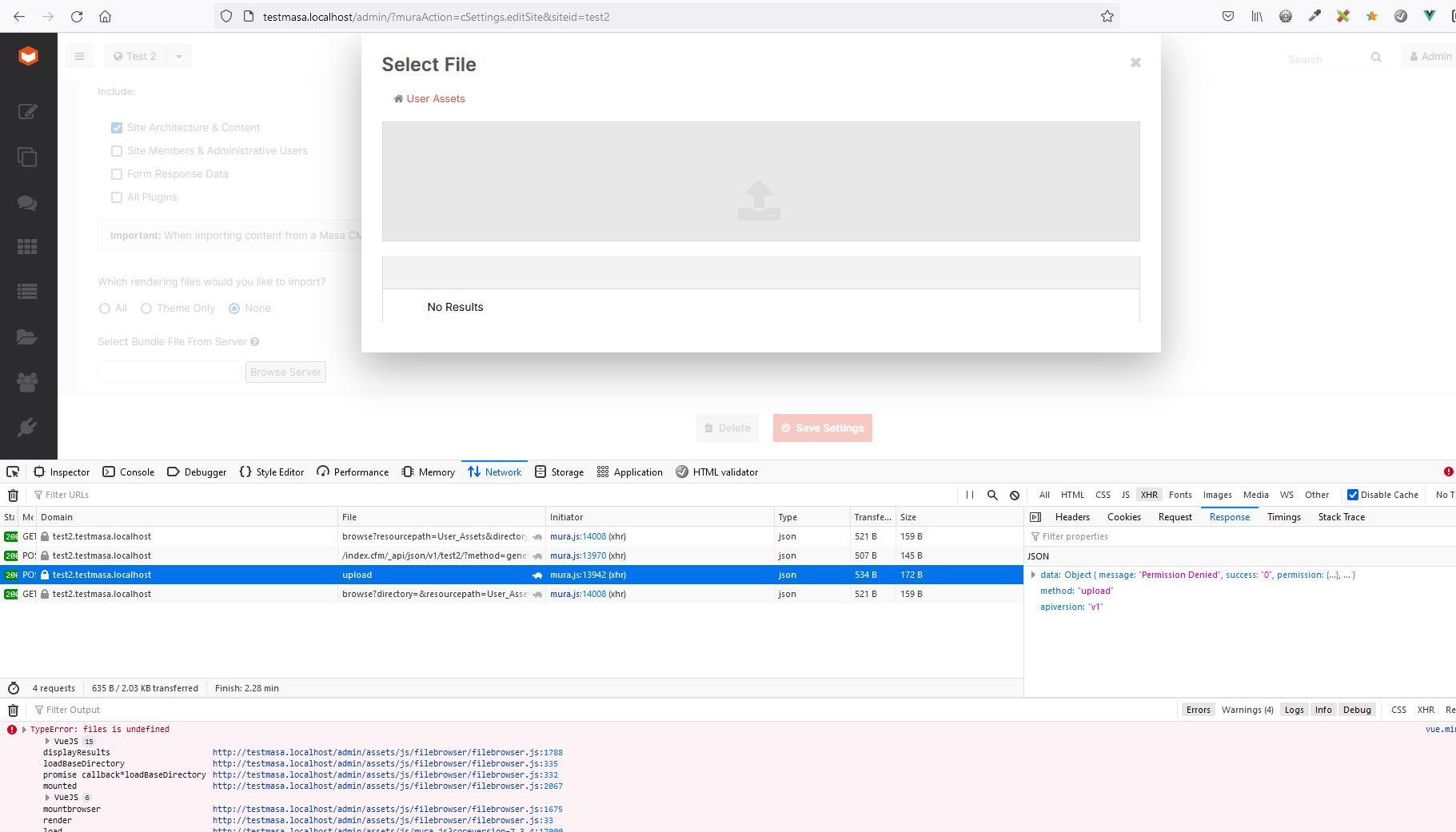
This might sound as a weird use case, but it can actually happen quite easily: Lets say, I have just installed Masa, so I am logged in as an Super Admin in the default site. Then I would create some other site (to keep the default site intact) and try to deploy a bundle there.
Finally, I logged in to the exact site where I wanted to deploy the bundle. Then I got no console errors and I was able to finish the upload. But as the bundle was being deployed I got another error, probably comming from a
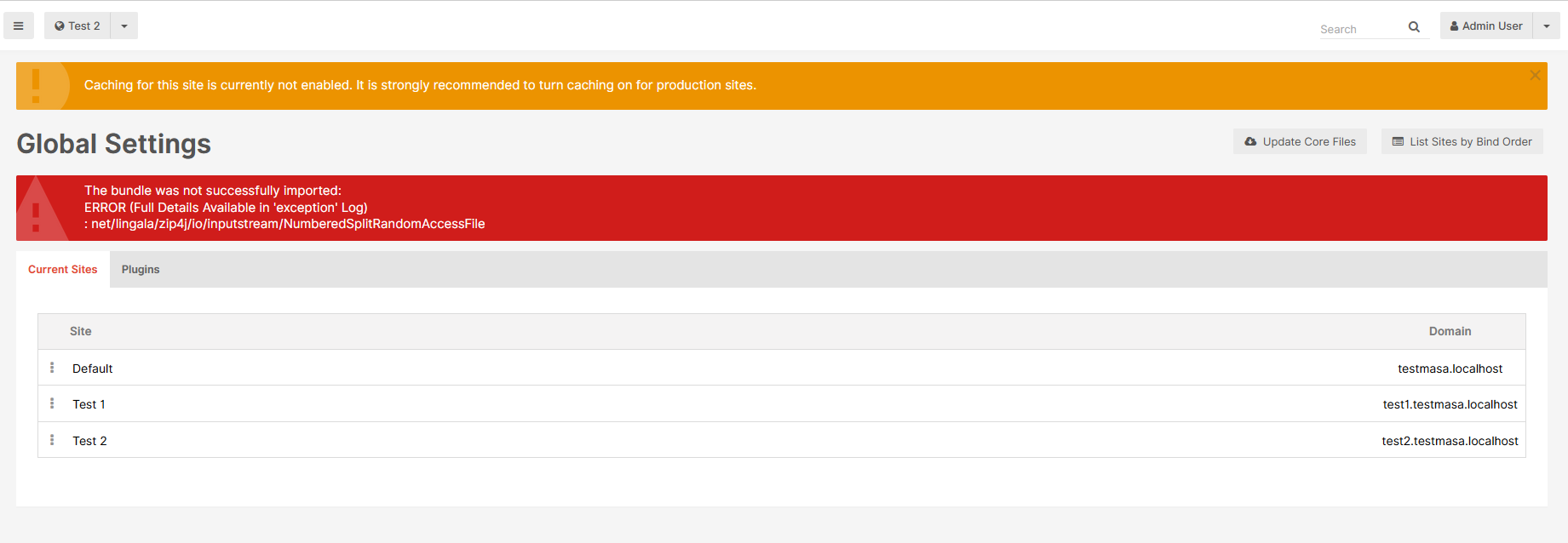
At the end, the site was correctly populated with the content, but the files were not copied from the bundle to the site's cache directory.
Regards
Ivan
In my testing, I deployed to 'default', so that might be why I didn't see your exact issue. Does deploying the bundle to 'default' result in any error/issue?
For the Filebrowser issue you are getting in the server response is "Permission denied" ... I can't see exactly what the error is because Vue is throwing its own error. Could you expand the response and see what the error from the server is?
I'd also suggest clearing your browser cache and doing an App reload after creating the site, just in case something is cached.
I have realized, that the cfzip error and final failure to deploy the bundle is actually a known issue with Compress Tags extension used by Lucee ( https://dev.lucee.org/t/cfzip-failure-using-compress-tags-1-0-0-7-with-lucee-5-3-9-133/10126 ). After downgrading the Compress tags to version 1.0.0.2 I was able to successfully upload and deploy the bundle in the default site or any other site I was currently logged into.
But, when I am logged into the default site and try to upload a bundle to any other site, I am still running into the issues I described earlier. First, the vue.js error as soon as I click the "Browse server button" and the "Select File" dialog is shown. Then the "Permission denied" result of the upload. I can expand the result, but there isn't really a server side error. The xhr call just finishes with status 200 and returns this result. It is not affected by cleaning the browser cache or reloading Masa.
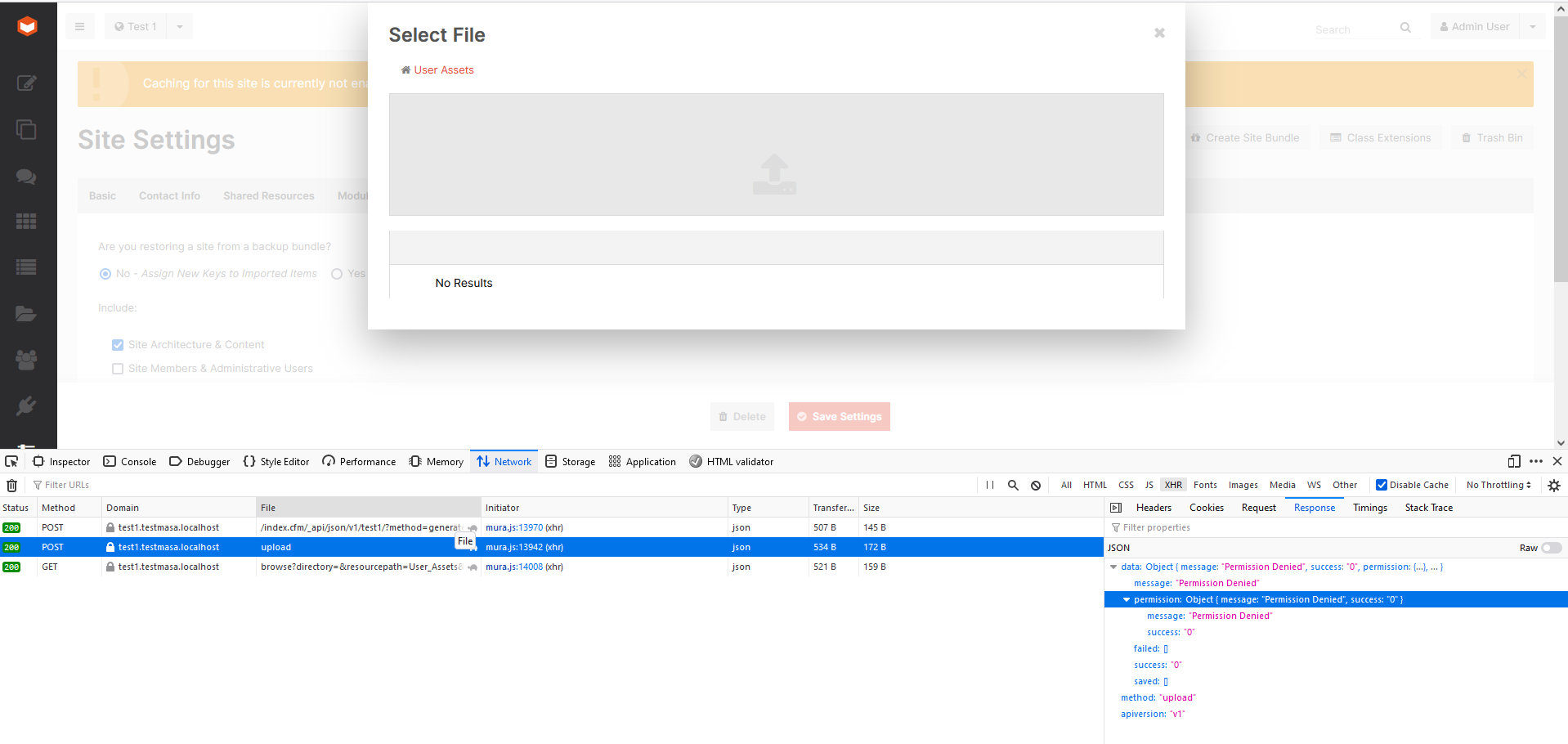
Can you confirm that the permissions on the new siteid folder are the same as the rest of the Masa instance?
Yes, they are the same and all granted. I am running Lucee on the localhost under Local System Account.
Hello @IvanRotrekl Is this issue still relevant or did you find a solution? This ticket will be closed after 30th September 2024 if no further comment is provided.
Greetings,
Jeroen
