

 Martin36
Feature/flag to stop needle at max for percentage above 100
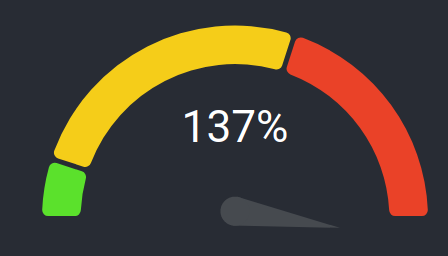
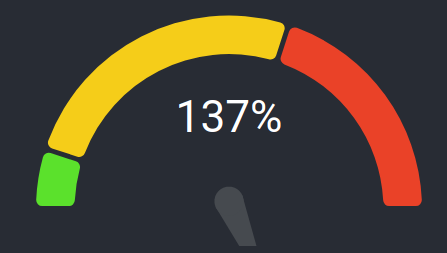
added 'stopNeedleAtMax' prop to flag that the needle should stop just above max for percentages above 1.0.
stopNeedleAtMax={true}
stopNeedleAtMax={false}

There are some merge conflicts. Could you merge your local branch with the latest master and fix them?

There are some merge conflicts. Could you merge your local branch with the latest master and fix them?
done :heavy_check_mark:
@eirikaho It looks great. I was just thinking, maybe the stop at 100% prop should be set default to true? For me it seems like the most logical behavior for the chart. Or it could even be something that is not a optional thing. What do you think?
@Martin36 I agree, it could definitely be the default behaviour and not even an optional prop. Should I update the PR with that change?
I solved this problem in the following way.
const newPercent = Math.min(percent, 1);

<GaugeChart
  percent={newPercent}
  formatTextValue={value => (percent > 1 ? `${(percent * 100).toFixed(0)}%` : `${value}%`)}
/>;
