

 MaartenGr
why can't I use gpu to do prediction, please help
hi, I am trying to use gpu to do the prediction, then I get some errors like below:
 it seems there is something wrong with my environment. here is my setting

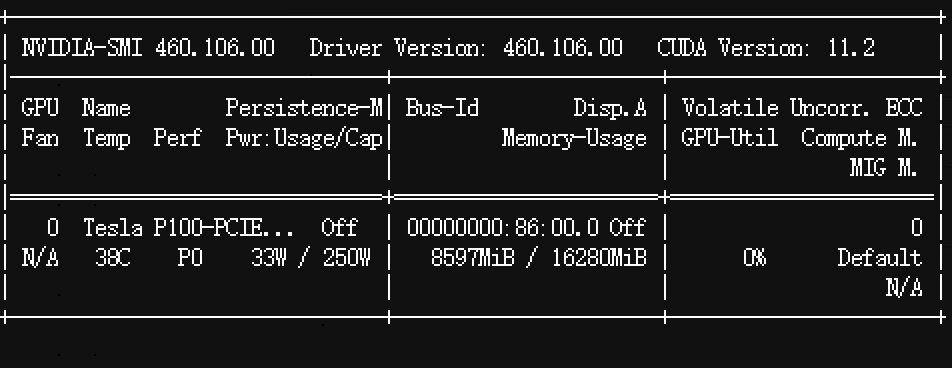 cuda 10.2 and p100 gpu

Could you share your code for training the model? Without the code, it is difficult to say what exactly is happening here.
Having said that, these kinds of issues often relate to the environment you are working in. Starting from a completely fresh environment and installing BERTopic there together with PyTorch often resolves many issues. It might be worthwhile to try it out.

@MaartenGr thanks for your help, below are my training code
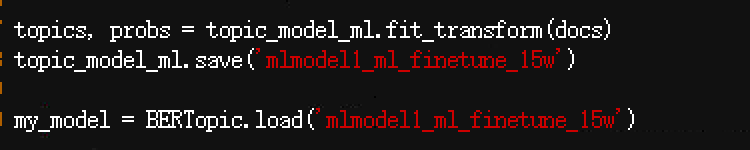 and looks like the version of my bertopic is 0.11.0
and my cuda is 10.2, torch version is 1.12.0+cu10.2
and looks like the version of my bertopic is 0.11.0
and my cuda is 10.2, torch version is 1.12.0+cu10.2
 e
e
Could you share your entire code? As in, also the code necessary to create topic_model_ml, as it is currently unclear what kind of sub-models, parameters, etc. you have chosen for your model.

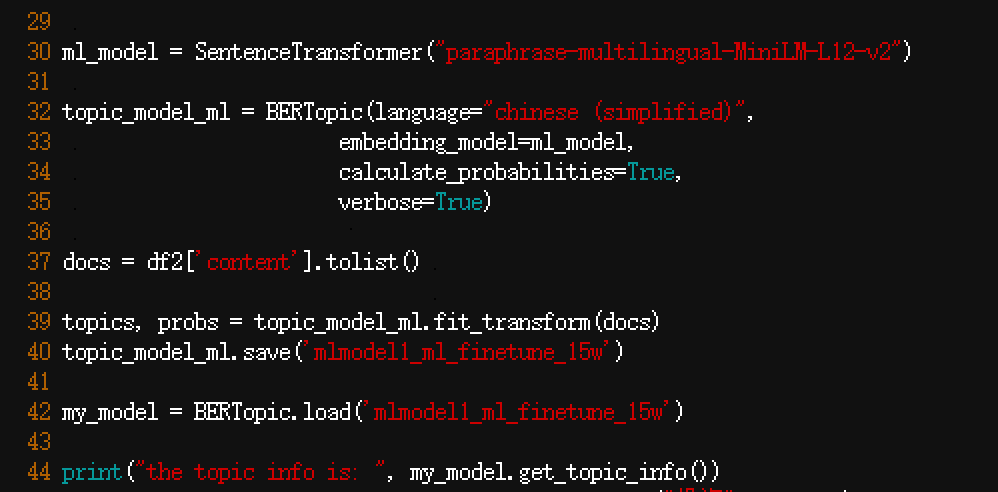
The code indeed does not seem like something is going on there. I would advise starting from a fresh environment and re-installing what you need there. Hopefully, that will resolve the issue.
@MaartenGr thank you so much. I found something this afternoon, it seems my cuda version is 10.2 and it requires 11.2 which includes lib_cudart.so.11. right after I installed cuda11.2, the warning disappeared.
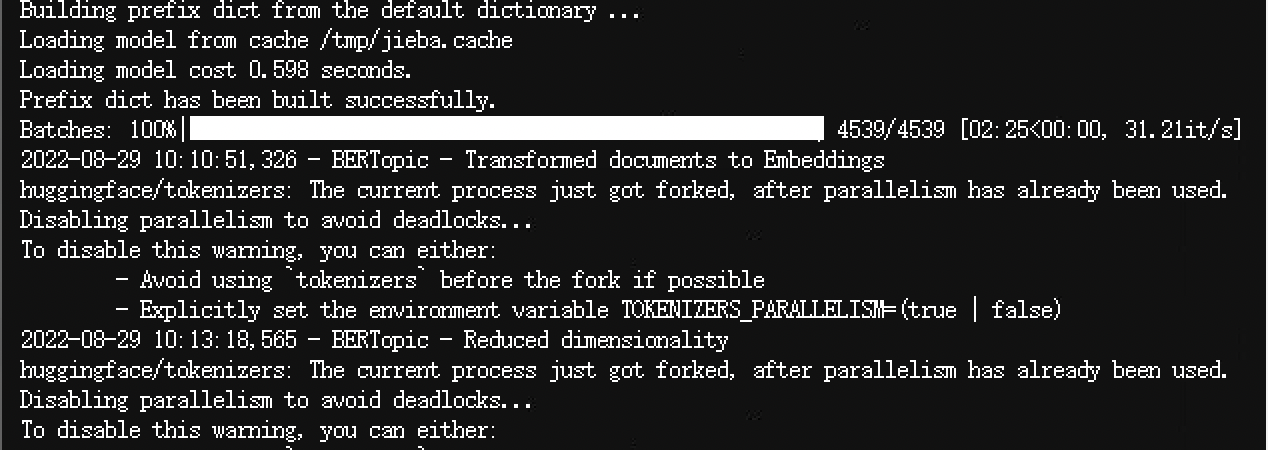 during the loading process of that progress bar, the gpu usage rises to 80%. Now, it's in the "reduce dimension" process and gpu usage is 0%. I think this problem's solved and now I will just wait to check the training process. btw, since the logs are not pretty clear, which part of the logs should I check to monitor the training process/
Glad to hear that with the other version you do not have those issues anymore. The logging that you received is from huggingface and might happen in certain environments. I believe you can remove those issue by playing around with the environment variable that is mentioned in the output. The logging that you should look for is prefaced with "BERTopic". In your image, that would be "BERTopic - Reduced dimensionality".