gantt-task-react

gantt-task-react copied to clipboard
 MaTeMaTuK
Customize the content of the popup on a click
I'm looking to customize the content of the popup on a click. I would like to add and remove some information.
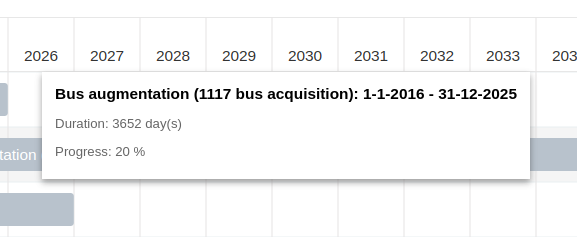
Is there a way to do this?
Thanks for your answers

With the prop TooltipContent on Gantt you can add a custom tooltip, and set everything you need.


@nachovoss
Create a new component, for example like this:
import {Task} from "gantt-task-react"
import styles from "../styles/tooltip.module.css";
import {Badge, HStack, Image} from "@chakra-ui/react";
import React from "react";

export const StandardTooltipContent: React.FC<{
    task: Task;
    fontSize: string;
    fontFamily: string;
}> = ({task, fontSize, fontFamily}) => {
    const style = {
        fontSize,
        fontFamily,
    };
    return (
        <div className={styles.tooltipDefaultContainer} style={style}>
            <b style={{fontSize: fontSize + 6}}>{`${
                task.name
            }: ${task.start.getDate()}-${
                task.start.getMonth() + 1
            }-${task.start.getFullYear()} - ${task.end.getDate()}-${
                task.end.getMonth() + 1
            }-${task.end.getFullYear()}`}</b>
            {task.end.getTime() - task.start.getTime() !== 0 && (
                <p className={styles.tooltipDefaultContainerParagraph}>{`Duration: ${~~(
                    (task.end.getTime() - task.start.getTime()) /
                    (1000 * 60 * 60 * 24)
                )} day(s)`}</p>
            )}

            <p className={styles.tooltipDefaultContainerParagraph}>
                {!!task.progress && `Progress: ${task.progress} %`}
            </p>
            {task['checklist'].length > 0 &&
                <>
                    {task['checklist'].map((item, index) => {
                            let dueDate = item['due'] != null ? '' + new Date(new Date(item['due'])).toLocaleString('en-US', {month: 'short'}) + ' ' + new Date(new Date(item['due'])).getDate().toString() + '' : null

                            return (
                                <HStack className={styles.tooltipDefaultWithBoth} key={item + index} spacing='10px'>
                                    {item['state'] == 'complete' ?
                                        <input type="checkbox" checked="checked" style={{marginRight: '5px'}}
                                               readOnly={true}></input> :
                                        <input type="checkbox" style={{marginRight: '5px'}} readOnly={true}></input>}
                                    <label style={{marginRight: '5px'}}>{item['name']}</label>
                                    <div style={{marginLeft: 'auto', marginRight: '0px'}}>
                                        <HStack>
                                            {item['due'] != null ?
                                                <Badge fontSize='10px' variant='solid' colorScheme='grey'>{dueDate}</Badge> :
                                                item['state'] != 'complete' ? <Badge fontSize='10px' variant='solid' colorScheme='red'>No due date</Badge> : ''
                                            }
                                            {item.hasOwnProperty('avatar') &&
                                                <Image
                                                    key={index + item}
                                                    src={item['avatar']}
                                                    boxSize='25'
                                                    borderRadius='full'
                                                    style={{
                                                        marginLeft: '5px',
                                                        marginBottom: '5px',
                                                    }}/>
                                            }
                                        </HStack>
                                    </div>
                                </HStack>
                            )
                        }
                    )}
                </>
            }
            <HStack>
                {task['members'].map((item, key) => (
                    <Image
                        key={key + item}
                        src={item}
                        boxSize='35px'
                        borderRadius='full'
                        style={{
                            marginLeft: '5px',
                            marginBottom: '5px',
                        }}/>
                ))}
            </HStack>

        </div>
    );
};
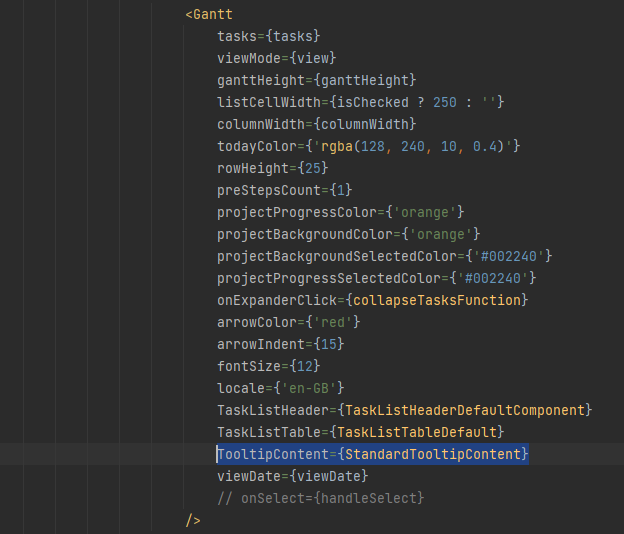
Add it to the properties of the Gantt component like this:
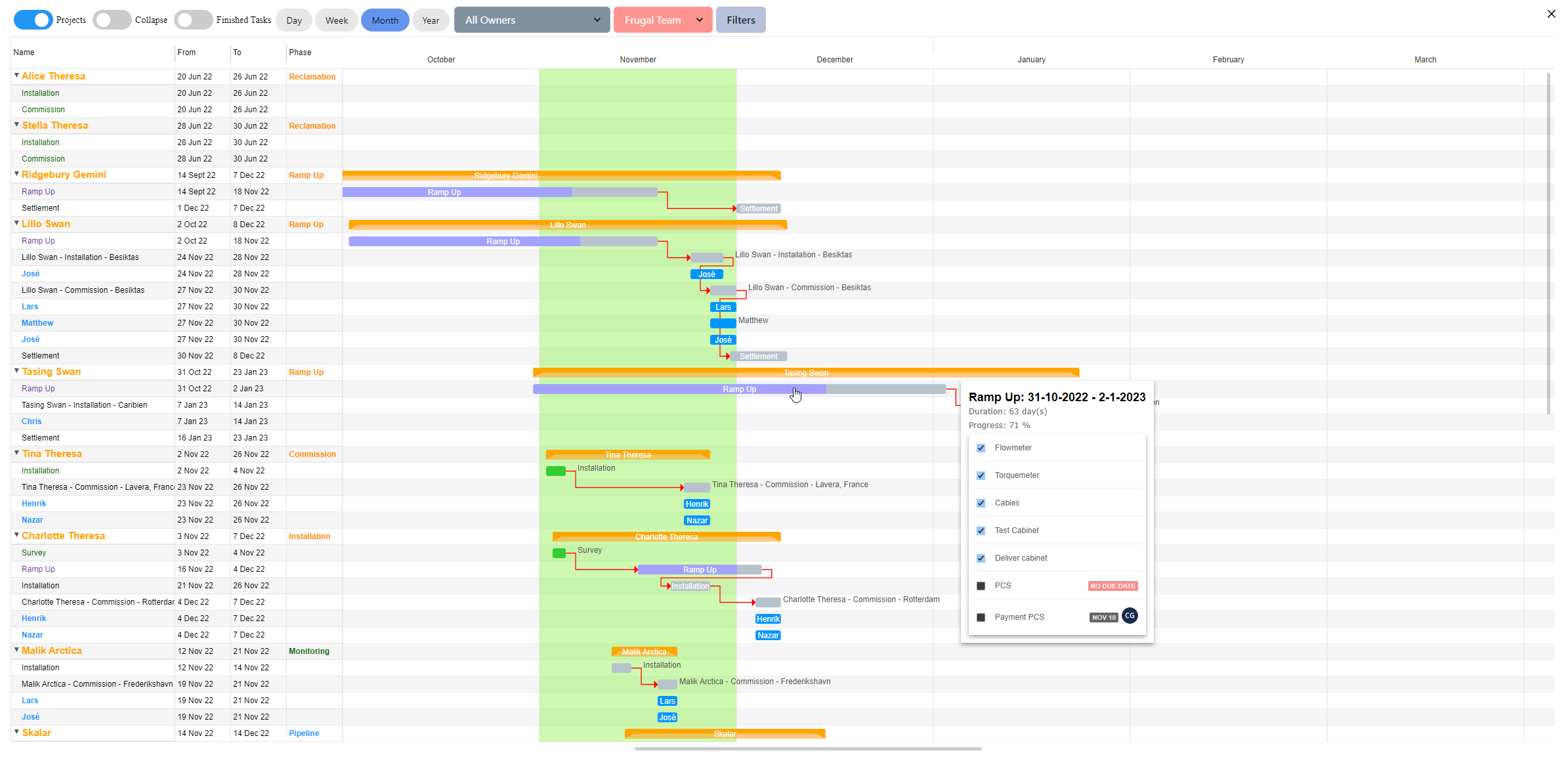
And it can look something like this: