
thoughtworks-code-review-tools
 thoughtworks-code-review-tools copied to clipboard
 MTWGA
MTWGA
一款与Trello集成的IDE插件,帮助团队让code reivew更高效、反馈可视化。其源于Thoughtworks的code review实践,可以将code review中的反馈进行分类记录到Trello中。通过Trello提供的统计功能,后续可以对出现频率较...
Thoughtworks code review tools





The purpose of developing this plug-in is to improve the work efficiency of Code Review and the joy of Code Review.
开发本插件的目的是 Code Review 提高工作效率,插件需要和Trello配合使用,我们希望在code review中发现问题,在Trello中记录问题,并用Trello统计出现的问题,以此为方向给团队赋能。
Installation
-
Using IDE built-in plugin system:
Settings/Preferences > Plugins > Marketplace > Search for " ThoughtworksCodeReviewTools" > Install Plugin
-
Manually:
Download the latest release and install it manually using Settings/Preferences > Plugins > ⚙️ > Install plugin from disk...
Configuration
-
Set up your Trello configuration here:

-
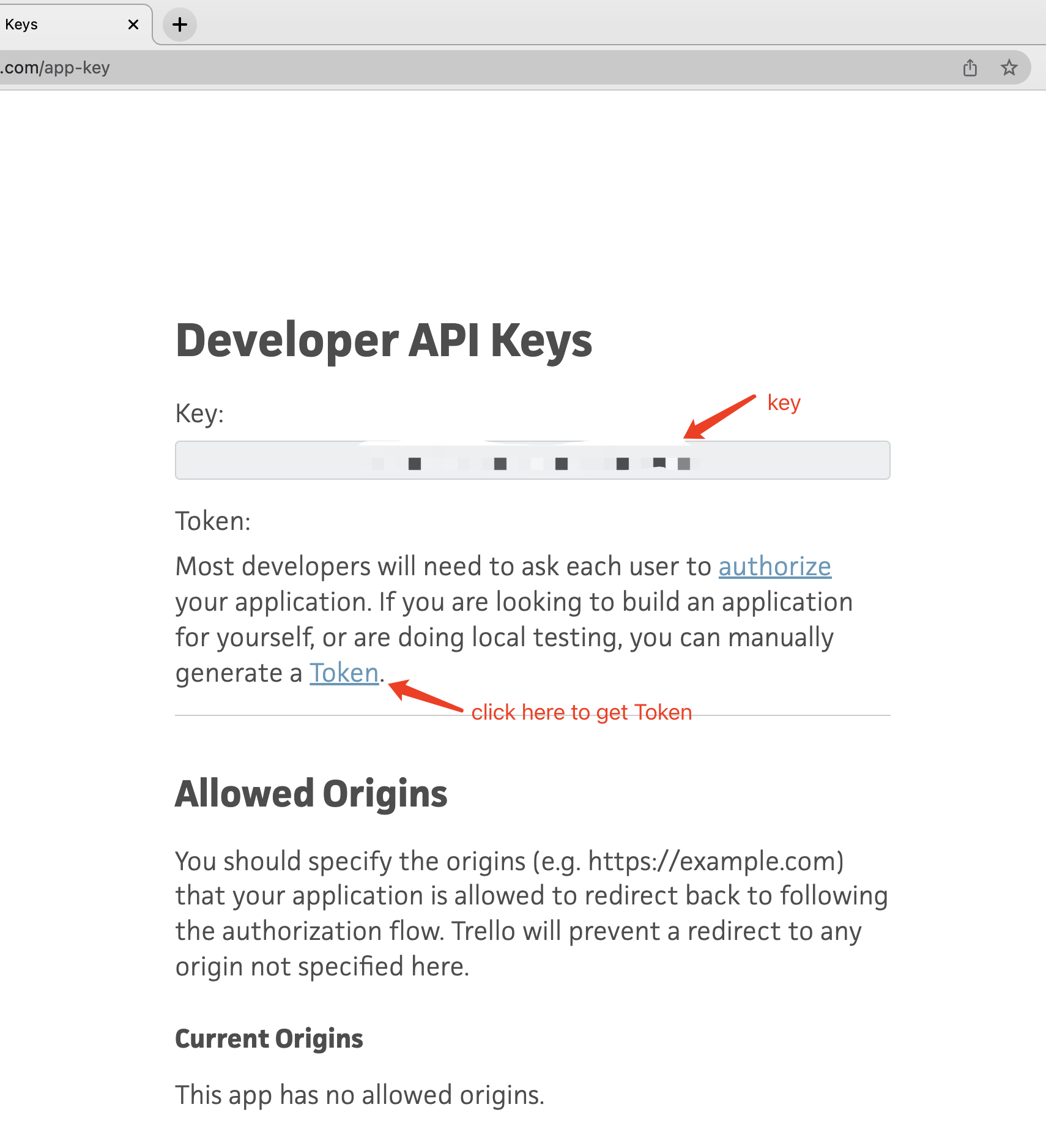
Trello key & token can be got here: https://trello.com/app-key
trello key and token:
-
Board id can be found in url:

-
Due time will be added to card for marking as done when problem solved
Setup Trello board
-
Add members to the Trello board. Member should be displayed in this tool
-
Add labels to the Trello board(menu -> label). Label is using for classifying problems found in code review
How to use
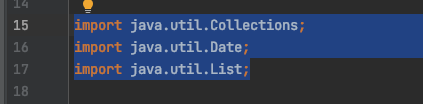
- Select the code
-
Call the tool by default shortcut: cmd + option + i
-
Enter Owner, Label, feedback, then press enter
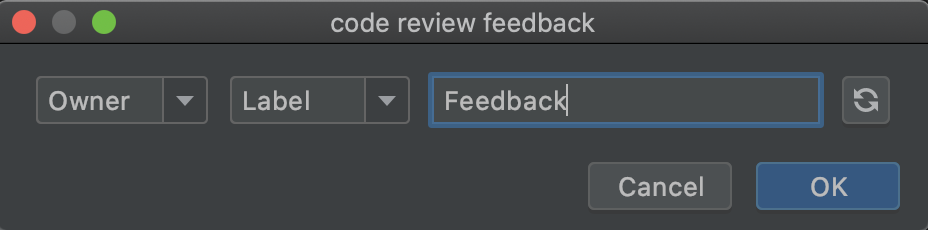
- A notification will display if the Trello card created

Refresh
- Use refresh button if a new member or label just be added to Trello board
 MTWGA
MTWGA