

 MCCTeam
[BUG]
Prerequisites
- [X] I made sure I am running the latest development build
- [X] I tried to look for similar issues before opening a new one
- [X] I have set
debugmessages=truein config to diagnose my issue - [X] I have redacted session tokens and passwords before attaching screenshots
Minecraft Version
1.8.9
Console Client Version
20220909-54
Expected Behavior
I don't know what happened so i can't really expect anything.
Actual Behavior
Error while using client and it close itself.
Steps to Reproduce the bug
- Client running smoothly
- This error appears after running for a while.
- When I click yes clients close itself.
Attach screenshot here (If applicable)
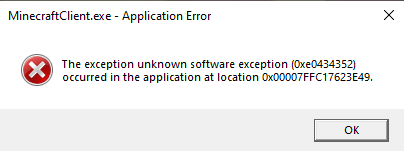
Anythings that could help diagnosing the bug
No response
Device
Laptop
Operating System
Windows
Server Address (If applicable)
No response


Which .NET version are you running? You need .NET core 6.0
I have .NET Core 6.0.7.
Is there any error that appears on the console?
I forgot to look. I am running the client again to get this error again but it is not coming, I will reply when I get it.
This article may be of some help in solving this problem: How to solve unknown software exception 0xe0434352

This article may be of some help in solving this problem: How to solve unknown software exception 0xe0434352
These are general troubleshooting steps for a windows machine, and may not help in our situation.
According to MSDN, 0xe0434352 is simply the exception code that is given to windows when there is a CLR exception.
A CLR Exception is a generic .NET Exception, that is why I suggested checking the console for the actual error.
Since this is given to Windows, we may be able to see the exception itself using Event Viewer.
If you are willing to go through the trouble, here is a quick guide to opening the Event Viewer.
Guide
1. Open the Event Viewer from the Start Menu.

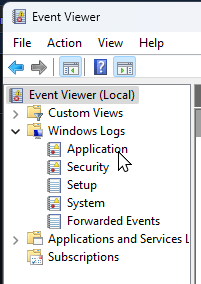
2. On the left side of the screen, click on Windows Logs, and then Application.
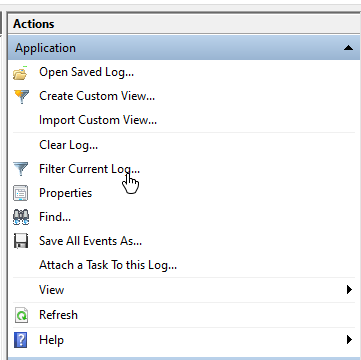
3. On the right hand side of the screen, select Filter Current Log.
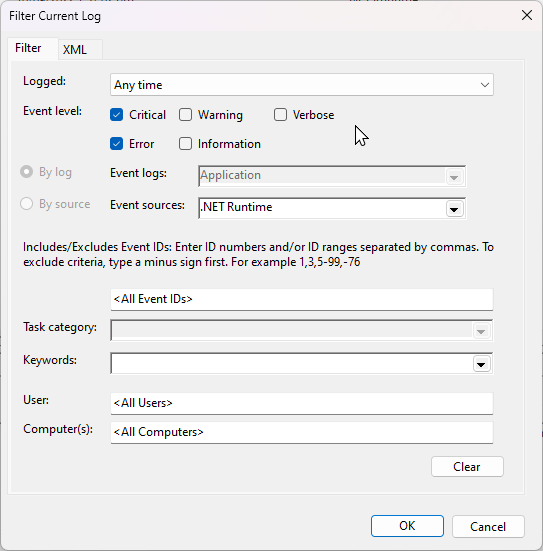
4. Fill out the following information in the popup as shown.
5. You should now be able to see the exception information. Please find the correct time and date when the error happened.
The information that we require should be shown on the box below.
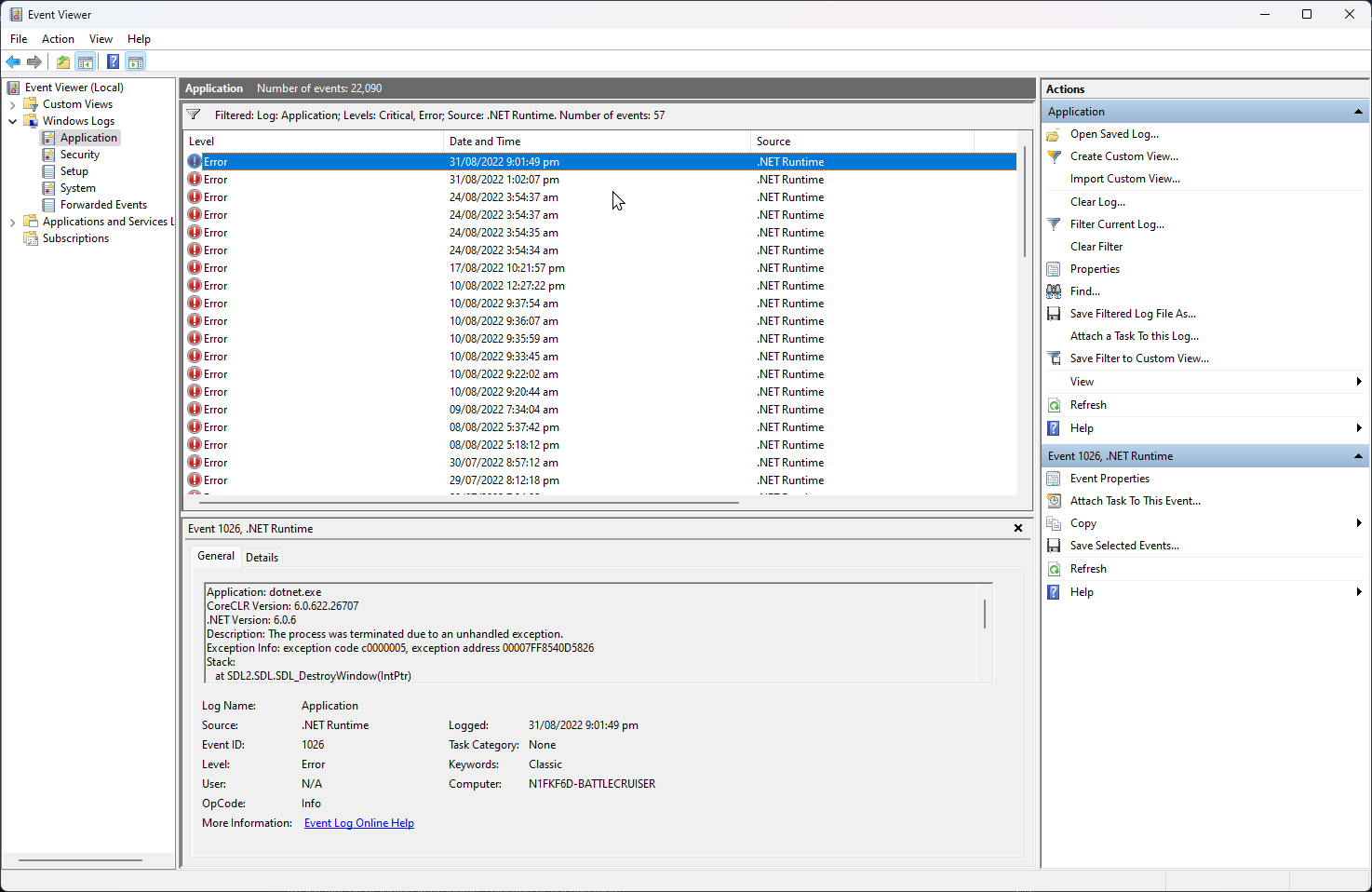
Application: MinecraftClient.exe CoreCLR Version: 6.0.722.32202 .NET Version: 6.0.7 Description: The process was terminated due to an unhandled exception. Exception Info: System.InvalidOperationException: Console Reader thread is already running. at ConsoleInteractive.ConsoleReader.BeginReadThread(CancellationTokenSource cancellationTokenSource) at ConsoleInteractive.ConsoleReader.RequestImmediateInput() at MinecraftClient.Program.<>c__DisplayClass13_0.<HandleFailure>b__0() at System.Threading.Thread.StartCallback()
Event viewer log.
This issue is most likely triggered by reconnecting the client, therefore calling Init twice. I'll be looking into a fix for this issue.
This issue is most likely triggered by reconnecting the client, therefore calling Init twice. I'll be looking into a fix for this issue.
I've experienced it when testing the WebSocket bot on 1.19.2, on 1.18 it never happens. Still haven't figured where the problem is.
Since I've ported the WebSocket chat bot on to the master with TOML settings, I have not experienced this issue anymore. So I'll consider this as fixed and will close the issue. If you still have it, reopen the issue.