
Minecraft-Console-Client
 Minecraft-Console-Client copied to clipboard
 MCCTeam
[BUG] Cannot open assembly 'MinecraftClient.exe': File does not contain a valid CIL image.
Prerequisites
- [X] I made sure I am running the latest development build
- [X] I tried to look for similar issues before opening a new one
- [X] I have set
debugmessages=truein config to diagnose my issue - [X] I have redacted session tokens and passwords before attaching screenshots
Minecraft Version
1.18.1
Console Client Version
latest
Expected Behavior
to boot up
Actual Behavior
docker wont start the container. debugmsg is on but i get this error in logs: even a new docker container without volumes or preconfigured configfiles gives the same issue. it worked before. I was working on the server (intel nuc i3) for a whole day, while the container was running. wanted to restart the container and now i get this every time.
% Total % Received % Xferd Average Speed Time Time Time Current Dload Upload Total Spent Left Speed
0 0 0 0 0 0 0 0 --:--:-- --:--:-- --:--:-- 0 100 2893 100 2893 0 0 3888 0 --:--:-- --:--:-- --:--:-- 3893 % Total % Received % Xferd Average Speed Time Time Time Current Dload Upload Total Spent Left Speed
0 0 0 0 0 0 0 0 --:--:-- --:--:-- --:--:-- 0 0 0 0 0 0 0 0 0 --:--:-- --:--:-- --:--:-- 0 100 62 100 62 0 0 81 0 --:--:-- --:--:-- --:--:-- 81 Cannot open assembly 'MinecraftClient.exe': File does not contain a valid CIL image.
Steps to Reproduce the bug
if i would know how to reproduce, i would probably know how to fix it as well :)
Attach screenshot here (If applicable)
No response
Anythings that could help diagnosing the bug
No response
Device
Other
Operating System
Linux
Server Address (If applicable)
No response


Same error here. Ubuntu 20.04. I used the docker instructions from the readme:
#Using HTTPS git clone https://github.com/MCCTeam/Minecraft-Console-Client.git docker build -t minecraft-console-client:latest .
Since yesterday, when I try starting the docker container, it says theres no valid cil image:

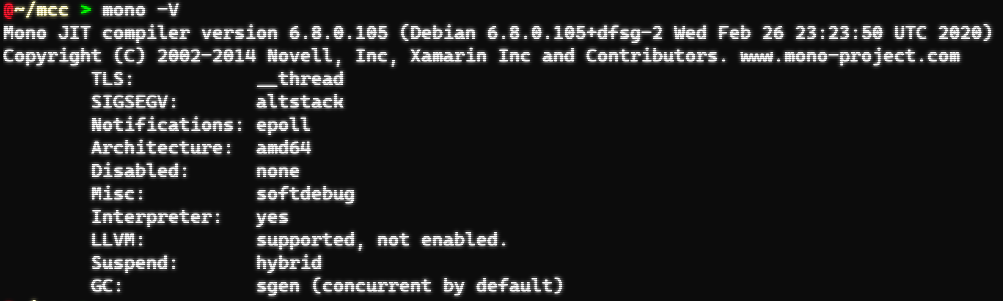
Mono:

In start-latest.sh used for Docker there is an automated download of the AppVeyor build. If download fails, this will put some HTML error page inside MinecraftClient.exe and cause the error.

This reminds me that I received an email from AppVeyor about rate limiting in artifact download.
Oh, so that's what causing the error.
Just checked AppVeyor, if I try downloading it manually it says
{"message":"Artifacts download limit (1024 MB/day) exceeded."}
In order to avoid AppVeyor rate limits, you can now find the latest development build directly in the releases tab. I'll now look into updating the script embedded into the Docker container to automatically download from there instead.
Script updated in commit https://github.com/MCCTeam/Minecraft-Console-Client/commit/2dfec8b04797ab9e4288e90e0744d7033346cc07 - unsure if further changes are required for the update to reflect in Docker.
