

 MASILab
The data / folder structure
Hi, I would like to train my own dataset, and I checked the data structure in sublist. But it seems like there are some missing information how to structure the folder data. Could you please share the information about it? Did you make the 3 folder for the data? MRI data, CT data and the MRI Label data?
Or maybe you can share your dummy data so I can try to debug it myself?
Thank you

Thanks for your questions. You can see the subject list files, it will show you the structure that I used. https://github.com/MASILab/SynSeg-Net/tree/master/sublist
Hi, I would like to train my own dataset, and I checked the data structure in sublist. But it seems like there are some missing information how to structure the folder data. Could you please share the information about it? Did you make the 3 folder for the data? MRI data, CT data and the MRI Label data?
Or maybe you can share your dummy data so I can try to debug it myself?
Thank you

Thank you for the response, I followed the structure and change a little to put the label/segmentation. But when I check the dataset number using len(dataset), there is the different number on the train.py
line 62, 63 and 64
data_loader = CreateDataLoader(opt) dataset = data_loader.load_data() dataset_size = len(data_loader)
the dataset_size is 10 because I try to put small data. but in the debugging process when I used len(dataset) it resulted in 3, not 10 so there is a difference for data using the command in line 63 dataset=data_loader.load_data()
with the dataset that process in data_loader in line 64
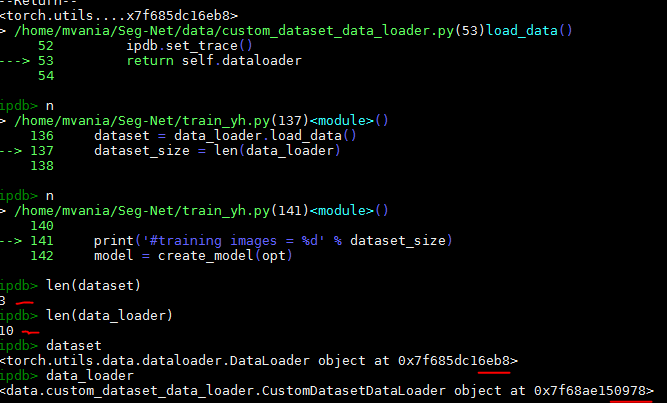
and I think this difference raises an error that halts the training process

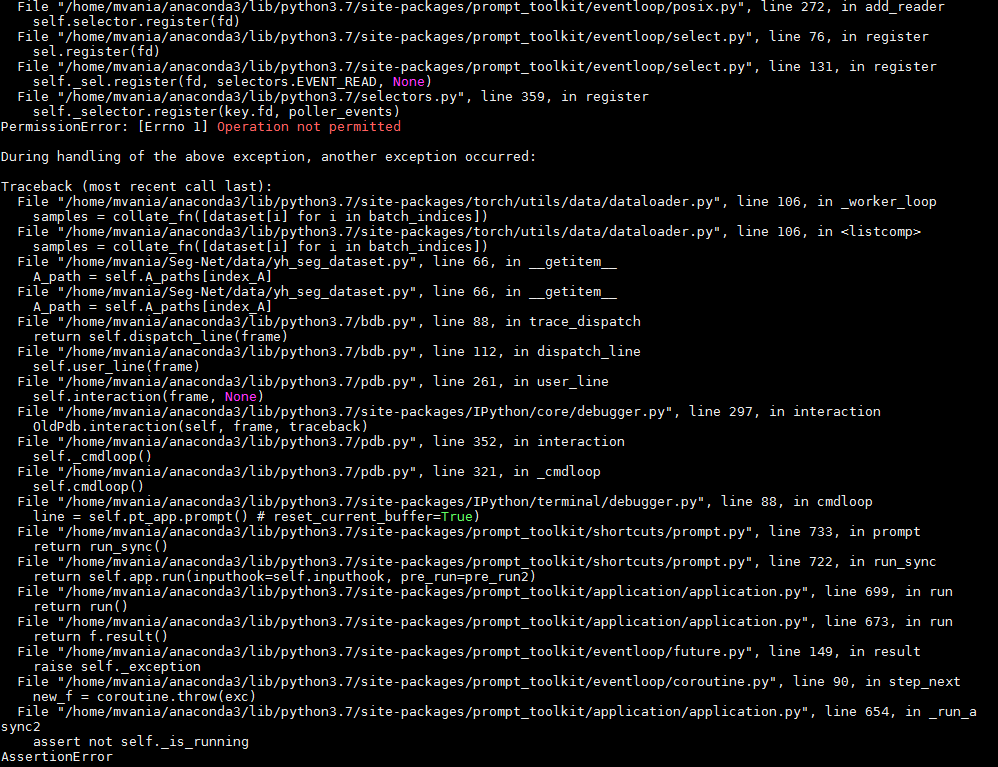
Do you have any suggestions about what might be the cause?
Thank you
dataset and data_loader are two different things. It might be easier to use PyCharm or similar IDE to debug it.
Thank you for the response, I followed the structure and change a little to put the label/segmentation. But when I check the dataset number using len(dataset), there is the different number on the train.py
line 62, 63 and 64
data_loader = CreateDataLoader(opt) dataset = data_loader.load_data() dataset_size = len(data_loader)
the dataset_size is 10 because I try to put small data. but in the debugging process when I used len(dataset) it resulted in 3, not 10 so there is a difference for data using the command in line 63 dataset=data_loader.load_data()
with the dataset that process in data_loader in line 64
and I think this difference raises an error that halts the training process
Do you have any suggestions about what might be the cause?
Thank you