

 M2Team
Options menu: Changing application language doesn't change language of buttons
Together with @JKolodziejczyk and @apospieszny, we have been testing NanaZip as the final project for the Software Testing course at Jagiellonian University. Here is one of our results:
Even though we changed the application's language, Ok Cancel and Apply buttons remained in our native language:
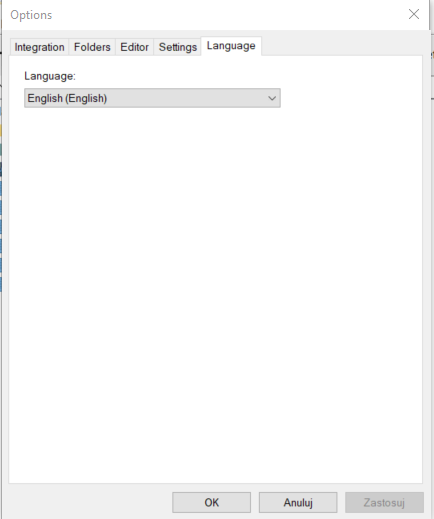
Expected result: Button's language should also change
Used version: NanaZip 1.0 x64

In my version (1.2.252.0), the "Language" tab in the Options dialog is not even displayed. How can I switch the app to English on a German Windows 11?

Starting with NanaZip 1.2, the language page in Options dialog had been removed because NanaZip will follow the language settings from Windows itself.
So, close the issue.
Kenji Mouri

That is absolutely not satisfactory. I have a German Windows installation, but I have set all my installed applications to have English UIs bc German translations are often bad and, most of all, not googlable. Every application aside from NanaZip has a per-application language setting, even Microsoft's own applications do. So as NanaZip cannot be switched to English without switching the entire OS to English, and 7-Zip doesn't support the new Windows 11 context menu, the best solution for me was to uninstall NanaZip and deactivate the Windows 11-style context menu, so I can use 7-Zip with English UI again.