

 LuxCoreRender
Anti-alised Depth AOV Request
Please add anti-alised Depth pass. It's very often needed for further post production for precise control of camera DOF effect.
Currently there is no way to get anti-aliased Depth pass out of LuxCore. This feature would improve LuxCore usability in production pipeline.
Want to back this issue? Post a bounty on it! We accept bounties via Bountysource.

While averaging colors produces anti-aliasing, averaging distances (i.e. depth) would look very strange: you would end with the depth of a pixel, on the edge of an object, resulting half way between the front object and the background object. This need a more clear definition of what you mean with "anti-alised Depth pass".

While averaging colors produces anti-aliasing, averaging distances (i.e. depth) would look very strange: you would end with the depth of a pixel, on the edge of an object, resulting half way between the front object and the background object. This need a more clear definition of what you mean with "anti-alised Depth pass".
Hi Dade! I've asked for something similar in the forums and BYOB redirected me. I attach 3 images to better describe the issue.
Mist considering the background (notice the thin line between the car and the mountaints)
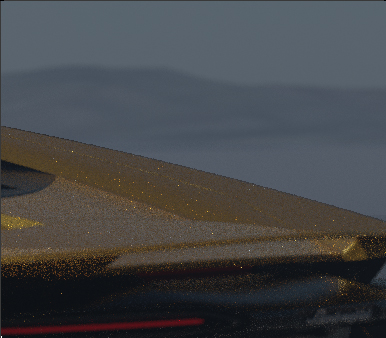 Mist not considering the background (now the background the same effect but more exagerated)
 No mist effect for comparisson

The main problem I've notice is that it creates a really thin line separation between the figure and 3d background. Secondly, when the mist effect is not applied on the background (not 3d) and the camera have DOF effect, it doesn't "adapt" to that situation and creates a sharp border where it should look blurry. This is what I also would call like it doesn't have AA, but in both cases I believe that is because the DOF info is not connected with the mist effect. I hope these examples show a bit better the issue. Aside from this, it would be great if this mist information could be extracted as a map to use it in pos pro rather to be embedded in the render.
Saludos!

While averaging colors produces anti-aliasing, averaging distances (i.e. depth) would look very strange: you would end with the depth of a pixel, on the edge of an object, resulting half way between the front object and the background object.
This feature is mostly for compositing, to blend in effects based on depth. Since this is done in screen-space, it's fine to have these bogus anti-aliased depth values.

It's fairly easy to get Depth pass out of Blender. You just need to activate Z pass in View Layer Properties first. Then add Normalize node to the output in Composite workspace.
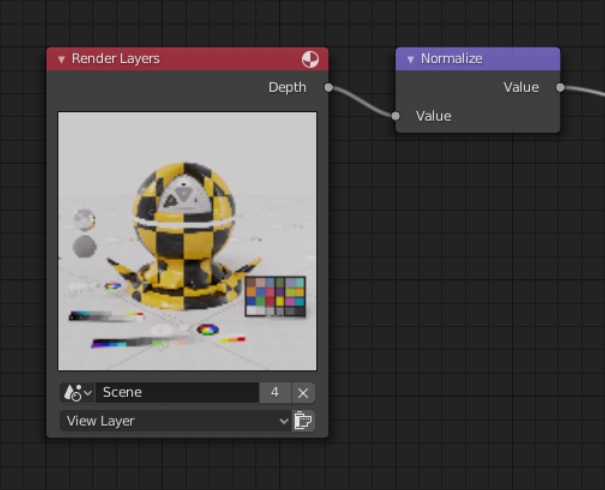
It's fine if you are doing all the work in Blender but if you save the resulting pass for the outside pipeline it's pretty much useless since it's not anti-alised and will produce artifacts on edges.

Luckily there is a workaround to get better result. Both issue and solution described in these videos really well: Export Accurate Z Pass How to set up Anti-Aliased Z Pass in Blender 2.8
I personally use the method described in the last video since I don't do animations. As a result I get nice anti-alised depth pass which can be used further in production. In my case in Photoshop.
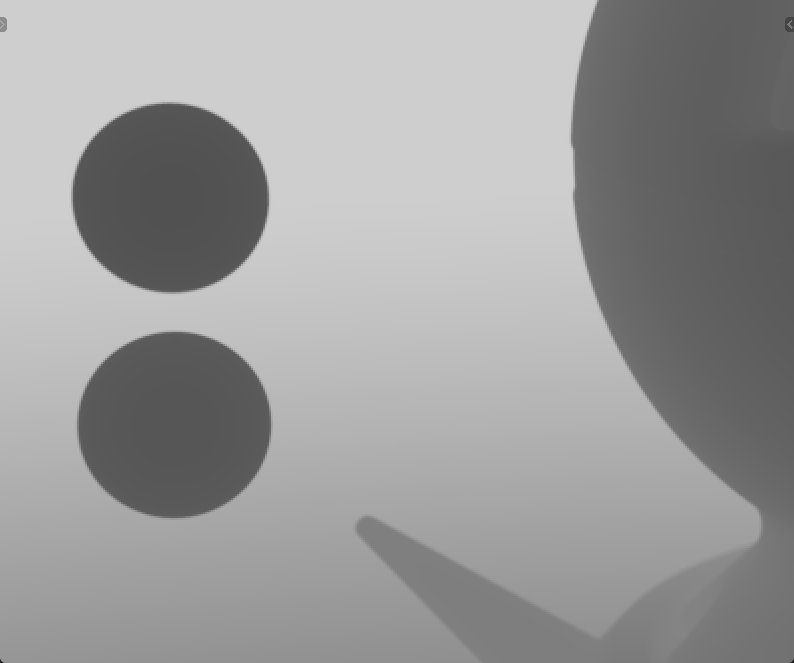
I would be okay if you either add mist pass to LuxCore so we can use similar work-arounds as in Cycles or make it possible to output anti-alised Depth pass.