

 LunarVim
Documentation for working with the explorer
Feature Description
Just like pressing the space key and seeing what keys I can press to do certain actions in the editor, I want to do the same in the explorer. I've been trying to create a folder for 15 minutes.
Describe the alternatives you have considered
Pressing all the keys to see which one does what 😭
Support information
No response

For now, you can press g + ? inside explorer (nvim-tree) to see its default key map.

A simple search in the help file -- :help nvim-tree and searching for 'create' gave me the keymaps. For searching within a buffer, I use Telescope. It has builtin "current_buffer_fuzzy_find" feature to search within a buffer.
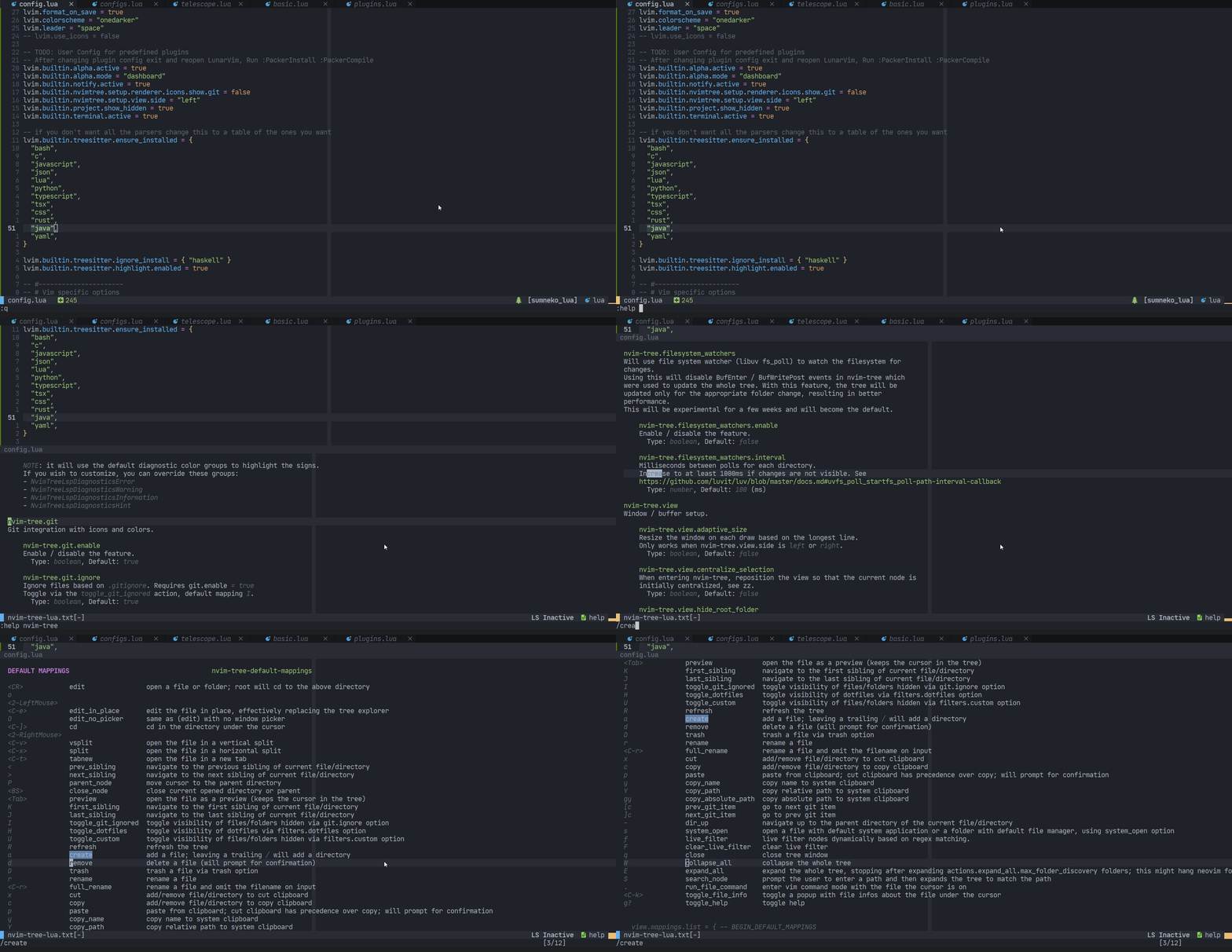


A simple search in the help file -- :help nvim-tree and searching for 'create' gave me the keymaps.
@aniketgm I think the bigger issue is that an IDE shouldn't expect new users to be familiar with a non-universal part of its interface (nvim-tree) straight away. Searching for what is actually shown on the window, :help explorer, leads to an unrelated help page. Displaying g + ? somewhere in that window, or even just "nvim-tree", would go a long way towards making it easier for users to find those keybindings on their own. Currently, only people familiar with that plugin would know to do what you suggested.
In fact this applies to other parts of LunarVim's UI, it gives you a lot of very useful tools with good defaults out of the box, but due to the minimalist nature of those tools and the fact they were originally designed as standalone plugins, they usually have no title or hints for where to look for documentation present in their interface, as it assumes the user is already familiar with where to look for them (their repos), and LunarVim's own documentation for this is severely lacking.

We can provide hints as to where to look but LunarVim can't and shouldn't replicate the documentation for other plugins. Plugins change all the time and any documentation for external plugins would be quickly outdated. If you have specific ideas about how to make the documentation more useful, please create a pull request on https://github.com/LunarVim/lunarvim.org

I definitely agree replicating the entirety of the documentation wouldn't make sense, I'm simply stating that, as is, the experience of using the file explorer for anything more than basic navigation is sort of predicated on you already being familiar with a plugin, and finding what that plugin is sorta convoluted. I don't think there's an obvious solution to the first problem, so I can't fault the project (which I think is excellent otherwise), I'm just pointing it out because I found another user's implication that it's obvious where to look for the documentation for a part of the UI that is simply titled "Explorer" a bit condescending.
This is not entirely LunarVim's fault by the way, if anything this more a consequence of vim plugins assuming users can memorize dozens of non-standard keybindings they allocate for basic operations as a whole.
Although perhaps what could be improved is the "quickstart" page on the website, with a section explaining very basic navigation where it differs from neovim, which individual components the core UI is made of (i.e. not linters and stuff, but the file manager for example), so users can find the documentation for those components more easily. I also didn't find any mentions of nvim-tree or "explorer" when searching on the website (both should point to the core-plugins page). I'll create a separate issue there.
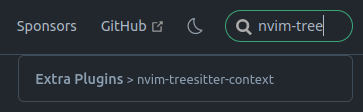
I think the bigger issue is that an IDE shouldn't expect new users to be familiar with a non-universal part of its interface (nvim-tree) straight away. Searching for what is actually shown on the window, :help explorer, leads to an unrelated help page.
@avalonv It's true that IDE's shouldn't be assuming new users to be familiar with non-universal part of rather anything. But the fact of the matter is that, something as basic for a vim user, as finding help within lunarvim, (OR vim in general, should not be an issue). If we are defining new users as users new to vim entirely, then it's a different story. Maybe LunarVim documentation can suggest to first try out 'vimtutor' for instance.
I'm lucky that I started out my journey by using the age old vi editor first, then vim >> neovim >> lunarvim. And since then, I have developed this habit of my first approach for finding any help, is by looking within vim itself :help <blah-blah>. (That previous statement felt to me like preaching someone -- look within yourself child, enlighten yourself, 😉, haha).
About finding help in vim for nvim-tree, why would any user search for any other term like :help explorer rather than doing :help nvim-tree, first.
Anyways, that's what I suggested to the OP. And people using LunarVim should also be aware that they are not using some entirely different software, but at it's core is Vim itself, which has so much help within itself, only for them to look for and find answers there. I believe that's what is lacking in new users. Another thing lacking is patience to read through stuff. Every new users wants a quick summary page nowadays.
One thing I agree is that search on the website is not good. However, the 'Quickstart' is pretty much nice for anyone starting out with LunarVim, (maybe some more things can be added as there is always room for improvement). Also anyone using any plugin is expected to atleast once visit and go through the readme of it's github/gitlab/any other source page, if they face any problems. They will most probably find the answers they are looking for.
@aniketgm I don't want to turn this into a protracted discussion, but my original point, which I think you're misunderstanding, is that a new user probably doesn't know that they are using nvim-tree in the first place.
About finding help in vim for nvim-tree, why would any user search for any other term like :help explorer rather than doing :help nvim-tree
See the title to this issue: "working with the explorer". Even someone who's used vim for years wouldn't know to search for ":help nvim-tree" unless they already knew the explorer in question was a separate piece of software called "nvim-tree", with its own help-docs and documentation. That's because they assume it is an intrinsic component of LunarVim, or at least one adapted to it, simply called "explorer", not because they are unfamiliar with Vim. Here's another example.
The confusion has nothing to do with vimtutor or the basics of navigating vanilla Vim/Neovim, it's that the interface for navigating this part of the program, which is different from vanilla, is not labelled, not present in the README, and its documentation can only be found by following a rather long and unintuitive chain of pages on the website.
A new user wouldn't automatically know which parts of the UI are standalone plugins, and to search their helpdocs or README in their respective repos, and which are built-in components of LunarVim, because currently there's nothing to indicate that distinction in LunarVim's own README. You know it because you're familiar with the application, I know it because I fussed about in the website, but finding that is not as straightforward as you're suggesting. The problem here isn't that new users are stupid, it's that the extent to which specific parts of LunarVim rely on external components isn't immediately obvious.
Making it easier to discover what the different pieces of LunarVim are is useful not only to the user, but also to the LunarVim maintenance team by hopefully reducing time spent answering questions. This is in contrast to doing the job of explaining how those different pieces operate or can be configured, which is what everybody wants to avoid.
@aniketgm Basically, the aim is to make it easier to answer this question: how would someone know that they should use :help nvim-tree to find help, versus :help explorer/finder/tree/filetree/sidebar/navigator/directory/browser etc - you get the idea.

This issue is stale because it has been open for 30 days with no activity.
![github-actions[bot] avatar](https://avatars.githubusercontent.com/in/15368?v=4 "Published by a pub.dev verified publisher")
I'm working on an overview of keybindings (#297), here's the WIP version. Please let me know if you have any suggestions for improving it

This is good work and all user need it. But i think this is good time to remap some default keys. For example move: SPS + c => SPS + b + c e.t.c
I think leader c should stay where it is, as is it's a frequently used binding and if we don't have a good reason we shouldn't change the bindings, because the users are already used to them
Agreed. Please don't change any binding now, I've become used to SPC +c and I'm sure you'll agree that many, (for e.g. #3405) don't like it when workflows are changed again and again. If anyone wish to change any keybinding, they have option to override and customize it as they want. I myself have personalized and overridden few of the original keybindings to my liking and ease.
Also, I think the issue can be closed, if the OP's @toto1384 original issue is solved. Thanks @LostNeophyte for the keybindings overview. Surely helpful for the beginners.