react-native-chatbot

react-native-chatbot copied to clipboard
 LucasBassetti
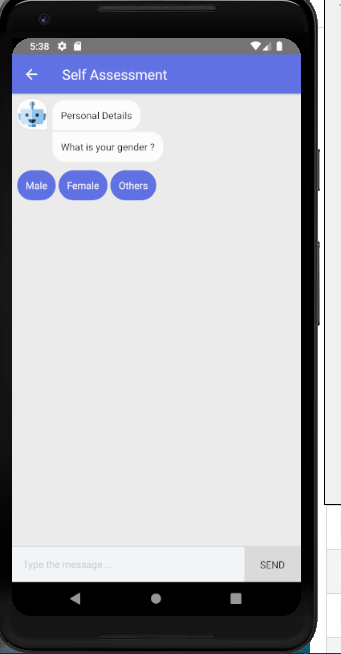
how to change the backgroundColor of the chatbot ?


@raphaelzerbib you do it via contentStyle prop
Amend your code should be an {..} not [{...}]

add scrollViewProps to your chatbot with styling like this:
scrollViewProps={
  {
      style: {
          backgroundColor: '#fff', paddingTop: 4,
      }
  }
}

render() { return( <ChatBot steps={this.state.steps} botBubbleColor={"#FFFFFF"} optionBubbleColor={'#6072e6'} optionFontColor={"#FFFFFF"} botBubbleColor={"#FFFFFF"} botFontColor={"#000000"} /> ) }
refer: https://lucasbassetti.com.br/react-simple-chatbot/#/docs/themes