

 LostArtefacts
Suggestion: Change Renderer Behaviour
Changing Resolution doesnt change the resolution of the back buffer (it is the same size as device's main resolution) This means that even though the Resolution is set as 800x600, the Renderer still renders as 1920x1080 (my native resolution).
What the renderer does instead is a bit complex. The vertices are snapped to the "pixels" of the resolution in the settings which results in heavily distorted models. I noticed that the game isn't rendered in my full resolution though. The vertical resolution stays the same (1080), while the horizontal resolution changes with the resolution i set.
Here is a screenshot of original TombATI (custom resolution of 160x120, extreme case but for showcasing purposes) and reproducible with Tomb1Main:
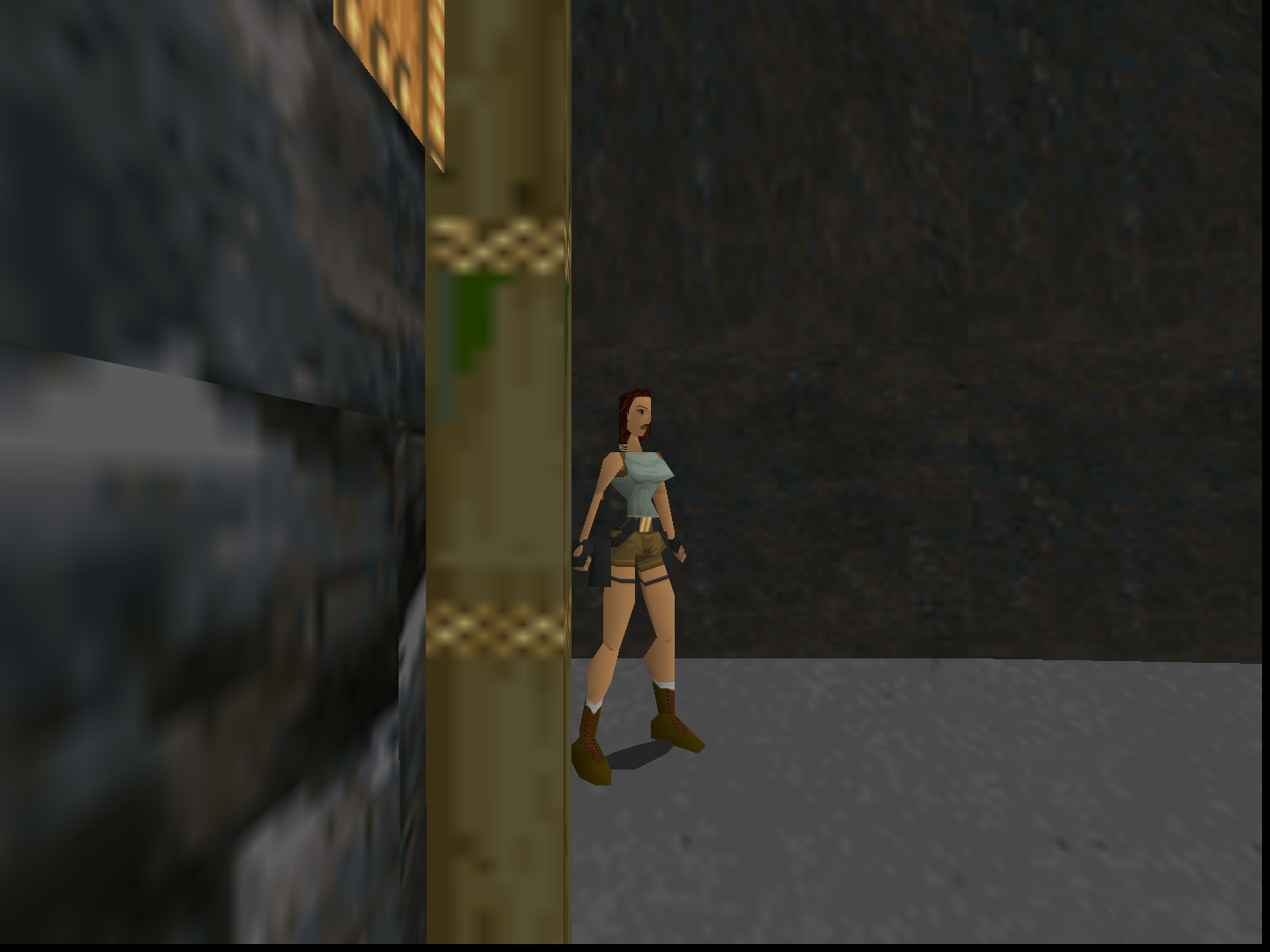
Notice how the image is 1080px high, but the "resolution" of Lara is as if it is 160x120.
I'd expect to have a smaller frame buffer (160x120 in this case), i.e. rendering what you actually set in the settings.
I also noticed that the Title menu is rendered independently. Changing resolution does not affect the tile menu


Video for demonstration (Resolution set to 32x32) https://streamable.com/ib2f8z