

 LnL7
LnL7
Installing nix-darwin adds working dir to the right side prompt
Hi guys,
I have noticed that, at least on macOS 11, installing nix-darwin adds the current working directory to the right side of the prompt. This information is redundant with what the default ZSH prompt shows (and with my Starship terminal settings, which modify the prompt as shown in the picture).
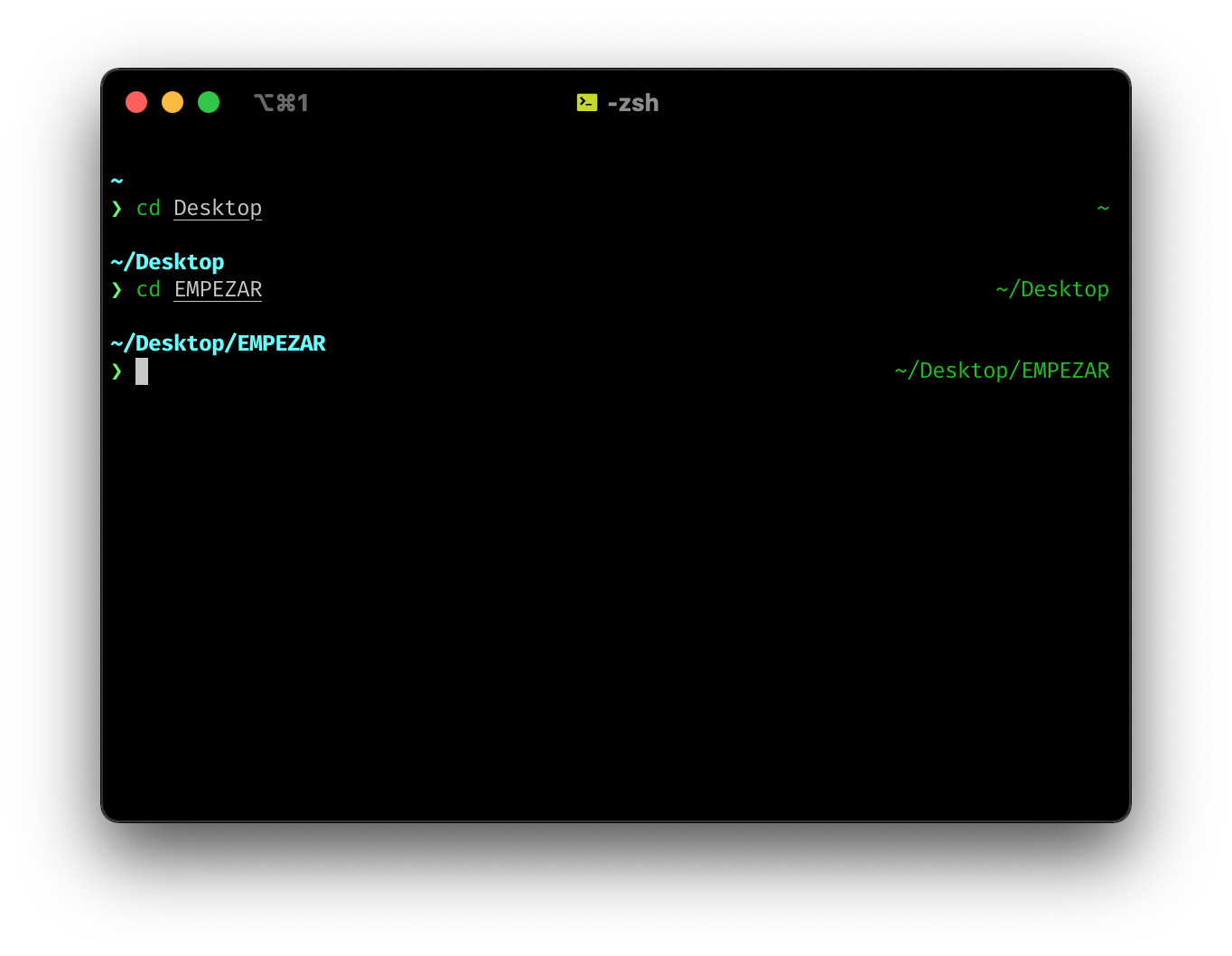
I have been checking /etc/zprofile and /etc/zshrc files, which seem to be modified by nix-darwin, but apart from setting a default $PS1 variable, I don't see where this particular setting is set.
Uninstalling nix-darwin solves the issue (although I also have to do a cp /etc/zprofile.orig /etc/zprofile for the terminal to resume using my former settings in ~/.zshrc).
Can you give me some pointers to where to look, or how could I fix this? Thank you very much.
Regards!

This comes from programs.zsh.promptInit, you can can put a custom prompt snippet there or explicitly not configure anything.
{
  programs.zsh.promptInit = "";
}

Oh I see! That was me not knowing enough about NixOs 😄, sorry for opening a kind of non-issue.
I have checked the NixOs Manual and I saw that to override programs.zsh.promptInit with settings in .zshrc I can also do prompt off before modifying the prompt. I have tried using this option before loading Starship and it seems to work as well.
Thank you!
somewhat related: the current zsh prompt from nix-darwin will effectively truncate the last line of output, which can cause confusion for any output that doesnt end in a newline.
eg:
> echo -n "foo"
>
vs macos' default:
% echo -n "foo"
foo%
%

I'd like to echo @janbrennen. I thought I was losing my mind for hours because cat wouldn't render anything even though I could see the text in my editor. Once I learned about this, I commented out programs.zsh.enable = true;, and much to my surprise I no longer had access to darwin-rebuild at all! re-running the installer worked, though.
After looking in to this I have also learned that it defaults to enable zsh completions, which made tab-completions for a large git repo I work in extremely slow, which has been driving me crazy for months.
Given that programs.zsh (or some other shell) needs to be enabled for nix-darwin to even be usable, and given how personal shell configuration can be, I think the most reasonable thing to do is to default to do as little as possible -- e.g. installing nix-darwin shouldn't suddenly change the behavior of a users shell (in my humble opinion).
