
Bluetooth-Ducky
 Bluetooth-Ducky copied to clipboard
 Linuxndroid
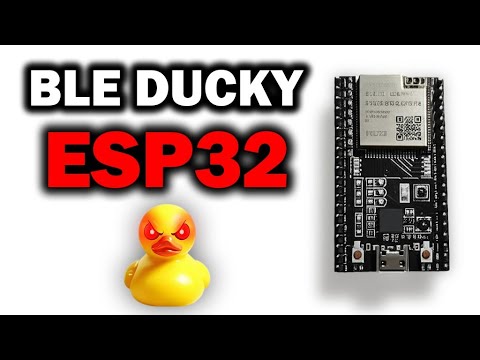
Bluetooth Ducky is a stealthy HID injection tool built on the ESP32 platform. It emulates a Bluetooth keyboard to silently inject keystrokes into a paired device.
🔐 Bluetooth Ducky ESP32 - HID Injection Tool



Bluetooth Ducky is a stealthy HID injection tool built on the ESP32 platform. It emulates a Bluetooth keyboard to silently inject keystrokes into a paired device. Perfect for red team operations, security research, and automation — all done wirelessly.
⚠️ Disclaimer: This project is for educational and authorized testing purposes only. Unauthorized use may violate laws. Use responsibly.
✨ Features
- ✅ Bluetooth HID (keyboard) emulation via ESP32
- ✅ Auto-pairing support for previously connected devices
- ✅ Ducky Script-style payloads (easily customizable)
- ✅ Trigger via boot or over Serial
- ✅ Supports Windows, macOS, Linux, and Android
- ✅ Lightweight, portable, and easy to use
📦 Requirements
- Arduino IDE Portable
- ESP32 Dev Board (e.g., ESP32-WROOM-32)
- Micro USB Cable
- BLE Keyboard Library (ESP32-BLE-Keyboard)
🔧 Installation
-
Install the ESP32 Board in Arduino IDE
- Go to
File > Preferences - Add the following URL to Additional Board Manager URLs:
https://raw.githubusercontent.com/espressif/arduino-esp32/gh-pages/package_esp32_index.json - Go to
Tools > Board > Boards Manager, searchesp32and install V.2.0.7
- Go to
-
Install BLE Keyboard Library
- Download the library ZIP: ESP32-BLE-Keyboard
- In Arduino IDE, go to
Sketch > Include Library > Add .ZIP Library... - Select the downloaded ZIP file.
-
Select the Board and Port
- Go to
Tools > Board > ESP32 Dev Module - Select the correct COM port under
Tools > Port
- Go to
-
Open and Edit the Code
- Open
Ducky.inoin Arduino IDE - Customize the payload as needed
- Open
-
Upload to ESP32
- Click ✅ Verify then ⬆️ Upload
- Once uploaded, disconnect and power it externally
🚀 How to Use
-
Power the ESP32 device
It will start broadcasting as a Bluetooth keyboard. -
Wait for the Victim to Pair
On first use, the victim must accept the pairing.
After this, the ESP32 will auto-connect silently in the future. -
Payload Execution
Once connected, the predefined script will automatically run and execute on the victim’s machine.
📥 Downloads
ESP32 Serial Monitor GUI?
➡️ Download it from the Releases section.
The monitor app allows you to:
- Send serial commands to your ESP32 device
- View real-time logs and responses
- Trigger payloads manually
- Customize interaction with your Bluetooth Ducky tool
Available for Windows (.exe) — more platforms coming soon.
💻 Available Serial Commands
Use these commands via the Serial Monitor or GUI Monitor App:
| Command | Action |
|---|---|
notepad |
Open Notepad |
youtube <search> |
Search & open YouTube |
google <search> |
Search & open Google |
whatsapp <no> <msg> |
Send WhatsApp message |
wp-ss <no> |
Send screenshot via WhatsApp |
cmd |
Open Command Prompt |
shutdown |
Shutdown PC in 5 seconds |
run |
Open Run dialog (Win + R) |
url <command> |
Execute command in Run box |
lock |
Lock the PC |
close |
Close current app |
ENTER |
Press Enter key |
screenshot |
Take a screenshot |
CTRL+<key> |
Press CTRL with a key (e.g., CTRL+A) |
WIN, LEFT, RIGHT, UP, DOWN |
Arrow or Win keys |
WiFi |
Dump saved Wi-Fi passwords |
Fake |
Show fake system update |
Spam |
Display spam alert box |
help |
Show all commands |
About |
Show creator info |
👤 Creator Info
Created by:
Linuxndroid & Krishna Rajput UP61
🔗 Stay connected for updates, demos, and new tools!
🛡️ Legal Notice
This tool is intended only for authorized use in testing, education, or red teaming.
Misuse without consent is strictly prohibited and may violate laws.
📄 License
This project is licensed under the MIT License.
❤️ Credits
- ESP32 BLE Keyboard Library by T-vK
- Inspired by USB Rubber Ducky and other open-source red team tools
Watch Video For More Information.
Made with ❤️ By Linuxndroid
Available Our Hacking Course
Follow Me on :



🧪 Example Payloads
delay(1000);                        // Wait 1 second
typeSlow("https://www.instagram.com/linuxndroid");   // Type message
bleKeyboard.write(KEY_RETURN);      // Press Enter
Metadata
Owner
 Linuxndroid
Metadata
Bluetooth Ducky is a stealthy HID injection tool built on the ESP32 platform. It emulates a Bluetooth keyboard to silently inject keystrokes into a paired device.