
pytorch-lightning

pytorch-lightning copied to clipboard
 Lightning-AI
Download or share Directory from Lighting App Drive with external tool
🚀 Feature
Would be useful to make the artifacts available via
- download dir or
- download subdir or
- files via regular expression match.
- provide s3 link so that I don't have to download the artifacts it needs to be shared with another tool
The download could be to my file system or sent remote location such as an s3 bucket.
Motivation
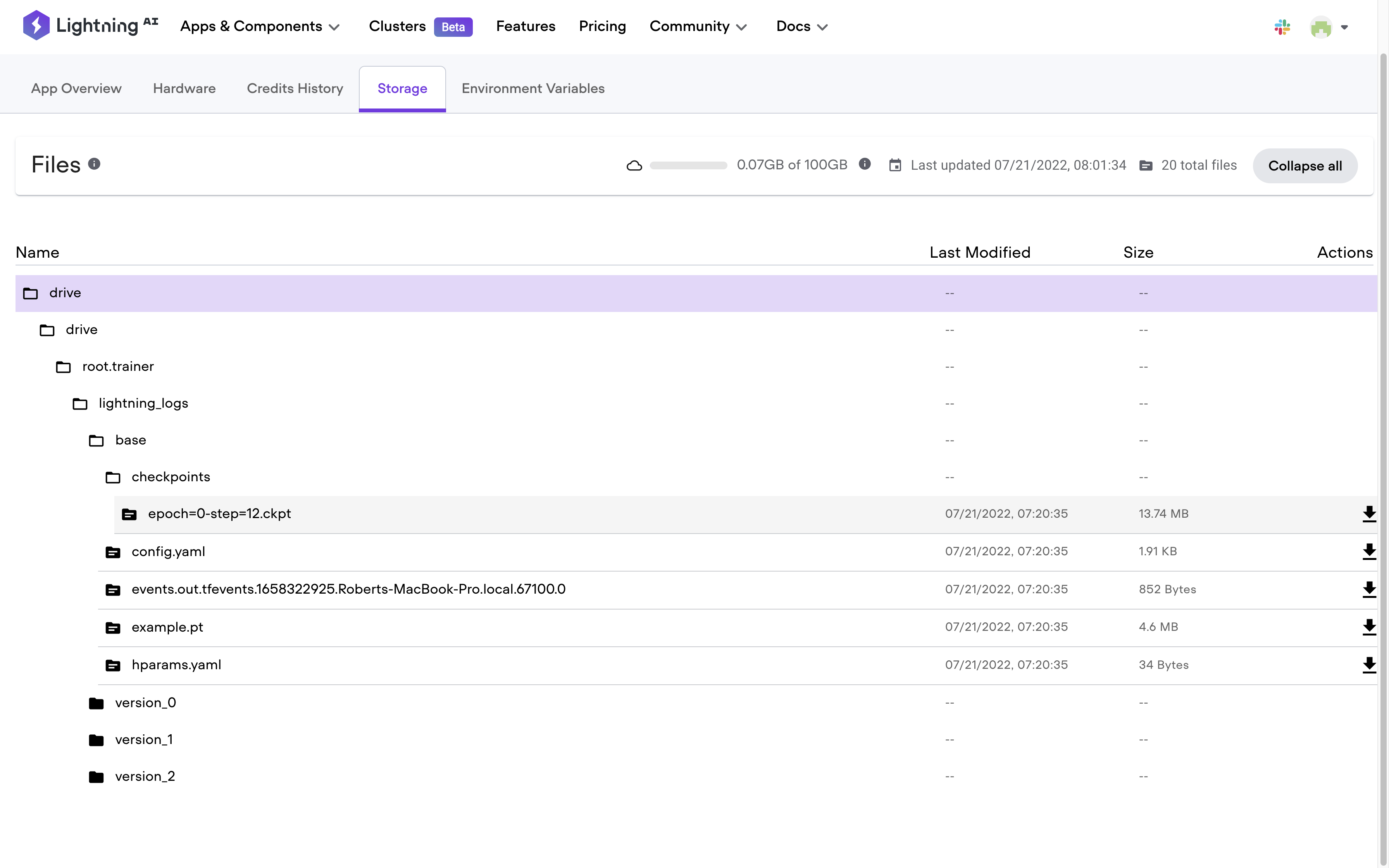
- I could have many experiments, and downloading one file at a time is very time-consuming. The picture below shows many files that have to be individually downloaded one at a time.
- The artifact can be uploaded to the cloud storage of my choice -- in case the artifact size is big
- I need to make the artifact to another tool that is not an Lighting App
- I need to make the artifact available to Another Lightning App
Pitch
Make the output of the application available that is not this Lightning App.
Alternatives
Additional context
cc @borda

It would also be nice if the Drives could be shared between applications. A user would like to have a trainer app that would only save checkpoint and a different deployment application that wraps these checkpoints around an API / and or different app to test it with streamlit.
