Revive
 Revive copied to clipboard
 LibreVR
Release an updated version of 3.0
It would be super helpful if any of the GH admins could create a new release of 3.0 that includes this change from Dec 21, 2021.
There have been tons of issues created recently related to OVRPlugin.dll needing to be replaced with an older version in order to get Revive working with recently updated games. Releasing a new build should eliminate most of them.
Thanks!


I could never personally get pop one working with 3.0 so I just redo the workaround every week they update.. not huge issue but would be awesome to not have to lol

I could never personally get pop one working with 3.0 so I just redo the workaround every week they update.. not huge issue but would be awesome to not have to lol
same here...using revive 2.something current release and ovrplugin copy workaround....I think it is just a question of time and this workaround is done.....since last pop1 one update the game gets slower and stuttering after a while playing which normally never happened on that pc system here with specs normally hovering around 10% cpu/gpu with lofi graphics games like pop1.
but still better than playing shitty quest2 native or via slow oculus link :-)

The workaround stopped working for me. It loads Pop One, but the sound never works. It just stops working. I'm on Reverb G2. Any ideas?

You have to select your audio source now in pop one it defaults to the wrong device so when the game loads go to settings in game click audio input or output and make sure they're correct .. simple fix takes seconds
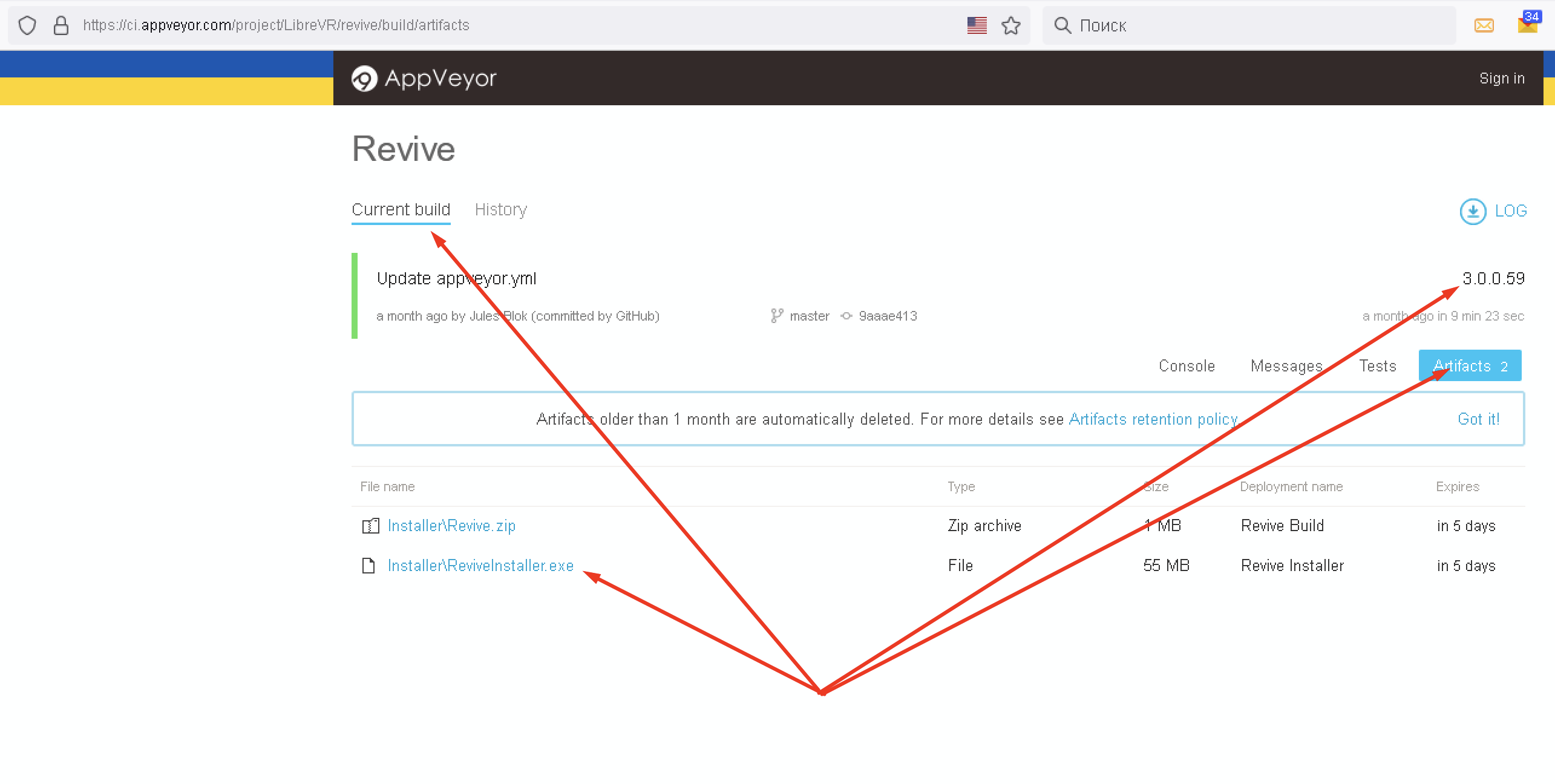
Updated build is at the link below. This should resolve the issue with vrmanifests not loading when launching via w/ openVR Revive.
https://ci.appveyor.com/project/LibreVR/revive/builds/42462892/artifacts

So I got population one to load via revive 3.0 but it's crashes sometimes and the controllers never show up .. so still stuck with stable revive release and the older DLL file anything else and it'll crash that game I've tried for hours and hours so for now guess it's the only option
So I got population one to load via revive 3.0 but it's crashes sometimes and the controllers never show up .. so still stuck with stable revive release and the older DLL file anything else and it'll crash that game I've tried for hours and hours so for now guess it's the only option
Once steamVR is open, close revive from the tray icon and relaunch it. Make sure you check "use openVR". It's working fine.
@ahmanwoods thanks for the effords! running smoothly now everything using your instructions! ciao from Berlin


Updated build is at the link below. This should resolve the issue with vrmanifests not loading when launching via w/ openVR Revive.
https://ci.appveyor.com/project/LibreVR/revive/builds/42462892/artifacts
Forgive me, but I can’t figure out how to use your builds. It’s all code. Do I need to compile it somehow? Thanks.

Same question. How do I find an installer? I cannot compile these myself.
@ahmanwoods How do we install these updated versions of 3.0.0? It looks to be just code.
@bbecausereasonss @mapotter99 @devanteweary just go to the revive releases page and download it :-) https://github.com/LibreVR/Revive/releases
@mapotter99 alright....have you tried using that pre-release 3.0 version on the releases page? Works fine for me with Win10/SteamVR/Pop1 bought on Oculus Store, using this start up sequence in chronological order:
- start Steam/SteamVR
- close revive dashboard in windows task panel (if started automatically with SteamVR)
- start ReviveOverlay.exe from install dir (here: C:\Program Files\Revive\Revive\ ... I made a shortcut to desktop)
- right click on Revive Icon in Taks Bar and check "Use OpenVR / XR" option (first one in right mouse button revive menu)
- then start Population: ONE or whatever via right mouse click on Revive Task Icon - Open Library or via Revive on SteamVR Dashboard Panel inside VR.
- Make Sure your controllers do not go in standby during this actions.
this is how I do since that first Pop1 not starting for Oculus Store buyers using e.g. Index and SteamVR problem came up
I'm still currently using the original method and revive 2.10 and the dll file .. it's never let me down and is simplest way I only ever have to redo it everyonce in a while
I'm still currently using the original method and revive 2.10 and the dll file .. it's never let me down and is simplest way I only ever have to redo it everyonce in a while
But where did you get the .dll file?
With thanks to those trying to help, I still hope for an answer to my original question from @ahmanwoods.
I’ve been using Revive since shortly after its original release. It seems there are new versions of 3.0.0 that differ from the release beta version of 3.0.0 available for download, as evidenced in this thread.
If I am wrong, please clarify.
Thanks!
My buddy has it on YouTube ...search The Kledde on YouTube or here's the link
https://youtu.be/WNKfYgxJLDc
On Mon, Oct 24, 2022, 13:52 Devante Weary @.***> wrote:
I'm still currently using the original method and revive 2.10 and the dll file .. it's never let me down and is simplest way I only ever have to redo it everyonce in a while
But where did you get the .dll file?
— Reply to this email directly, view it on GitHub https://github.com/LibreVR/Revive/issues/1752#issuecomment-1289383846, or unsubscribe https://github.com/notifications/unsubscribe-auth/AW63WSXDQEMRHEUNXIHXHXDWE3EGFANCNFSM5NKCHV4Q . You are receiving this because you commented.Message ID: @.***>
How do we install these updated versions of 3.0.0? It looks to be just code.
@mapotter99 hi! What do you mean "just the code"? There is always compiled installer in the artefacts tab