

 LibreCAD
Show grid status in scrollbar line
Expected behavior
LibreCAD should has an option to show "Grid Status" in horizontal scrollbar line. It would also add more space for key tips and other extra info in status bar (see "Related issues" section).
Observed behavior
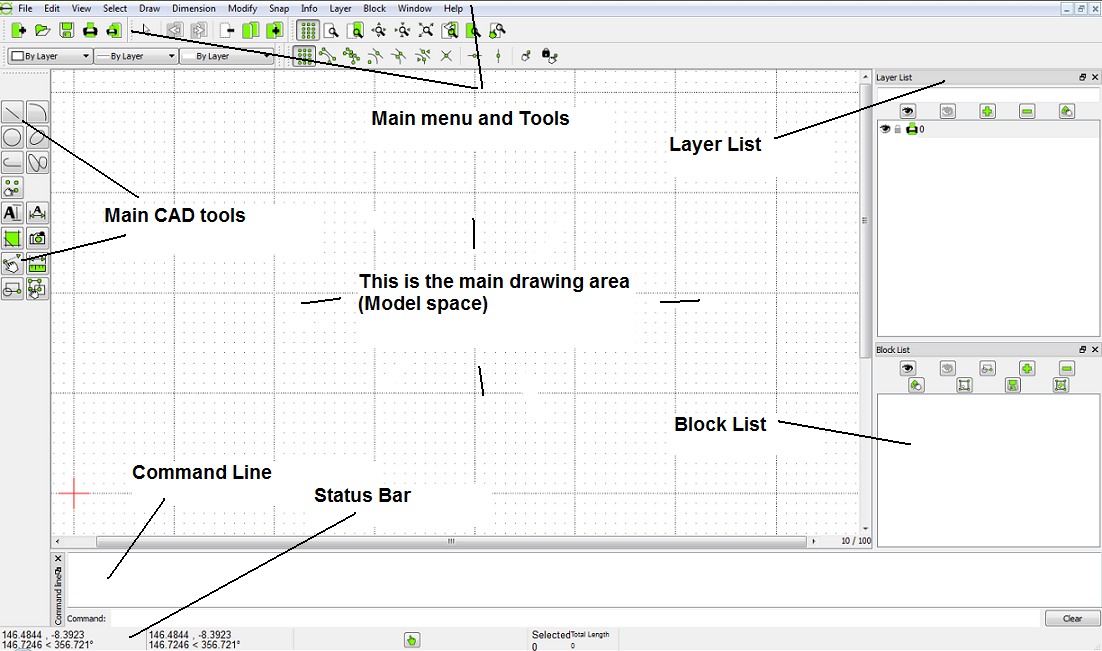
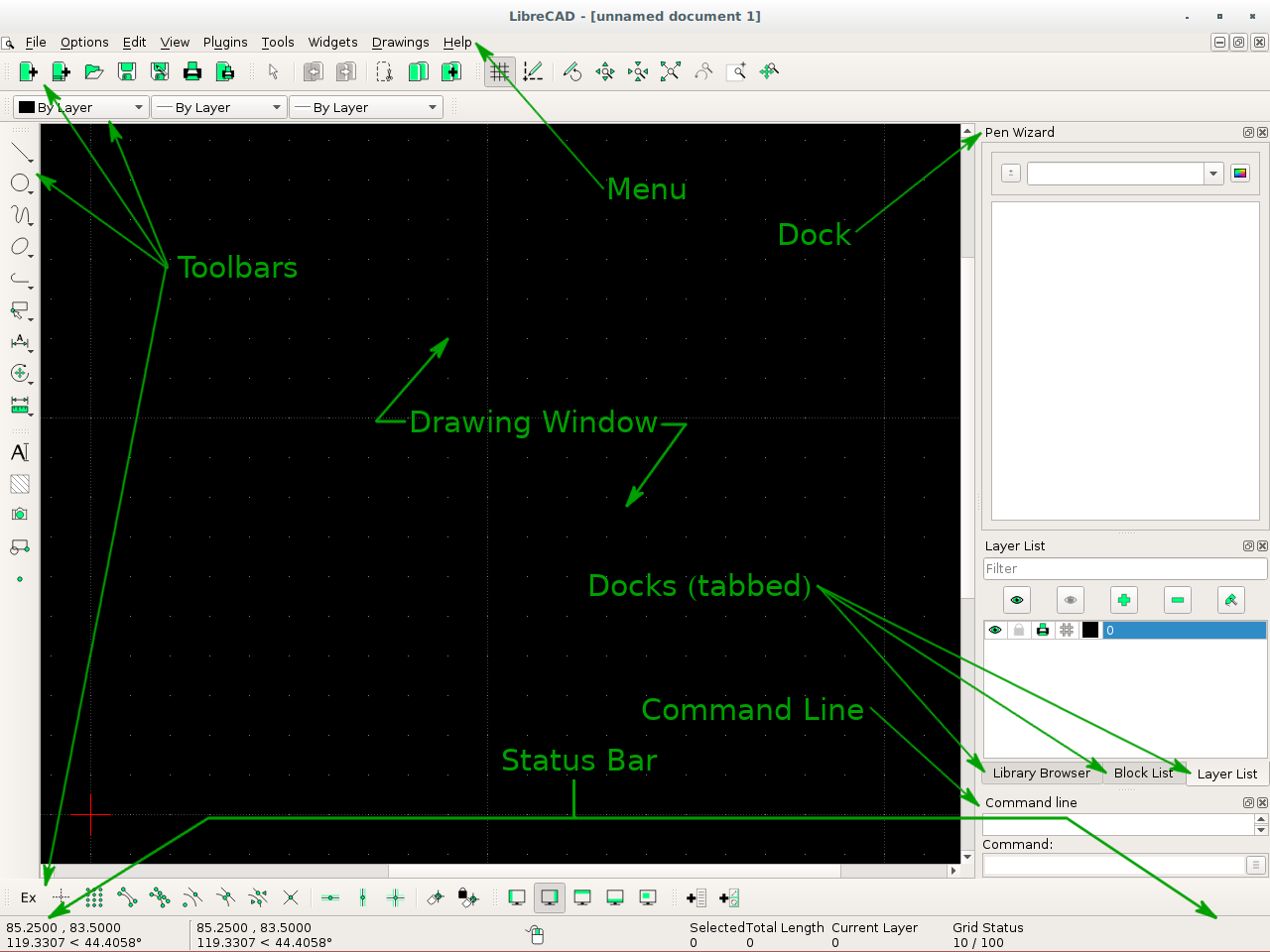
After 2.1.0. "Grid Status" indicator has ben moved from the right corner of horizontal scrollbar line to status bar, and there is no option to switch back to previous behaviour:
- https://github.com/LibreCAD/LibreCAD/issues/638
Steps to reproduce or sample file
Screenshot of LibreCAD 2.0.x:
Screnshot of LibreCAD 2.1.x and later:
Operating System and LibreCAD version info
All versions and platforms.
Related issues
- https://github.com/LibreCAD/LibreCAD/issues/1849
- https://github.com/LibreCAD/LibreCAD/issues/1728
- https://github.com/LibreCAD/LibreCAD/issues/1322
- https://github.com/LibreCAD/LibreCAD/issues/570

well, the intention is clear there, and indeed the space is important. yet I think there is better solution - the user will be able to treat widgets currently fixed in status bar as toolbars (and so drag them into desired locations or disable). That will be available in next MR.
So it could be something like this:

the user will be able to treat widgets currently fixed in status bar as toolbars (and so drag them into desired locations or disable). That will be available in next MR.
Nice, it would close https://github.com/LibreCAD/LibreCAD/issues/1849 then.
But actual issue about revert "UX regression" introduced since LibreCAD 2.1.0 — it is really useful to has an option to show "Grid Status" in scrollbars corner, instead of status bar or toolbar (in the future), where it requires much more space.