

 LibreCAD
Allow reorder items on status bar
Expected behavior
LibreCAD UI should be fully customizable, including status bar.
Observed behavior
Actually, all items on status bar are hardcoded, and there is no way to reorder items or hide/show some of items (i.e., move coordinates to right corner or to center).
Steps to reproduce
Operating System and LibreCAD version info
All versions and platforms

hmm... yes, you're right, the content of status bar is hardcoded.
yet - what is the reason for reordering there?
I can imagine, say, including additional widgets into status bar for wide screens, yet can't imagine why it will be necessary to reorder it. Could you expand on it?

First of all (main reason), LibreCAD UI should be fully customizible, including status bar. Also, its more naturally to look on the right for numeric values (similar to clock in taskbar).
Other reasons:
- In LibreCAD by default Cmd pannel is on the right lower corner, and showing coordinates behind Cmd is much better, than in opposite corner.
- In QGIS coordinates by default placed at center-left (but status bar is fully customizble).
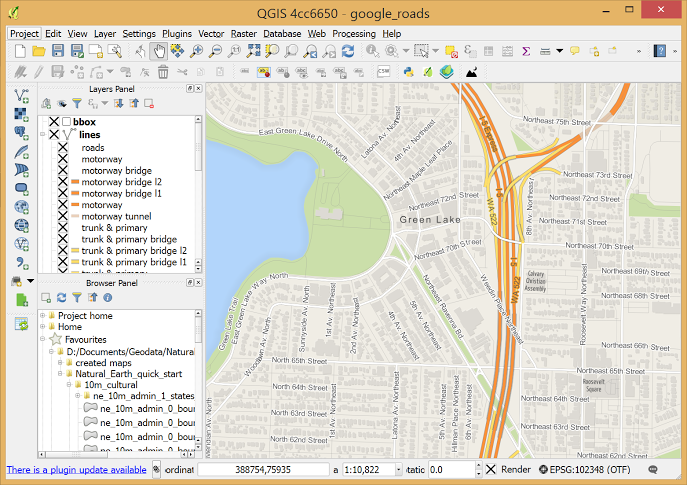
- In AutoCAD coordinates are showing on the center-right:
- In Inkscape coordinates placed on the right:

- In Bricscad coordinates at the center-right:
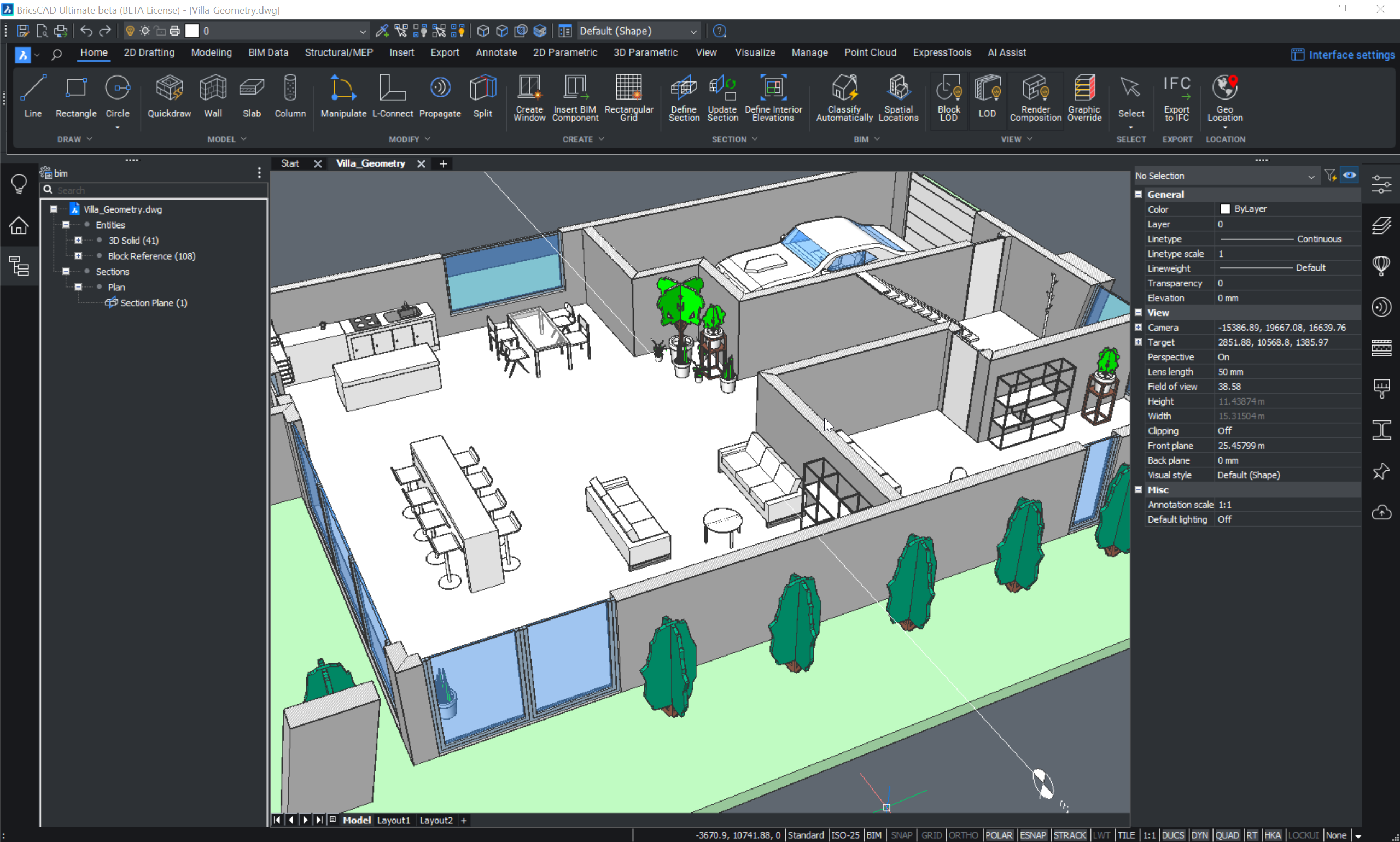

oh, I see.. well, yes, it makes sense. I've considered reworking statusbar already, thinking about merging it's widgets with some other toolbars to save screen space.
However, the statusbar differs from actions toolbars since its height is larger that one for actions..
Ok, I'll take a look on what we can do there.
In general, allowing reorder existing items in status bar and allowing hide/show some of them would be enough as for now.
For the future, it would be good to make "Status bar Creator" to "Widgets" for extra setting.
Or maybe make status bar in a form of toolbar/dockwidget (which could be toggled independly of classic status bar).
Ok, with a latest commit actual issue is probably solved.
But, now there is a "new empty status bar" (not used for anything yet) — could it be used for show active tool/key tips, @sand1024? (show it as a text line only, with an extra option in "Widget Options > Statusbar > Align text: left/right/center")
If so, it might be good to keep out key tips line from "Cmd" widget as well — it would solve https://github.com/LibreCAD/LibreCAD/issues/1848.
- https://github.com/LibreCAD/LibreCAD/issues/1848
For the future, new status bar should has some way to customize what text/data to show, defined by user, and even more, it might be good to add an inline "Cmd" input field directly into status bar (optional to turn on/off), so user could choose to use it for quick access command input, as alternative to use 'full' "Cmd" widget.
well, for now if "floating" status bar is used, the empty status bar may be just disabled, I suppose. Later on we may move more notifications for it, of course.
The area with !!! - it's relative zero position widget (shows coordinates for relative zero). If status bar is not in "classical" mode (check that in Application Preferences) - this widget (as well as other ones) may be disabled in the same way as any docked widget (as all components of status bar becomes docking widgets, similar to toolbars etc.).
For sure, it's still challenging to fit everything into small screen resolutions (btw, which one is on your screenshot?).
As for moving prompt from cmd to status bar - yes, I think I can add an option that will control where to show prompt (in status bar or in cmd widget).
well, for now if "floating" status bar is used, the empty status bar may be just disabled, I suppose.
Yeah, that is what I did just after download latest build. "Floating" status bar toolbars now really handy thing.
The area with !!! - it's relative zero position widget
To not confuse, "!!!" was placed just to highlight suggestion (arrow) on moving prompt from cmd to status bar, and its not used to mention zero position widget any way.
I can add an option that will control where to show prompt (in status bar or in cmd widget).
I just wonder why prompt was initially added into Cmd widget. And as single string (without wrapping) it even looks like an UI bug, and not a feature.
Later on we may move more notifications for it, of course.
I suggest, in the fututre, it would good to add something similar to GLib.DateTime.format markup for LibreCAD's new status bar, so user would has an input text string field in "Widget Options > Statusbar" dialog to define what to show, i.e.:
- Widget Options
- Statusbar
- Input:
%scale %tooltip %cursorXYwhich would results in something like: [Grid Status: 10/100 | Tip: Specify first point | Cursor: 0.0000 , 0.0000] Even more, it should allow to define math formula with built-in muParser engine. So, to show sum of X and Y values user would input next:%scale %tooltip %cursorXY "X+Y = "=%cursorX+%cursorYwhere"X+Y = "is a custom text label to show (there should be no spaces between"<label>"and=and<formula>); it would results in: [Grid Status: 10/100 | Tip: Specify first point | Cursor: 0.0000 , 0.0000 | X+Y = 0] - Align: left / center / right / fit width
- Input:
- Statusbar