

 LibreCAD
Refresh issue on custom color for layer attributes
Expected behavior
I use custom colors for layers. When clicking on Modify layer attributes icon, I should see the appropriate custom color related to the given layer.
In the Layer settings window, I would accept the custom layer default icon to appear for the given layer so showing that it is a custom layer but not showing the actual custom color.
Observed behavior
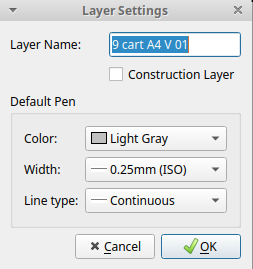
I see the Light gray color for this given layer whatever custom color is chosen.
I use the last build which I compiled and I launch LibreCAD with the console.
In the console I have the following message just after changer the custom color:
qt.qpa.xcb: QXcbConnection: XCB error: 3 (BadWindow), sequence: 5537, resource id: 12774756, major code: 40 (TranslateCoords), minor code: 0
I add screenshots of custom colors as they may be OS specific.
Steps to reproduce or sample file
1/ Click on Modify layer attributes icon for a given layer.
2/ Define a custom color (blue for instance) for a layer and validate.
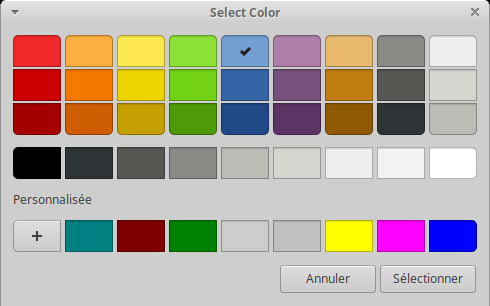 3/ The color is changed.
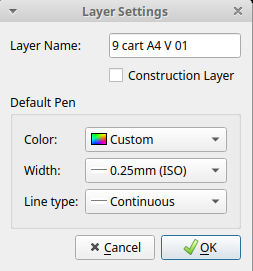
3/ Click on Modify layer attributes icon for the same layer. It shows Light gray whatever custom colors.
Operating System and LibreCAD version info
Version: 2.0.7-1810-geba14138 Compiler: GNU GCC 9.3.0 Compiled on: Nov 30 2021 Qt Version: 5.12.8 Boost Version: 1.71.0 System: Ubuntu 20.04.3 LTS

I can reproduce this in the following version:
Version: 2.2.0-rc4-5-g18e8b09d Compiler: GNU GCC 12.1.0 Compiled on: Jul 1 2022 Qt Version: 5.12.11 Boost Version: 1.75.0 System: Windows 10 (10.0)

