
Leaflet

Leaflet copied to clipboard
 Leaflet
SVGOverlay is wrongly positioned with zoom plus button
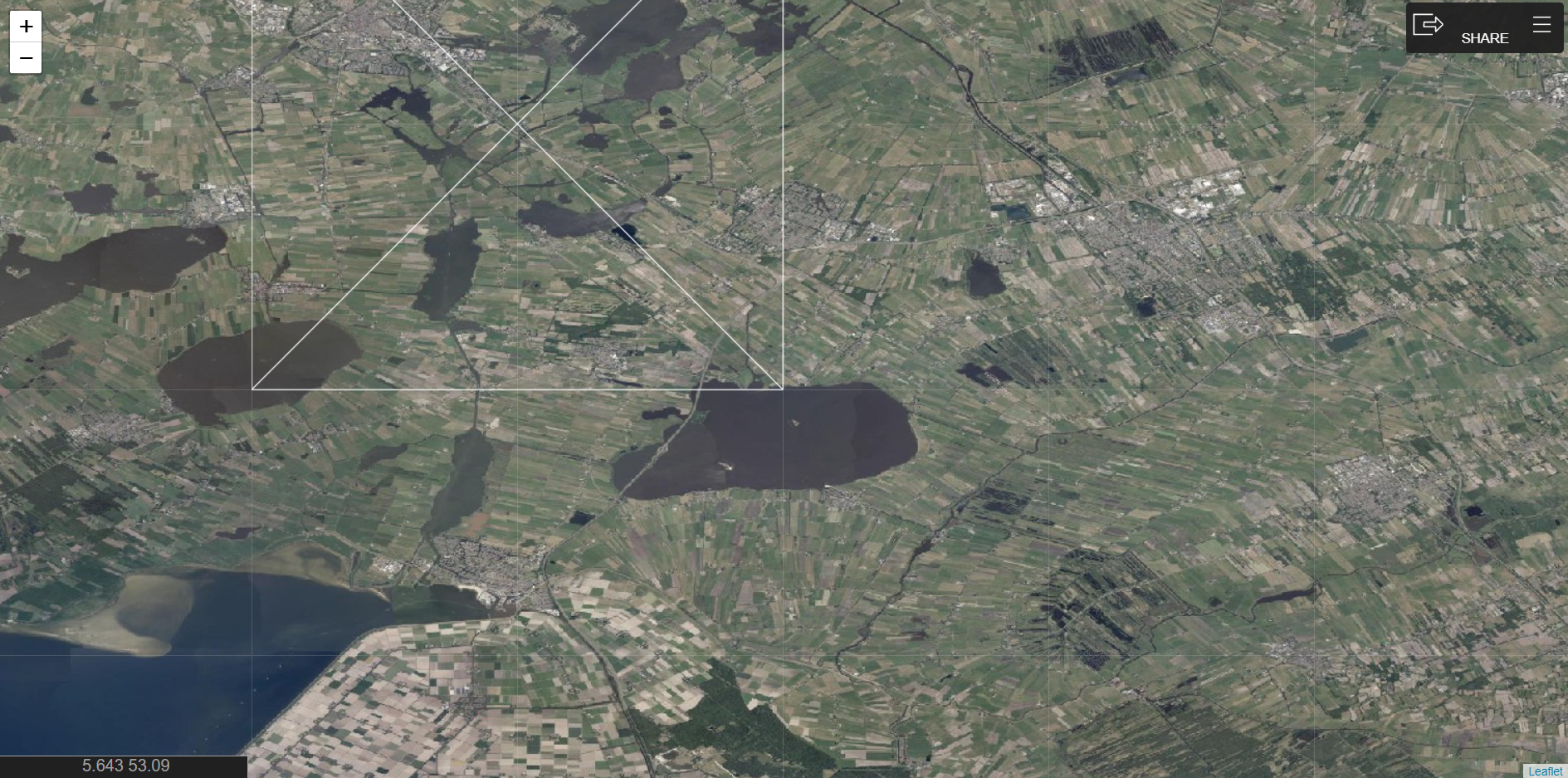
The zoom button shows unexpected behaviour when the svg gets partly beyond the edges of the visible map.. When I start with the same zoomleve everything is ok. I position an svg on top of a WMS tile layer in Leaflet like so:
        var svg = document.querySelector('#chart1 svg')

        var map = L.map('map', {
            zoom: 11,
            crs:L.CRS.EPSG4326,
            format: obj.format,
            minZoom: 8,
            maxZoom: 19
        });

        L.tileLayer.wms(obj.url, {
            layers: obj.name
        }).addTo(map);

        var svgElementBounds = [ [bbox.s, bbox.w], [bbox.n, bbox.e] ];

        L.svgOverlay(svg, svgElementBounds).addTo(map);

        map.fitBounds([
            [bbox.s, bbox.w],
            [bbox.n, bbox.e]
        ]);
The map before using zoom button:
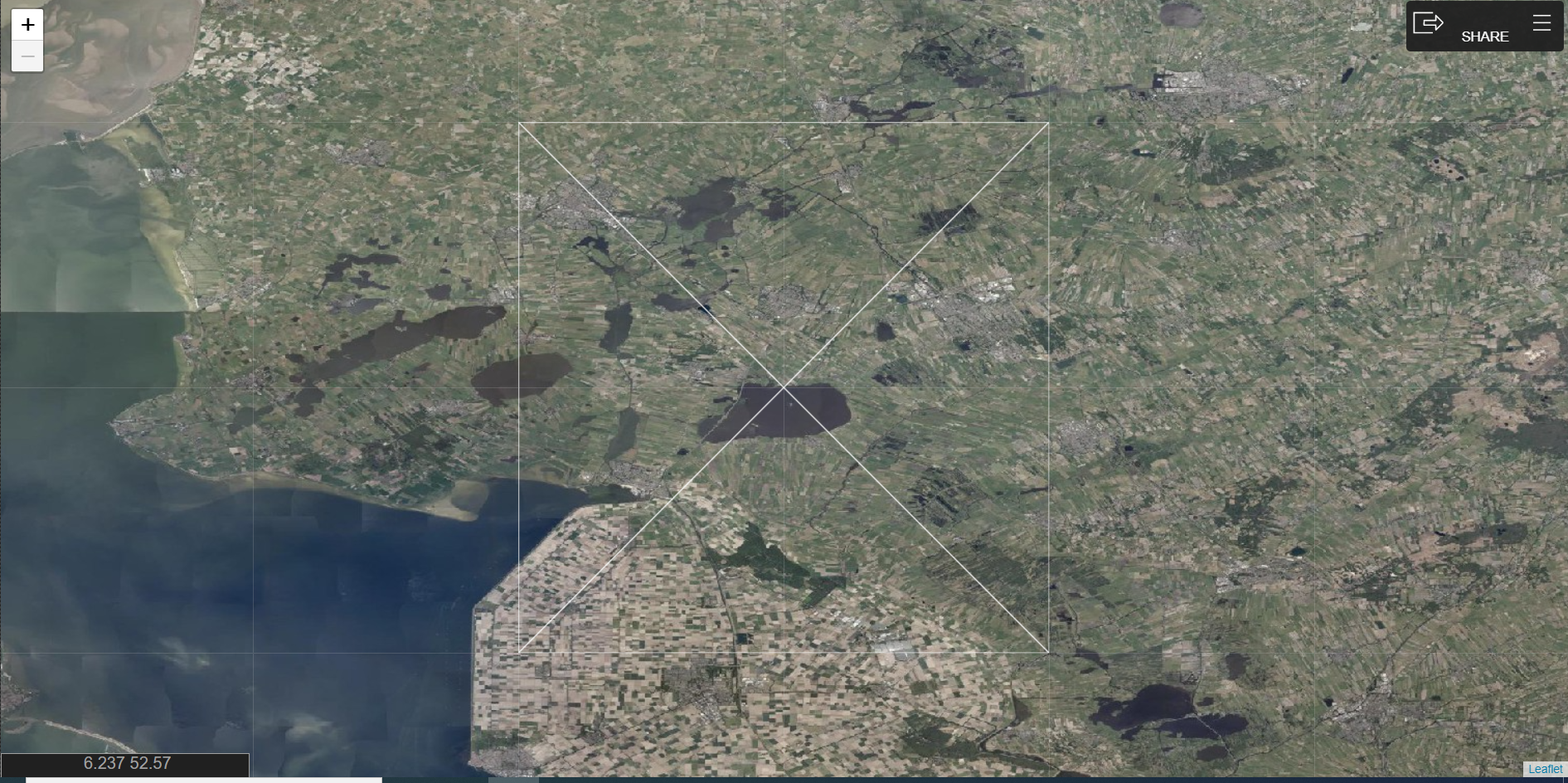
After using the zoom buttom it gets wrongly positioned:
When rendering the same zoomlevel at start it is ok:
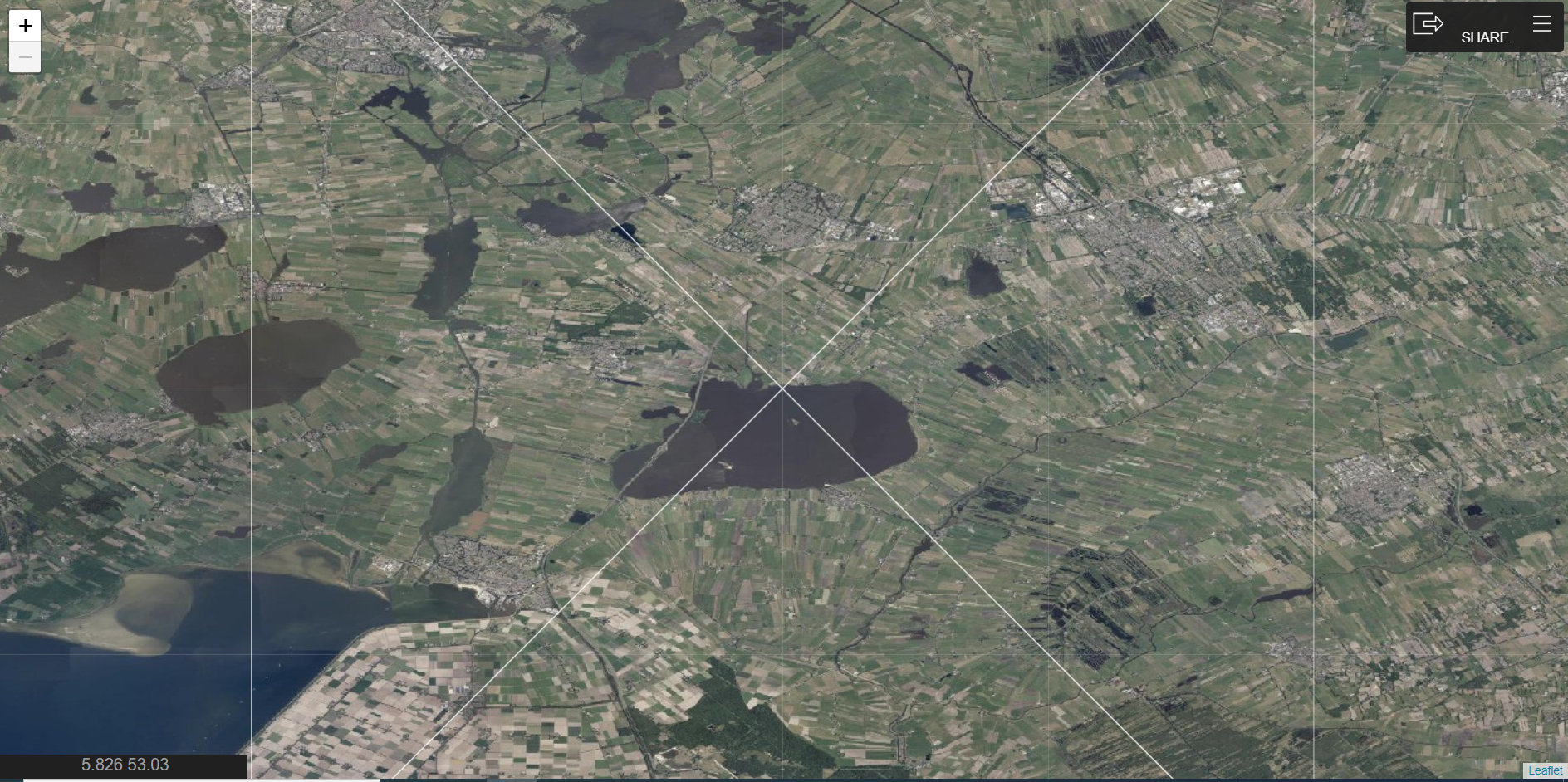
Expected behavior The same visual when using the zoom button to level x and when starting with the same zoomlevel x
Environment
- Leaflet 1.7.1
- Chrome ( 91.0.4472.114 (Officiële build) (64-bits))
- Edge (91.0.864.59 (Officiële build) (64-bits))

Sorry for the delay getting back to you — would you be able to set up a reproducible live test case (e.g. with JSBin or JSFiddle)?

