

 Lamden
Rework account details
I think that showing the details for an account is confusing. There are two views for an account that can be displayed:
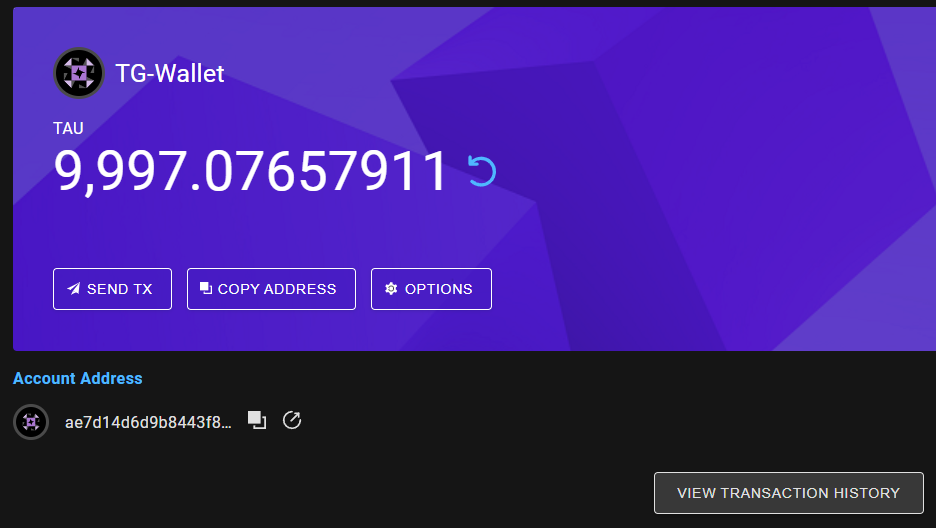
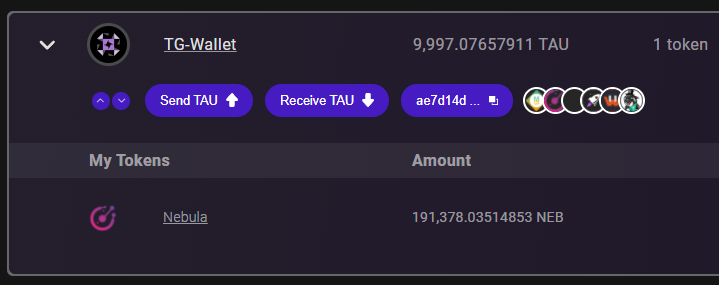
The more important one IMO is 2) but you can only access it by clicking on this small area:

That doesn't make sense to me. It also doesn't make sense to me that there are two views. I do understand that this is a leftover from the old wallet style but since we have a new wallet now, i think this could be reworked to allow for a more straight forward and intuitive interaction with the wallet.
I propose to just have one view, namely 2) and integrate missing functionality from 1) into it. Additionally it should be possible to open 2) by clicking somewhere into the row of that account:

That would make it much simpler and more intuitive.

@uxandyphil
Andy can you take a look at this? I think it's a valid point

@Endogen 100% agree @LamdenJeff and @endogen - I like your proposal of just having view #2 and integrate the missing functionality.
The good news is that tokens can still have view #1 and have an exciting image to use
Anyway, next steps are that I can make these changes and send them over to jeff, endogen, and the dev to review.

This is what @Endogen and I landed on @JeffWScott

Figma: https://www.figma.com/file/RmTrMXkzWaTNWjvyc6i485/Web3-Projects?node-id=7864%3A25520
Notes:
1: transaction history lives here now
2: options lives here now
3: The whole container should be selectable now to open the account, not just the arrow:

@Dapiguabc
When implementing this can you add a localstorage value that the wallet can lookup to show the account open by default?
So if I have an account open. Then close or open the wallet (or even navigate back to the Accounts page from somewhere else) then the account shows as open.
@JeffWScott Maybe we should add a button to collapse all the opened cards.This is useful for the users with a large number of accounts.

@Dapiguabc
Sure, while you're at it might as well do two buttons, expand all and collapse all.
@uxandyphil Can you quick mockup those two buttons please? @Dapiguabc add the buttons in a temp location for now and implement the functionality. We'll clean it up when andy does his thing.
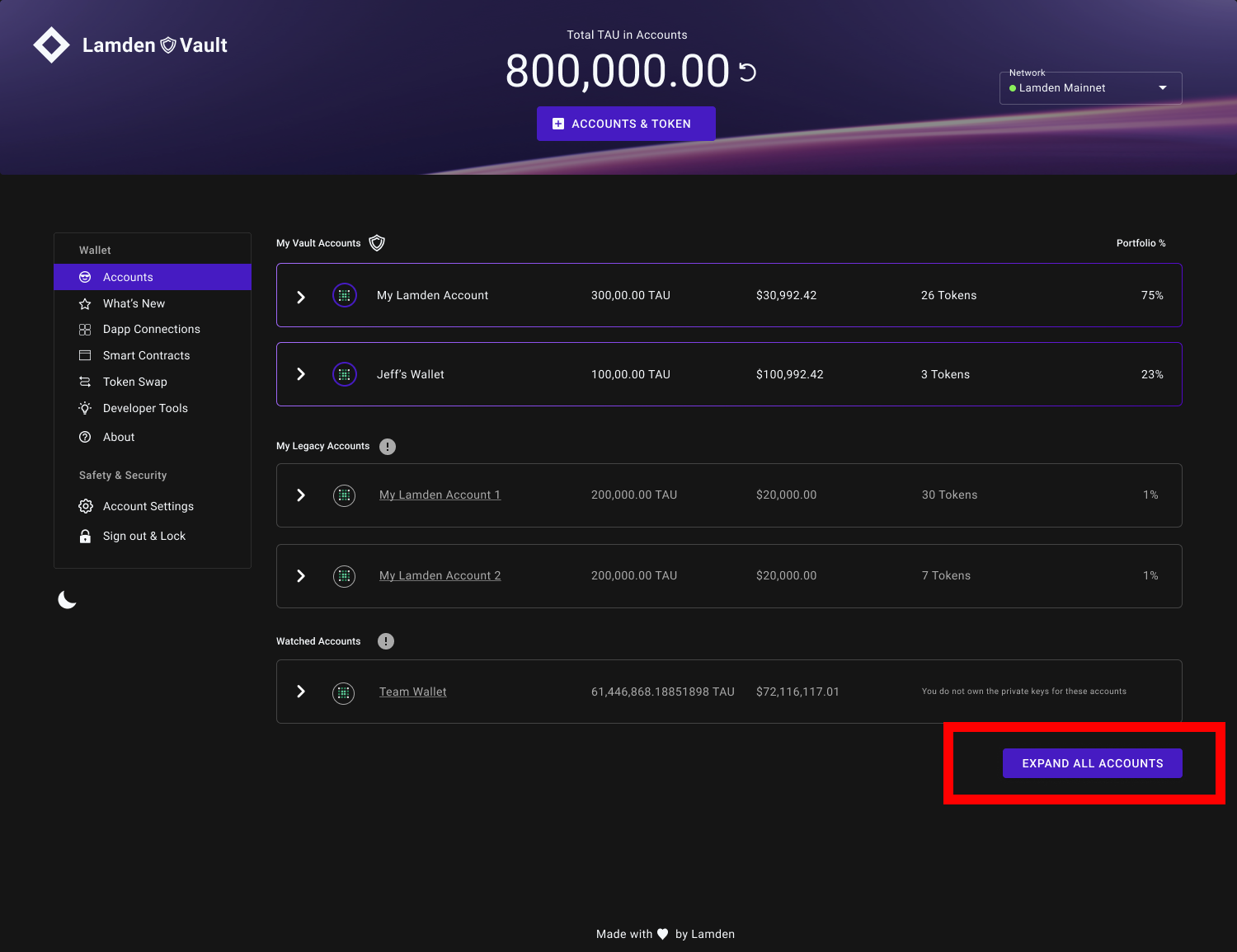
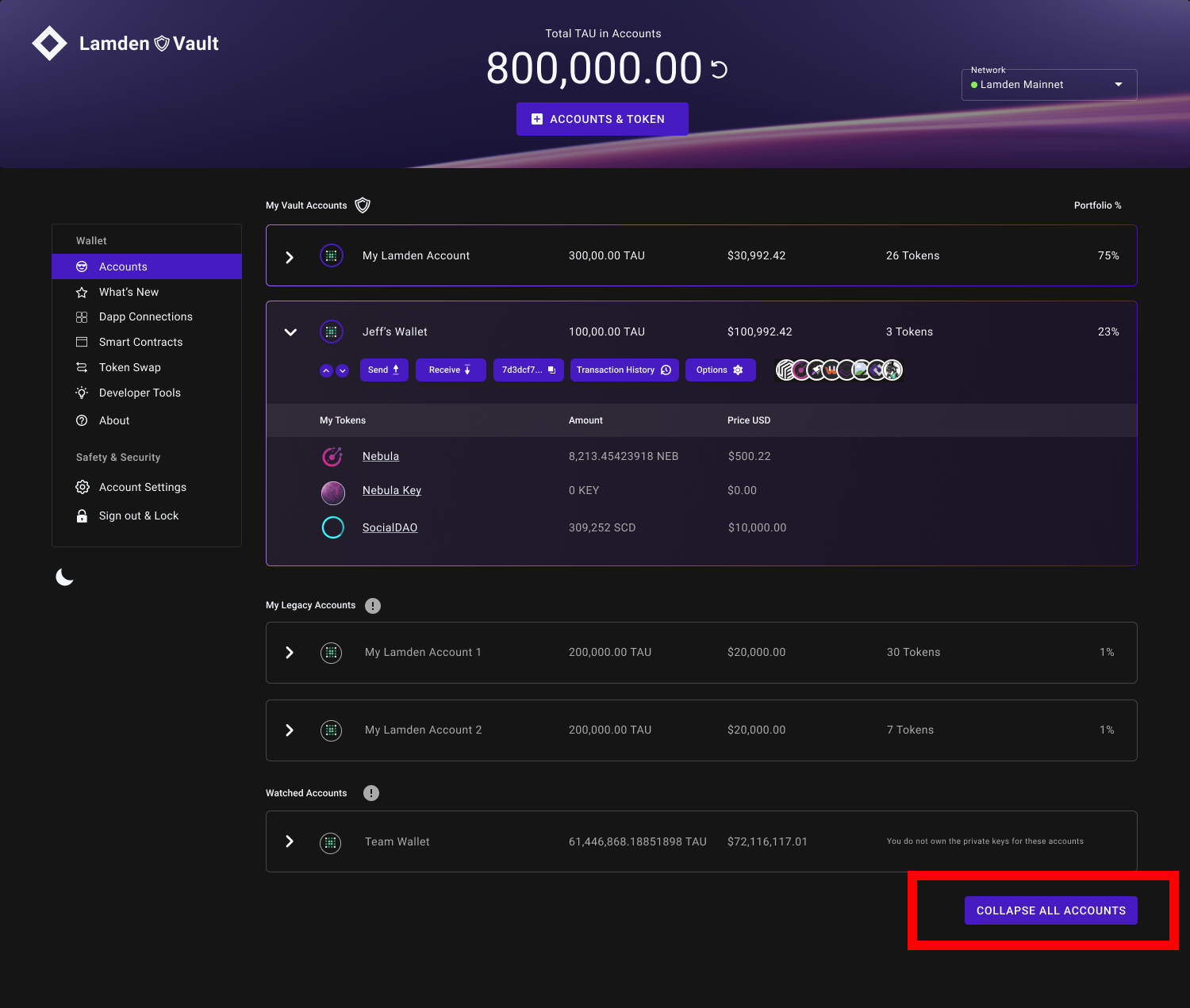
Open to feedback. Can we put it at somewhere else? If one user has 100 accouts, it is troublesome for him to scroll to the bottom to find this button.
Open to feedback. Can we put it at somewhere else? If one user has 100 accouts, it is troublesome for him to scroll to the bottom to find this button.
Here are 2 more options:
- Buttons with text and icons (moved it up)
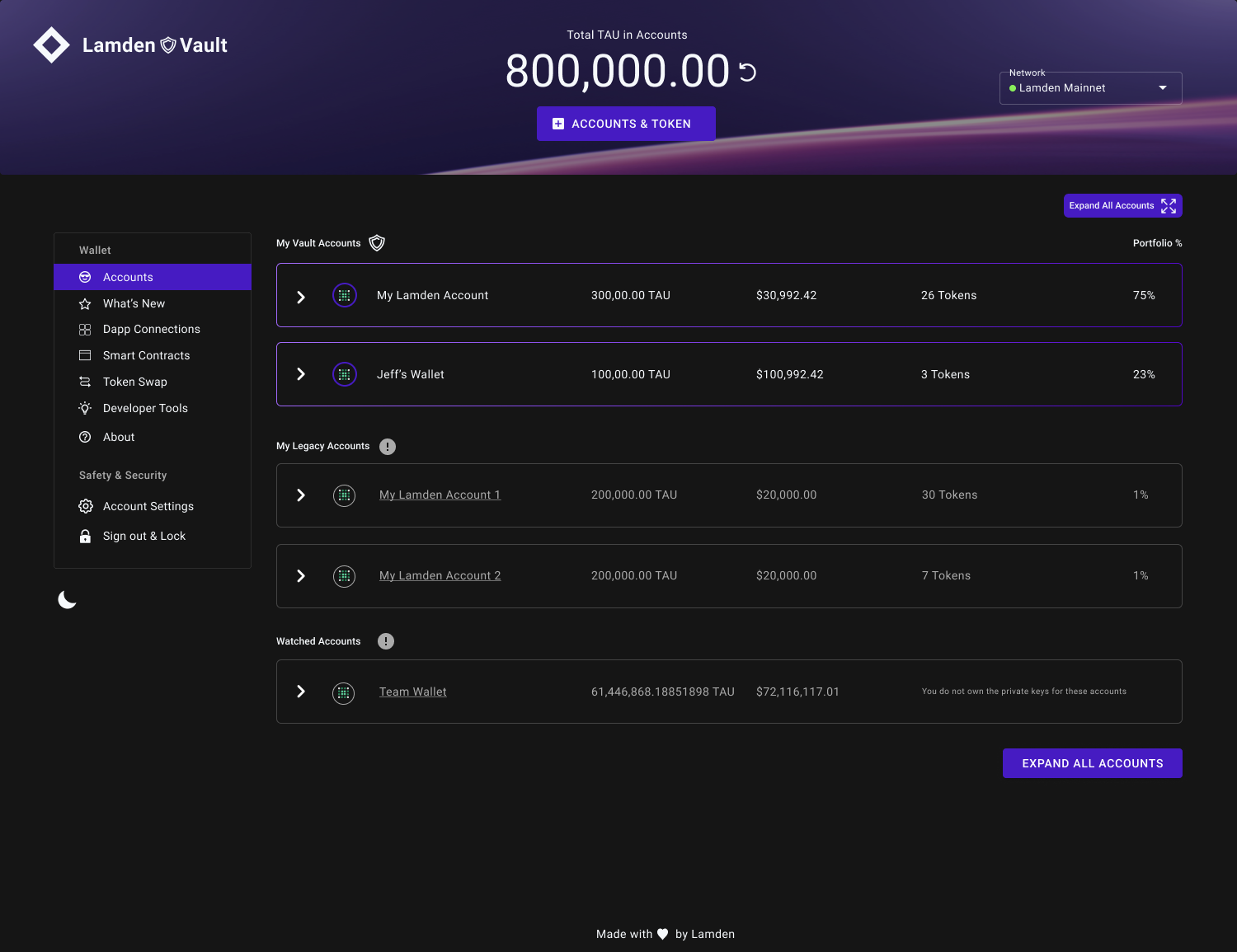
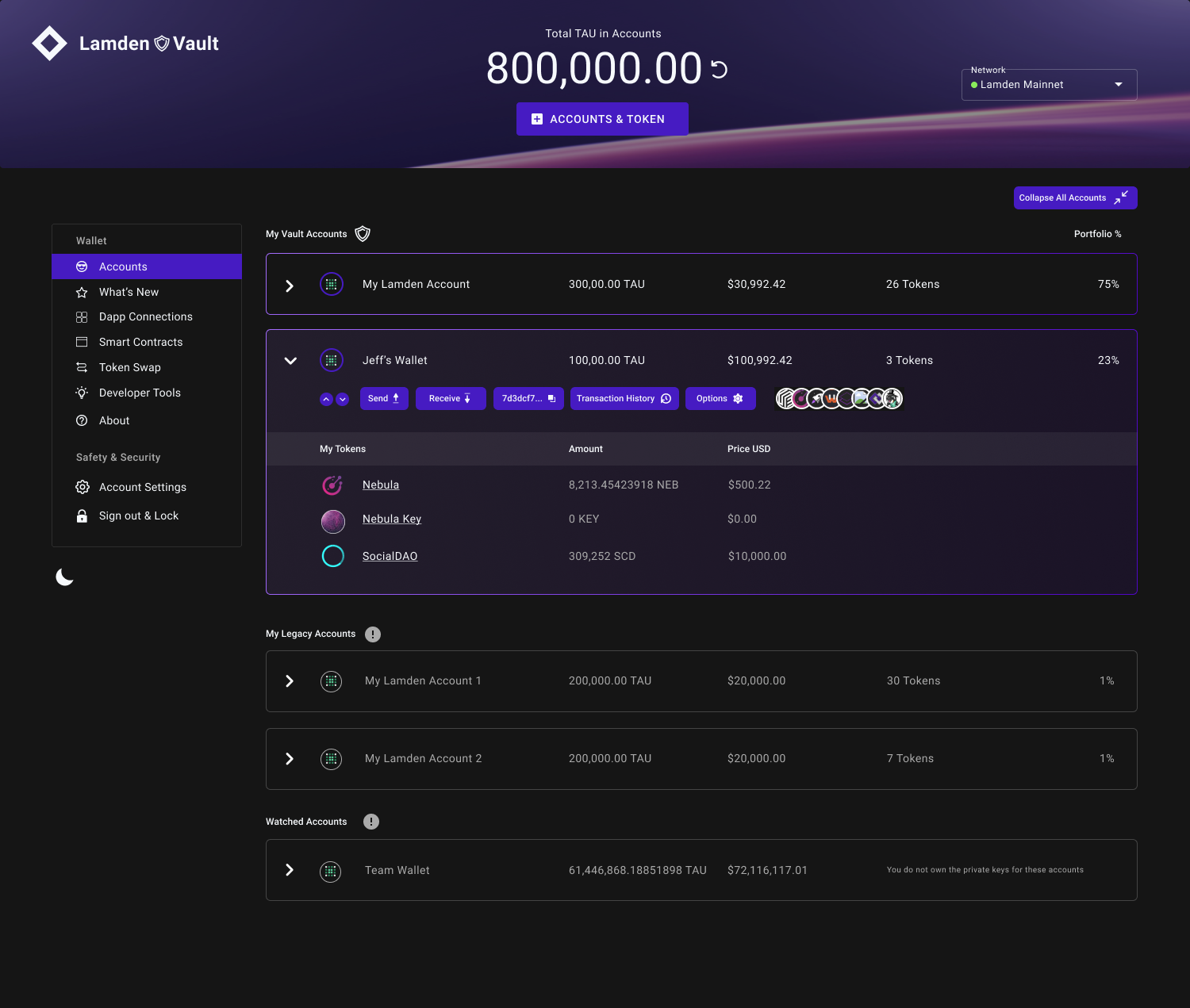
- Icons without text (moved it up)

Open to feedback. Can we put it at somewhere else? If one user has 100 accouts, it is troublesome for him to scroll to the bottom to find this button.
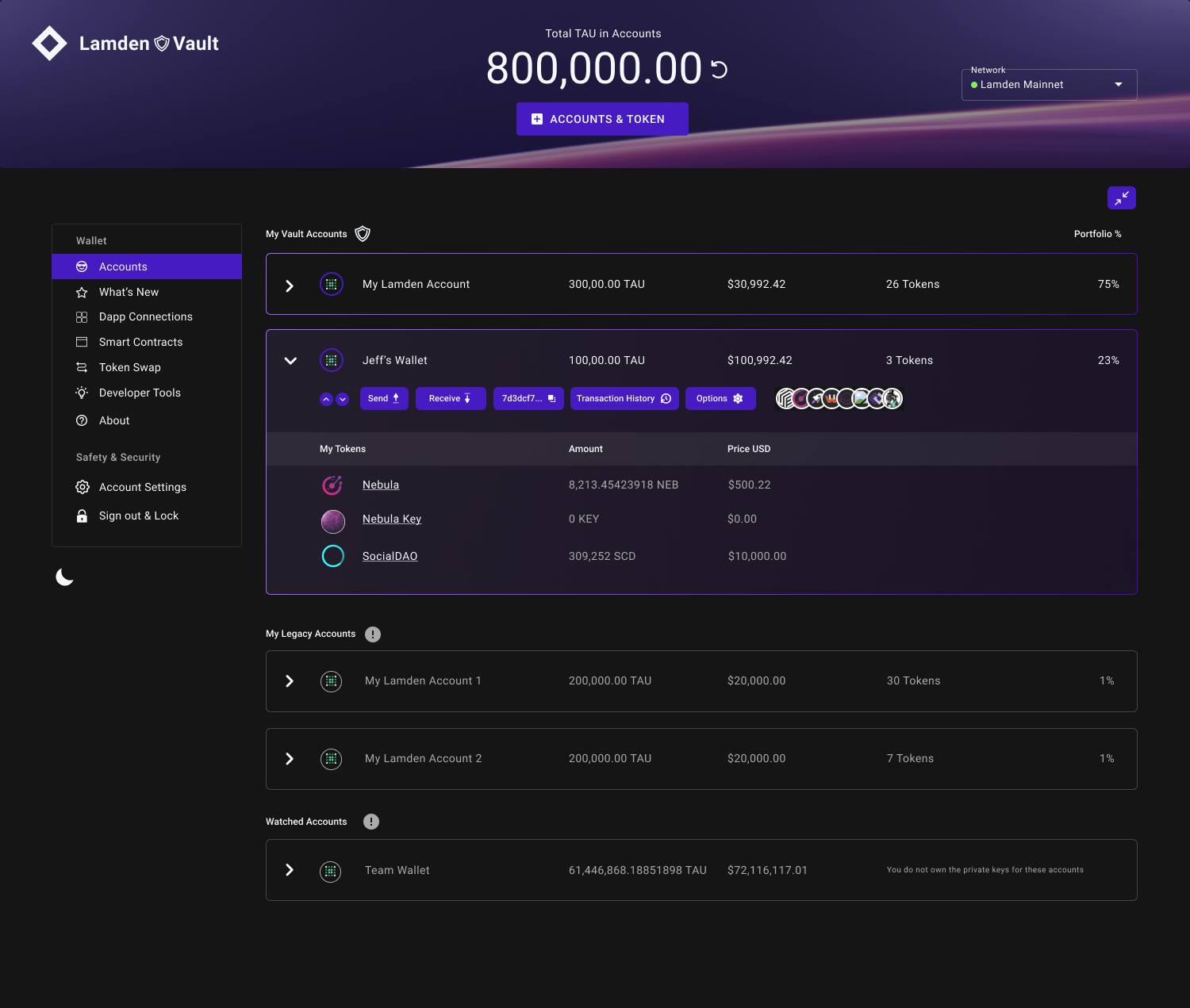
Here are 2 more options:
- Buttons with text and icons (moved it up)
- Icons without text (moved it up)
I like the first one(Buttons with text and icons ). thx!