

 LMMS
LMMS
Dynamic branding color for different build types
Adds scripts that, if run, change the color of the branding to indicate unstable builds.
- Colors the splash, app icon and project icons: 💚 "STABLE", 💙 "BETA|ALPHA", 💜 "NIGHTLY"
- Brands the installation directory
- macOS:
/Applications/LMMS Nightly, etc - Windows:
C:\Program Files\LMMS Nightly, etc
- macOS:
- Separates the config files between release types:
-rw-r--r--     1 owner  staff    1557 Mar  6 04:13 .lmmsrc-nightly.xml
-rw-r--r--     1 owner  staff    1659 Mar  5 02:21 .lmmsrc.xml
Developers notes:
- Brands the splash screen, app icon, project file icon
- Adds new optional build dependencies:
rsvg-convert,imagemagick- fallback support for
inkscape,gimp
- fallback support for
- Adds new build option
WANT_DYNAMIC_BRANDING(defaultON) - Adds new modules to
cmake/modules/branding/cmake/modules/branding ├── BrandingHelpers.cmake ├── BrandingInstall.cmake ├── IconUtilConvert.cmake ├── MagickConvert.cmake ├── SetupBrandingEnv.cmake ├── SvgConvert.cmake ├── SvgRecolor.cmake └── gimp_convert.scm.in - Adds new
BRANDING_DEBUG(defaultOFF) for troubleshooting branding related issues
⚠️Todo
- [x] Properly auto-detect build type from git tag (or assume unstable otherwise)
- [x] Provide example screenshots here
- [x] echo message regarding build type & corresponding branding in
cmake - [x] Trigger soft warning when
bashand other command-line tools aren't available (Windows compatibility, see issues below) - [ ] Document command-line dependencies
❓ Optional
- [x] Show build type in splash screen
- [x] Show build type in about dialog
- (SKIPPED) Use the
svgresources directly in LMMS (would require significant effort, documentation) - [x] Re-implement the entire concept in
cmaketo increase cross-platform compatibility (big task)
❌ Issues
- [x]
msvcbuild environment not handled at all. Windows does not have the tools required to render.svgfiles without some significant setup..icofiles can be produced withgimpfrom a set of.pngimages, though.msvcbuilds will default to the existing default green raster resources. (Fixed with `choco install imagemagick rsvg-convert)
Previews (as of 2019-09-15)


This PR was rewritten in 2025. The original code is left available here for historical purposes: https://github.com/tresf/lmms/tree/dynamic-icon-old

Some tasks I'd like to add to this PR (feel free to move them to the original description if you wish).
Edited, moved to original post
Before this is merged
- [ ] Provide new screenshots of the branding on at least one desktop. This is important so that reviewers like @RebeccaDeField and @Umcaruje can approve the visuals without having to wait for them to have time to build locally.
- [ ] Echo a message about the branding in CMake
- [ ] Possibly add an official "nightly" word like "Nightly" or "Canary" to the about screen. This may not be easy to automate, but should be investigated.
- [ ] Trigger this from CMake and allow a soft warning when the command-line tools (or bash) aren't available. That will allow the build system to chug along as normal in environments like MSVC where bash (or command line tools like
rsvg-convert) is normally not available. (it may also be worth investigating migrating these to CMake scripts, which would allow the possibility of MSVC builds to use them). - [ ] This may be the time to find a way to use the SVG logo directly inside Qt so we're not converting (or mismatching) internal resource files (AFAIR, we're not currently using the SVG logo in C++).
After this is merged
- [ ] After this is merged, we should document the new command-line dependencies in our wiki. We have dependency lists for many different OSs, all of them should be reviewed for addition of the tools we're using.

~~I forgot one... add
shellcheckscanning of these for common shell script issues although reading the source, I think it's already being scanned, so in that case, check our continuous-integration for any shellcheck failures (I've restarted the job here on Travis and waiting... 🕥)~~
Edit: Shellcheck is passing so I guess we're OK there. 👍
Shellcheck seems to not like any sort of if [ -n "@CMAKE_VARIABLE@" ] since on its own the string evaluates to true unconditionally. Is there a more proper way to handle this, or should I leave it be?

Another approach is to set a dedicated variable, which shellcheck probably can't read-ahead on....
linux="@LMMS_BUILD_LINUX@";
if [ -n "$linux" ]; then
   echo "yes"
fi
I think @PhysSong's technique is better though, because it doesn't require any unobvious redundancies.
Hi Guys,
Just a suggestion I wouldn’t call the read heart unknown I would call it development or something of the sort that way people know its under development and can have breakages.
Regards, Jonathan
(Email quote removed by @PhysSong)

Thanks for the input, @eagles051387, but the red will remain "unknown". See below:
What ❤️ UNKNOWN build type IS
- A warning, indicating an immature build that is not ready to use and has zero usability guarantee.
- A fallback, indicating an error somewhere in the version detection script.
What ❤️ UNKNOWN build type IS NOT
- Binary source security
- Used or specified intentionally
- The 💙
BETARelease Candidate option (some new, stable features that need testing) - The 💛
NIGHTLYNightly build option (new, unstable features that need testing) - The 💚
STABLEStable build option (as stable as it gets)
@eagles051387 your comments are a bit out of context because they were placed in the main discussion (I assume they were in reference to this https://github.com/LMMS/lmms/pull/5166#discussion_r323056841 review discussion). I gave it a thumbs down because of your history of lazy replies to complicated problems. Please be more considerate of the way the tracker works (you should know, you helped set it up). <3
Alright, I hope this comment helps to sort things out and provide some assistance. Let's recap a few things:
The files needed for this project are?
- The Splash. Is this rendering correctly without problems?
- The Logos. Which we have recently acquired the sources to and working out the details in discord.
- Anything else? Let me know and I will track it down.
A thorough comb over the discord conversation tells me that somehow different people were under different impressions (including me, previously understanding that we were only finalizing the green/yellow options) for the colors so I wanted to address that here to clarity.
This was the original proposal

If the script is able to auto-detect the build type, then the red option can be taken out.
I already had the colors used for LMMS documented in our design elements file, but I have separated it out and added it to the directory on its own so that it is easier to use and find in our artwork repo here. Of course, the green and even the yellow can stay exactly as it is, but I wanted to suggest tweaking the hues of the other colors to match these for consistency.
That would these examples all color variations available if matched exactly to these colors (I'm assuming we would just match to the right hue, but wanted to add everything for clear communication):

And as per Ian's request, here are the hex codes for all of the colors: Orange: # db9300 Blue: # 0ac8bb Red: # 800a1d Purple: # 3c3282
If we do end up using red, I suggest matching to the wine-red already in our palette.

@RebeccaDeField,
@iansannar has given me permission to help with this script to add multiple SVG size support. What I need:
- [x] Optimized SVGs for all Desktop icon resolutions
... the ones I have now from @Umcaruje will suffice until the optimized SVGs are provided - [x] Optimized SVGs for Windows Modern UI tile "UWP"
... the ones I have now are OK for proof of concept, but use a color code in the SVG that's off by a hair. I've hand-edited this for now so I can move forward with the script - [x] Optimized SVG for splash screen
... the one we have now isn't rendering in Chrome properly making it hard to test - [x] Optimized SVG for projects/mimetype
... the ones I have now from @Umcaruje will suffice until the optimized SVGs are provided. Why do I need these? Well, we're already batching the desktop icons, so I'm going to add the same.ico|.icnscreation for consistency purposes
So pretty much ALL SVGs need to be optimized and redelivered. The build colors should be easy to tweak.
Side note, I feel these colors are too close to be used as versioning identifiers.

Lastly, we'll need to make a decision on number of colors we're doing. I think Discord is the best place for that conversation?
@tresf can you explain what
use a color code in the SVG that's off by a hair. for the UWP icons means?
I am in the process of making the optimised SVG's, I'll be delivering them to the artwork repo in a pull request

use a color code in the SVG that's off by a hair.
@Umcaruje please take a look at the green hex color used in the Windows 10 tile. It's off slightly when compared to the icon. e.g. #249a57 instead of #249a56
please take a look at the green hex color used in the Windows 10 tile. It's off slightly when compared to the icon. e.g. #249a57 instead of #249a56
That's because it does not use a gradient, and the background is a solid color, though I suppose we could change it if it will simplify the scripts, it's not that big of a shade difference
That's because it does not use a gradient, and the background is a solid color, though I suppose we could change it if it will simplify the scripts, it's not that big of a shade difference
I'm fine either way, but I can't believe with any reasonable belief that this is intentional. The difference between the colors is indistinguishable by the naked eye. It seems unlikely that this was intentional. I don't mind, but if by some chance it is intentional, I'll need blue, yellow, red equivalents. If these aren't provided, the PR will be merged with the ones I've created.
I'm fine either way, but I can't believe with any reasonable belief that this is intentional. The difference between the colors is indistinguishable by the naked eye. It seems unlikely that this was intentional. I don't mind, but if by some chance it is intentional, I'll need blue, yellow, red equivalents. If these aren't provided, the PR will be merged with the ones I've created.
I'll change them to the hex you said
@tresf @iansannar I have pushed the icons in optimized svg format to LMMS/artwork
You can find them in folder Icon & Mimetypes. @RebeccaDeField also uploaded a optimized svg version of the splash screen, which you can find in the folder Default Theme
Let me know if there is any more issues with these files, all your demands should have been met.
@tresf
So pretty much ALL SVGs need to be optimized and redelivered.
Done.
Side note, I feel these colors are too close to be used as versioning identifiers. Lastly, we'll need to make a decision on number of colors we're doing. I think Discord is the best place for that conversation?
Will put together some clear options and head up the conversation over on discord as soon as I can.
Ok, some refactoring has been pushed. Still need some work, including fixing the SVGs and perhaps the color replacements, help appreciated.
@tresf Do you know what needs to be fixed on the current .svg files and if not, can you provide some context as to what is not working properly? Are all of the files having issues or just some in particular?
@RebeccaDeField sorry for being vague, pushed that commit in a bit of a hurry earlier.
So this is what I need help with:
- Proper colors for all non-green colors. They're defined around here.
Just an example:
... whereStable) REGEX_REPLACE=("#27ab5f" "#249a56" "#34d07b");; Beta) REGEX_REPLACE=("#09a9d9" "#0267c1" "#35a9d0");; Nightly) REGEX_REPLACE=("#fad200" "#ffa40f" "#ffe14d");; *) REGEX_REPLACE=("#780116" "#c51306" "#d03535");;*is currently "Unknown" fallback. - If we're using Yellow as default (if so, I'll need to make some file changes to accomodate)
Testing it should be pretty easy...
cmake .. -DFORCE_VERSION=1.3.0 -DLMMS_RELEASE_TYPE=Beta #Stable|Beta|Nightly|Unknown
... what this command is doing:
FORCE_VERSIONSkips the version parsing logicLMMS_RELEASE_TYPEForces the script to use the "Beta" color replacements, etc.
I had forgot to mention, the 3rd color is for the project icon document border, I just added that today to complete the icons. So now there's technically three HTML codes needed for each release branding.
I've added a temporary montage script that collects the branding and creates a consolidated preview (writes it to the Desktop).
Here's the colors that are in the repo now but I've kept around the old values in case we want to revert.
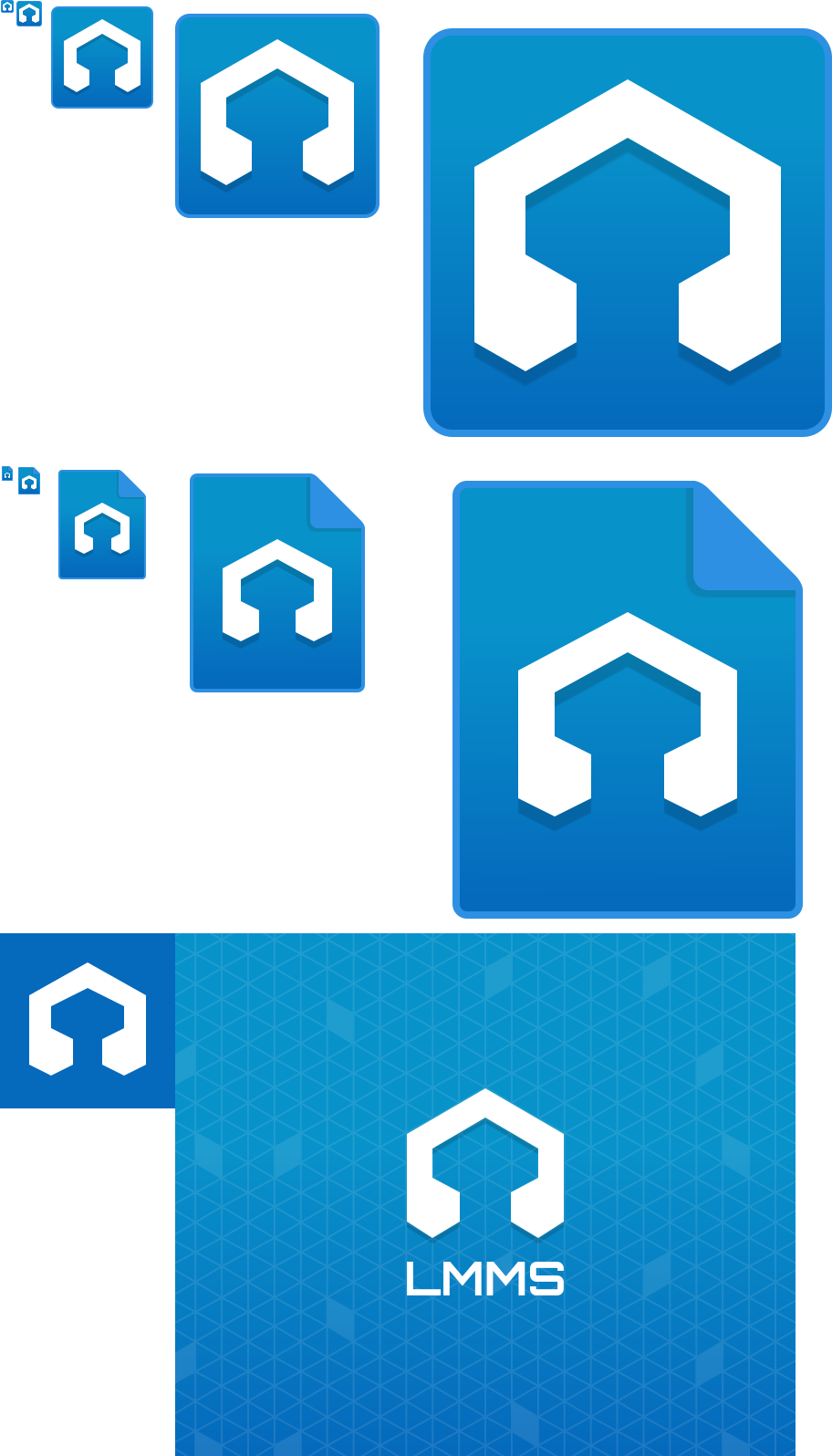
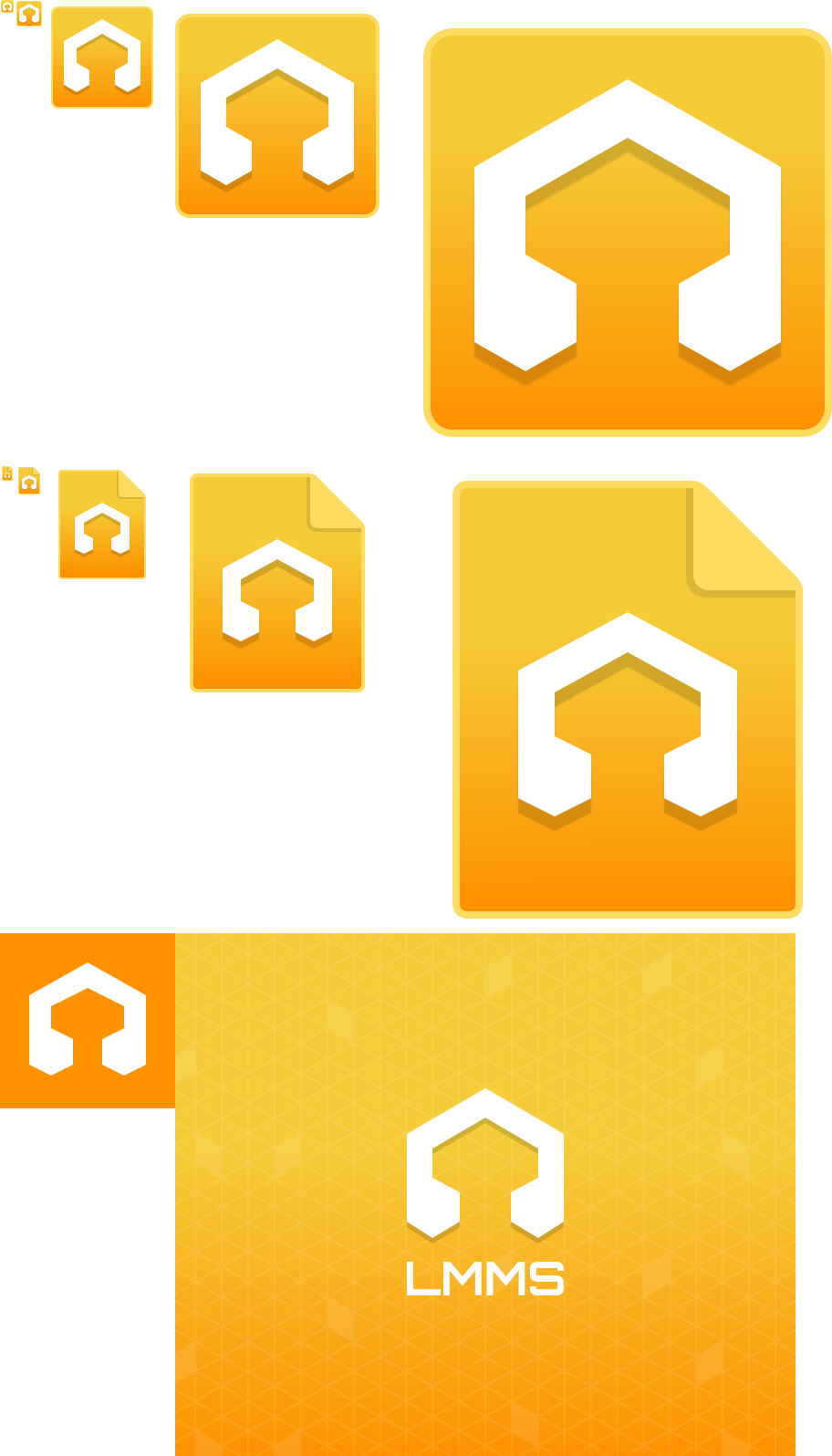
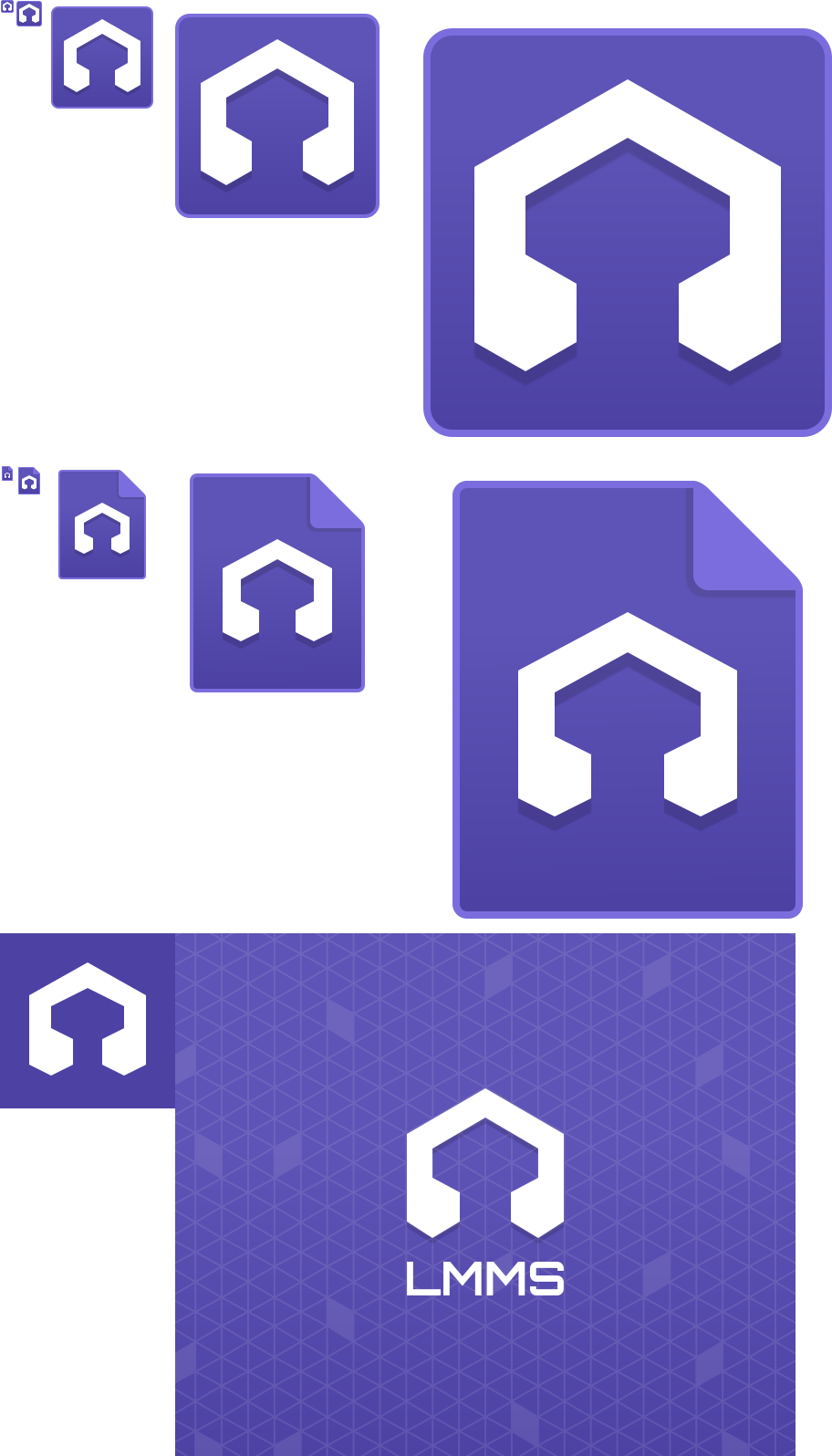
There's been an ongoing discussion on Discord but I've seen no decisions made. Those in charge of branding, please help decide these: https://github.com/LMMS/lmms/pull/5166#issuecomment-531106700.
Thank you for the automation to make things easier to test!
There's been an ongoing discussion on Discord but I've seen no decisions made. Those in charge of branding, please help decide these: #5166 (comment).
Those in charge of branding are working on this :) As per my note on this tracker and on discord, I'm heading up that conversation and working on the colors.
Green (should remain the same)
Top stop: 27ab5f
Bottom stop: 249a56
Border: 34d07b
Purple
Top stop: 5547bd
Bottom stop: 493ba1
Border: 7871c5
Blue
Top stop: 3992cb
Bottom stop: 2b6fc5
Border: 62a8d4
If we can somehow make the opacity of the splash for purple option 5 instead of the 10 that the other colors use, it would make it look even nicer/more consistent with the look of the other splashes, but it is ultimately fine as-is.
Colors pushed via 080ad14.
The purple splash opacity is pushed via 16c795e, 4d75056c9. If any other changes are needed, please let me know.
Here's the renders.
~~@RebeccaDeField @Umcaruje Pay close attention to the border around the blue ones. If no changes are need, no worries, but the icon borders fade into the icon color for blue only and I wanted to make sure it was known.~~
Disregard the comments about blue. Was a mistake on my part. Fixed via 131efe182.
If @Umcaruje wants to take a look to give a second proof, feel free. Colors look great to me :+1:
@RebeccaDeField thanks for the sanity check. Next steps are:
- Switch the resources in the code to default to purple, remove #FIXME's
- Locate redundant resources
- Testing/screenshots
I'm also checking @iansannar's list as we're completing them.
Getting there... https://youtu.be/2bkBDcwkBJg
Had to make some adjustments to INSTALL_DATA_SUBDIRS to support installing artwork from CMAKE_CURRENT_BINARY_DIR.
:robot: Hey, I'm @LmmsBot from github.com/lmms/bot and I made downloads for this pull request, click me to make them magically appear! :tophat:
Linux
- Linux (AppImage):
lmms-1.3.0-alpha.1.224%2Bg28e4d1a5d-linux-x86_64.AppImage(build link)
Windows
- Windows 32-bit:
lmms-1.3.0-alpha.1.224%2Bg28e4d1a5d-mingw-win32.exe(build link) - Windows 64-bit:
lmms-1.3.0-alpha.1.224%2Bg28e4d1a5d-mingw-win64.exe(build link) - Windows 32-bit:
lmms-1.3.0-alpha-msvc2017-win32.exe(build link) - Windows 64-bit:
lmms-1.3.0-alpha-msvc2017-win64.exe(build link)
macOS
:robot:
{"platform_name_to_artifacts": {"Linux": [{"artifact": {"title": {"title": "(AppImage)", "platform_name": "Linux"}, "link": {"link": "https://15862-15778896-gh.circle-artifacts.com/0/lmms-1.3.0-alpha.1.224%2Bg28e4d1a5d-linux-x86_64.AppImage"}}, "build_link": "https://circleci.com/gh/LMMS/lmms/15862?utm_campaign=vcs-integration-link&utm_medium=referral&utm_source=github-build-link"}], "Windows": [{"artifact": {"title": {"title": "32-bit", "platform_name": "Windows"}, "link": {"link": "https://15861-15778896-gh.circle-artifacts.com/0/lmms-1.3.0-alpha.1.224%2Bg28e4d1a5d-mingw-win32.exe"}}, "build_link": "https://circleci.com/gh/LMMS/lmms/15861?utm_campaign=vcs-integration-link&utm_medium=referral&utm_source=github-build-link"}, {"artifact": {"title": {"title": "64-bit", "platform_name": "Windows"}, "link": {"link": "https://15860-15778896-gh.circle-artifacts.com/0/lmms-1.3.0-alpha.1.224%2Bg28e4d1a5d-mingw-win64.exe"}}, "build_link": "https://circleci.com/gh/LMMS/lmms/15860?utm_campaign=vcs-integration-link&utm_medium=referral&utm_source=github-build-link"}, {"artifact": {"title": {"title": "32-bit", "platform_name": "Windows"}, "link": {"link": "https://ci.appveyor.com/api/buildjobs/klaobfx0rs2hn93x/artifacts/build/lmms-1.3.0-alpha-msvc2017-win32.exe"}}, "build_link": "https://ci.appveyor.com/project/Lukas-W/lmms/builds/42769288"}, {"artifact": {"title": {"title": "64-bit", "platform_name": "Windows"}, "link": {"link": "https://ci.appveyor.com/api/buildjobs/ust73g3im8ocafya/artifacts/build/lmms-1.3.0-alpha-msvc2017-win64.exe"}}, "build_link": "https://ci.appveyor.com/project/Lukas-W/lmms/builds/42769288"}], "macOS": [{"artifact": {"title": {"title": "", "platform_name": "macOS"}, "link": {"link": "https://15859-15778896-gh.circle-artifacts.com/0/lmms-1.3.0-alpha.1.224%2Bg28e4d1a5d-mac10.14.dmg"}}, "build_link": "https://circleci.com/gh/LMMS/lmms/15859?utm_campaign=vcs-integration-link&utm_medium=referral&utm_source=github-build-link"}]}, "commit_sha": "b0731c1a946a9e4cc84a986d944442da2912fb18"}
