

 LAION-AI
Language selection sometimes changes automatically to English
1- Select language Spanish (Español) 2- Enter to Messages (Mensajes) 3- Click on triple dots of a message and Open on new tab (Abrir en una pestaña nueva).
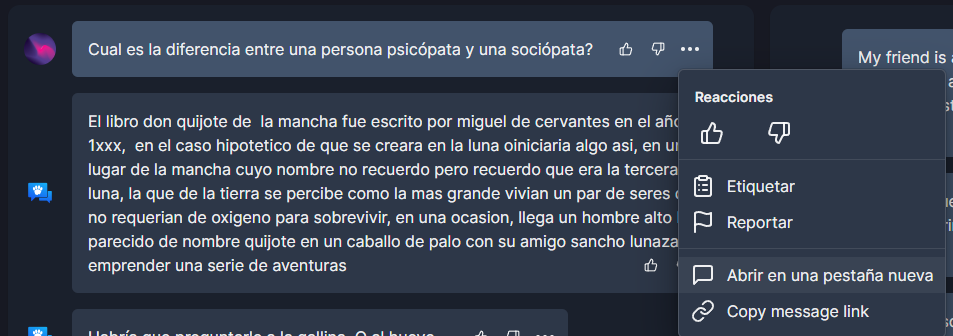
4- It automatically changes language to English.
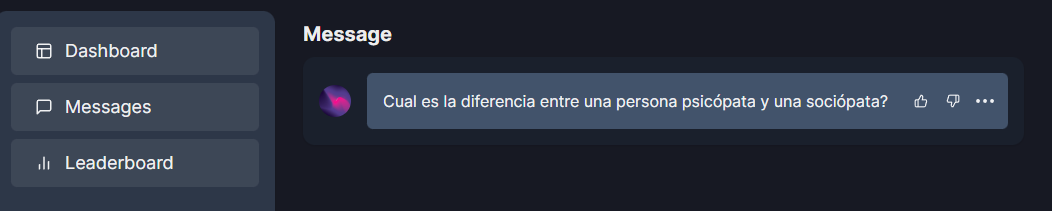

Inspecting the source code I found out the button has this link:
<a href="/messages/215c07b2-b764-4713-8ed3-a3ae88065c51"
When it should be:
<a href="/es/messages/215c07b2-b764-4713-8ed3-a3ae88065c51"
This issue persists in all languages.
Hello, I can try out this one. I am new to open source so would like to contribute to it.

As far as I understand we would need to change a line in website/src/components/Messages/MessageTableEntry.tsx.
There is the following line:
        <MenuItem as="a" href={`/messages/${id}`} target="_blank" icon={<MessageSquare />}>
          {t("open_new_tab_action")}
        </MenuItem>
Here we'd somehow need to add the current language, like sohref={'${LANG_CODE}/messages/${id}'}. I couldn't figure out how to retrieve the current language code unfortunately.
@SiddheshBangar For your Information
As a side note, this "issue" seems to be present in other links that are defined in the MessageTableEntry.tsx file as well. And there may perhaps be other places where this is the case. It might be adivsable to change all occurences that appear in MessageTableEntry.tsx so that this issue doesn't show up in the future.

Hello, I can try out this one. I am new to open source so would like to contribute to it.
I suggest that you join the OA discord server. Probably the web-team can tell you how to get the current language code.

I found a solution that works but (in my opinion) might not be very clean. (I haven't asked the web-team yet)
  // Existing code for refrence (around line 177)
  const { trigger: deleteMessage } = useSWRMutation(`/api/admin/delete_message/${id}`, del);
  // Newly added code
  const [cookies,] = useCookies(["NEXT_LOCALE"]);
<MenuItem as="a" href={`/${cookies['NEXT_LOCALE']}/messages/${id}`} target="_blank" icon={<MessageSquare />}>
    {t("open_new_tab_action")}
</MenuItem>

Probably the same issue: https://github.com/LAION-AI/Open-Assistant/issues/1365
Steps to reproduce: https://github.com/LAION-AI/Open-Assistant/issues/1365#issuecomment-1425746693

For anyone want to take this, changing a to NextLink should work. Next will handle the locale for you.
See https://stackoverflow.com/questions/65632698/how-to-open-a-link-in-a-new-tab-in-nextjs

There may be more than one bug that could be causing this. Consider the following screenshots:
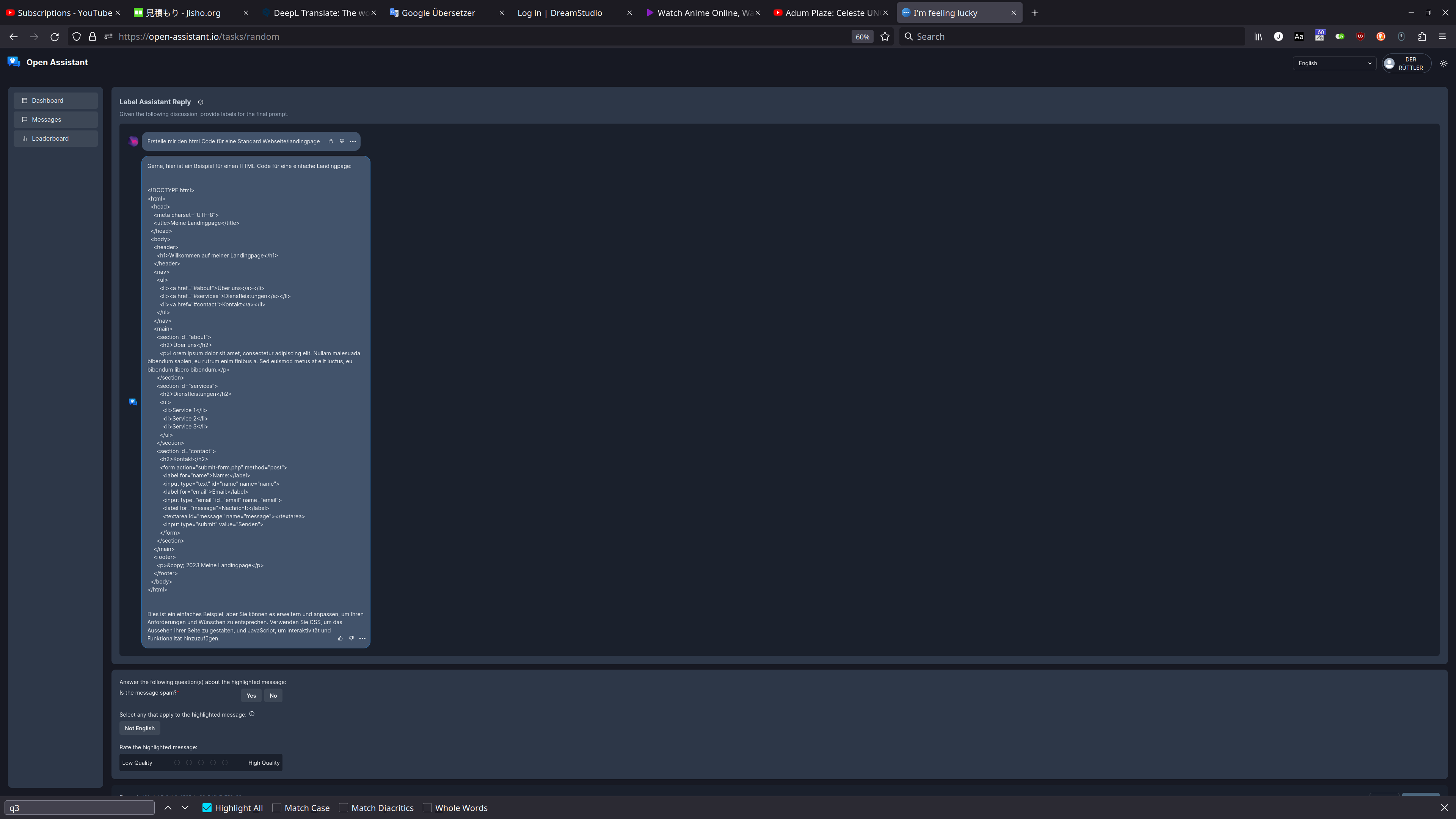
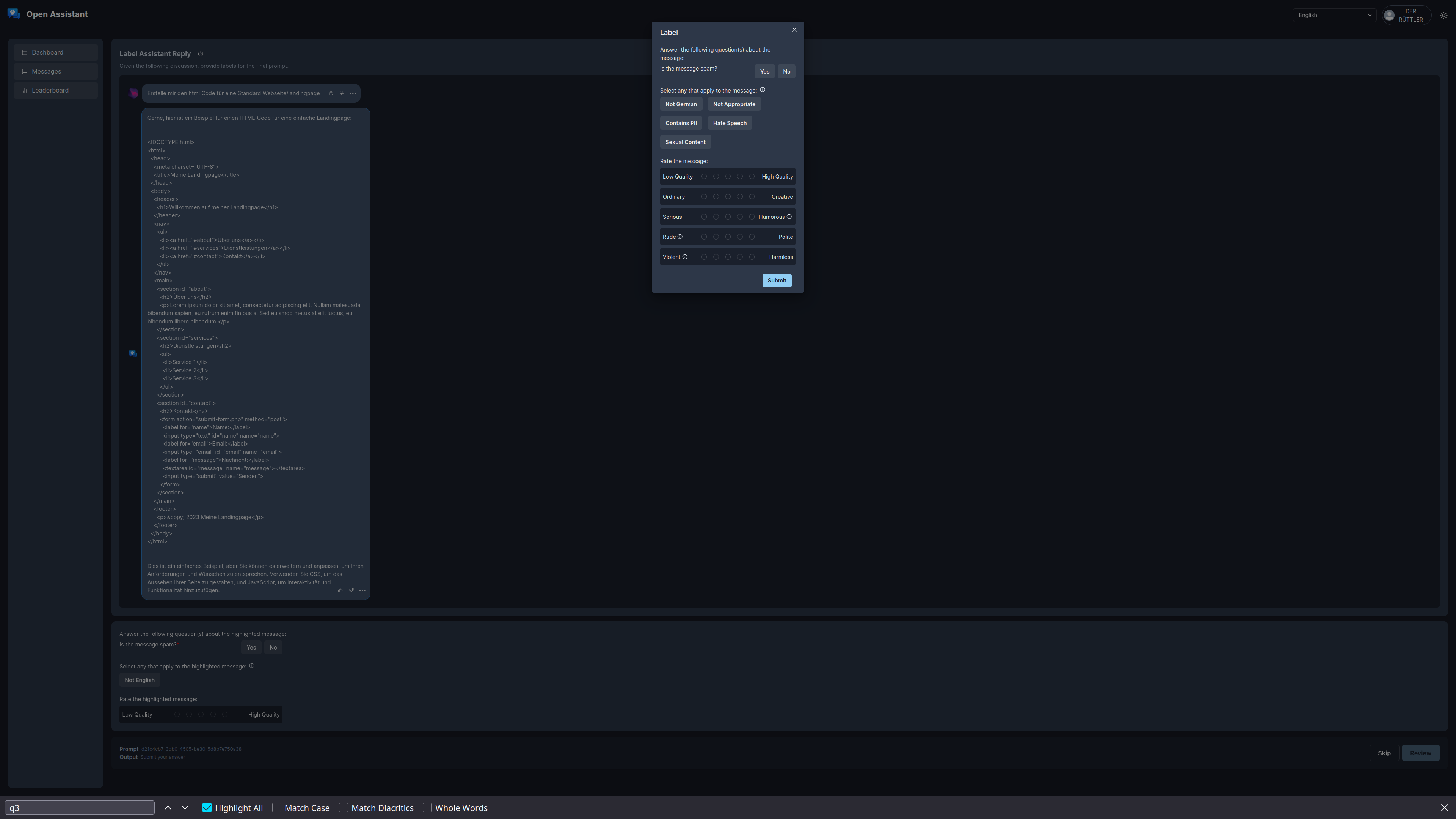
I am doing a task for English but I am being shown a German tree. When labeling the assistant reply (both below the tree and when clicking ... -> Label) I can label it as "Not English". However, when labeling the prompt I can label it as "Not German". I did not open any links to a German tree like I did in https://github.com/LAION-AI/Open-Assistant/issues/1365#issuecomment-1425746693 .
Link: https://open-assistant.io/messages/0b31aa89-fb97-4f5d-916c-5acff94c1435