

 LAB02-Research
Bug: High CPU usage
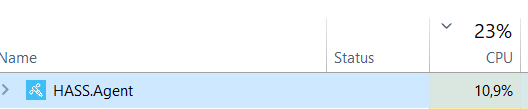
Describe the bug Sometimes, Hass.Agent is just randomly taking very high CPU usage. On any low-end system, I wouldn't call 10% that concerning, but since I am running a 12Core/24Threads CPU, these 11% are quite substantial amount of normal CPU load.
To Reproduce I don't know if it is somehow reproducable on other systems. It wasn't the first time, I could observe this behavior in task manager, and the system status seems to be fine and as it should be
Expected behavior I would HASS.Agent expect to never take more than 1% of CPU usage, especially since its a tool, designed to be running permanently in the background
Screenshots
If applicable, add screenshots to help explain your problem.


Misc info (please complete the following information):
- Windows build (ideally screenshot/info of
winver.exeoutput): - Windows' UI language: English
- HASS.Agent version: 22.13.0
Please check what's applicable (multiple answers possible):
- [x] Installed via installer
- [ ] Installed manually
- [x] Problem occurs in HASS.Agent
- [ ] Problem occurs in Satellite Service
Logs [2022-10-26] HASS.Agent_20221106.log - yes, I know there is a lot of MQTT failure in there, I just never set it up properly...

That is a lot of cpu - especially since you don't have any sensors configured. I'd like to find the reason of this.
Could you please disable MQTT (since you're not using it) in the config screen:
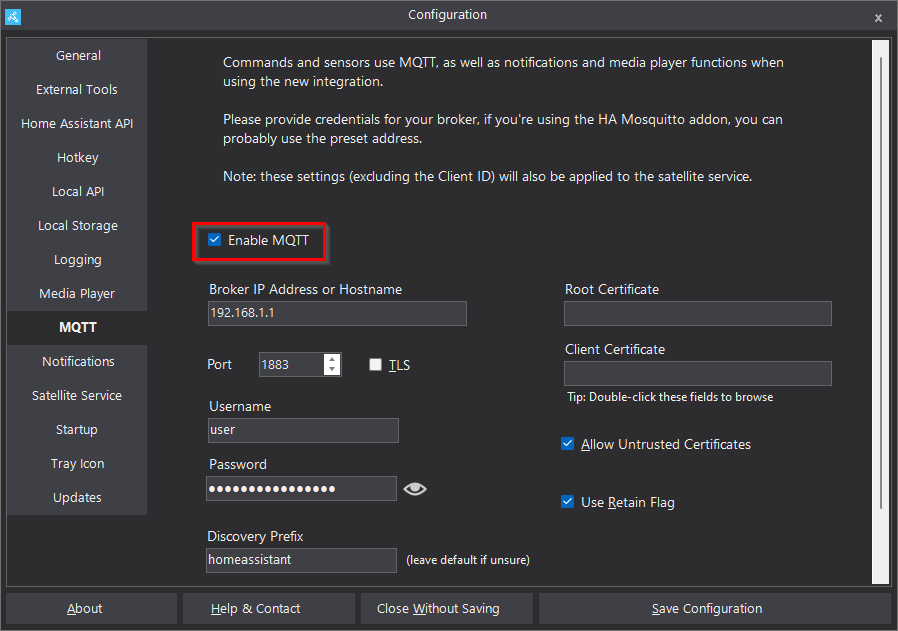
And see if that changes anything

Are you using the mediaplayer functionality? If not, you can try disabling that too:
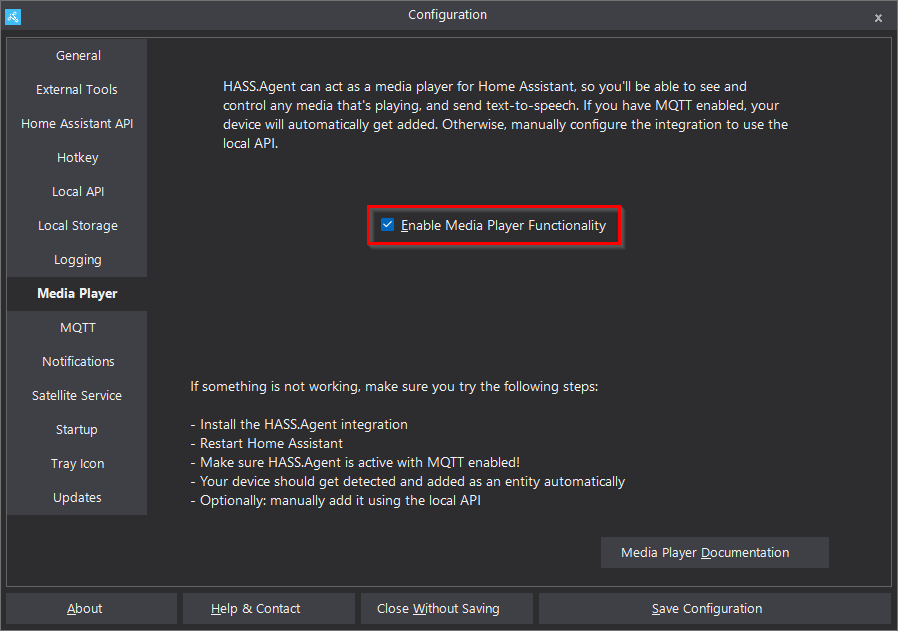
Okay, so I disabled both MQTT and the media player functionality in the settings. I will keep an eye out if it should happen again anytime soon and tell you asap if it happens again
it happened again, HASS.Agent hovering around 6% CPU utilisation...

two possible reasons come to my mind right now, that might be worth looking into:
1.) Windows Hibernation: some other programs don't like it when they are running while windows was put into hibernation and crash or malfunction after being woken up again. 2.) General program runtimes in general: as I am that kind of person, that only rarely restarts their PC properly and only put it into hibernation at night, it might just be the very long time, some background tasks are running for... Maybe HASS.Agent doesn't play nicely with 1-2+ Days of uptime and the problem was mostly undiscovered because civilized humans restart their system at least every 12 hours or so.
I sadly don't have enough time to run a proper investigation into those things but if needed I can help with trying out experimental builds with added debug output and sending you the logs after a few days...
Hm well I have my system running for days at times, shouldn't be a problem - it's actually built to run continuously. I'll try to reproduce it with your config and see if I can find the culprit
I don't know how but today I found a new high-score for CPU-usage...
are there any updates with this issue or is there anything I can do to help fix this?
I'm also facing this issue on a Ryzen 7 3800X with Windows 10.
I restart HASS Agent and it's good for some time until I notice the CPU fan getting a bit noisier.
Maybe it's related to https://github.com/LAB02-Research/HASS.Agent/issues/333 I didn't test with disconnecting the MQTT broker

+1 My usage pattern is similar to the OP. I have HASS.Agent running with MQTT mainly to report my mic usage as a meeting notifier. I lhibernate my laptop (Win10) at night when I'm not using it, and reboot it only when needed (approx. every 2-3 weeks).
My system isn't as beefy, so when in this state I see it using about half my CPU.
