

 Kyrodan
Failed to load specific file

Not sure why there is an error accessing the file, see the screenshot for the error.

- Is the file really there?
- If you go to Tools->KeeAnywhere Settings, does your account appear in the list? If so, what happens when you click the "Check" button on that account?
- What OS are you using? What versions of KeePass and KeeAnywhere?

- Is the file really there?
- If you go to Tools->KeeAnywhere Settings, does your account appear in the list? If so, what happens when you click the "Check" button on that account?
- What OS are you using? What versions of KeePass and KeeAnywhere?
Thanks for the reply Jacakbomb here are my inputs
-
Is the file really there? [dxa2k22] The keeAnywahere plugin was installed
-
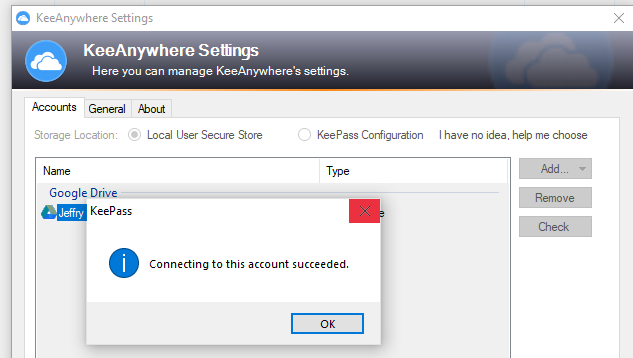
If you go to Tools->KeeAnywhere Settings, does your account appear in the list? If so, what happens when you click the "Check" button on that account? [dxa2k22] Yes, on the google drive, only mydrive is visible ; shared drive is not visible. | Check button retuned a successful result :
(see attached pic) -
What OS are you using? What versions of KeePass and KeeAnywhere? [dxa2k22] Operating System: Windows 10 Enterprise 64-bit (10.0, Build 19043) (19041.vb_release.191206-1406) ; Keepass : 2.49 (64 bit) ; KeeAywhere : 2.03
Oh, is this file on a shared drive or folder? If so, could this be a duplicate of #223?
Google have started to "simplify" folder structures, meaning if you had a shared folder in My Drive, you may find that it has been replaced by a shortcut:
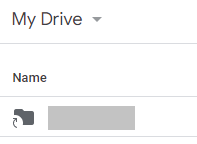
If you use Google Drive in a browser and see that shortcut icon when beforehand it was a regular folder, that might be what has happened.
I don't yet have a solution though - I don't think KeeAnywhere handles Google Drive Shared Folders but I could well be mistaken.
