

 Krypton-Suite
[Bug]: Menu no longer scales on a 96 -> 240 DPI monitor
From user gumby via Discord
Hoping somebody can help. As soon as we set the GlobalApplyToolstrips to true the menu no longer scales on a 96 -> 240 DPI monitor. Are we missing something?
            KryptonManager manager = new KryptonManager();
            manager.GlobalApplyToolstrips = false;
            manager.GlobalPaletteMode = PaletteModeManager.ProfessionalSystem;
No exception is thrown just the MenuStrip scales incorrectly. i.e. The font becomes really small when moving from the 96 to 240 DPI

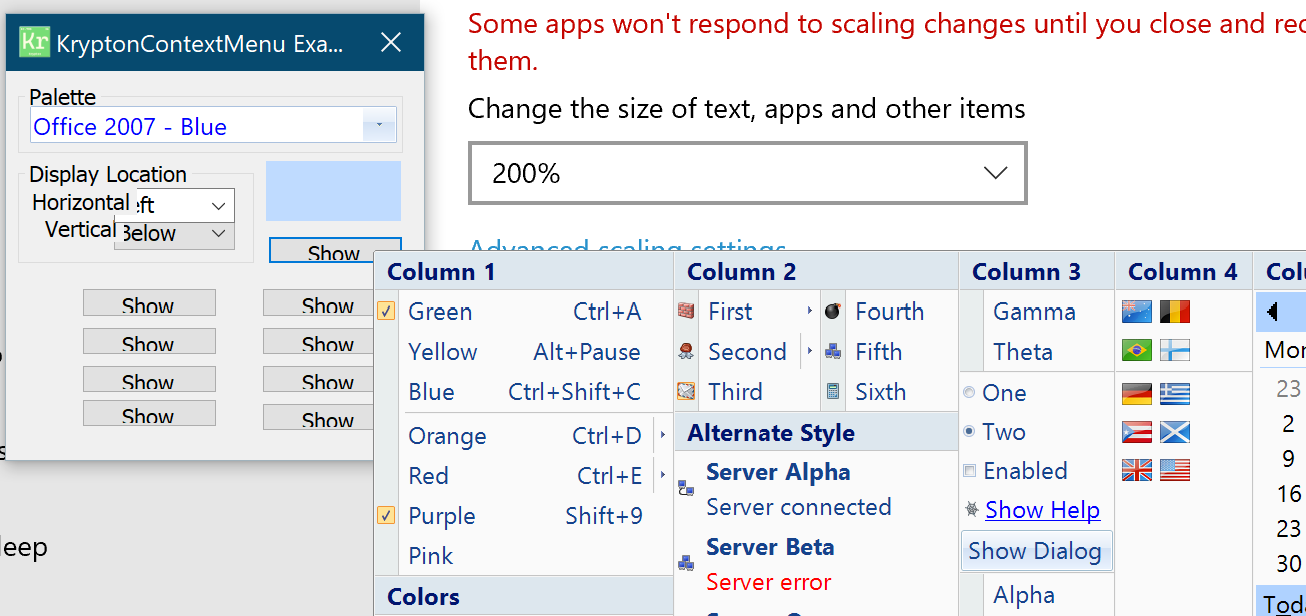
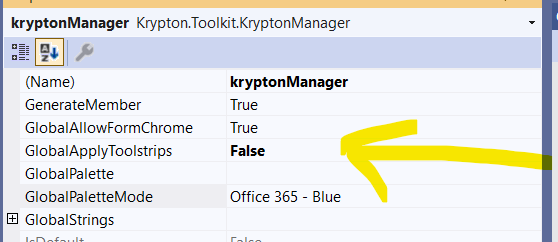

Here's the start of the Discord message exchange https://canary.discord.com/channels/620577714889424916/620577714889424918/994516359847366716
@Smurf-IV Isn't your demo app .net 4?
Sorry I should clarify these scaling issues are .net 6 with a manifest
<application xmlns="urn:schemas-microsoft-com:asm.v3"> <windowsSettings> <dpiAware xmlns="http://schemas.microsoft.com/SMI/2005/WindowsSettings">PerMonitorV2</dpiAware> <longPathAware xmlns="http://schemas.microsoft.com/SMI/2016/WindowsSettings">true</longPathAware> </windowsSettings> </application>

As a workaround, use the following in programs.cs:
Application.SetHighDpiMode(HighDpiMode.SystemAware);
The PerMonitorV2 setting is all confused for the Krypton if monitor 2 is set to 200% scaling and is also set as the main monitor, when Monitor 1 is set to a different dpi setting (Note: Visual studio is also "Confused" in this setting as well when it is running on Mon 1, it tries to open things on Mon 2 in the wrong dpi, and overlaps into mon1 ....)