

 Krypton-Suite
[Other Issues]: Substantial performance issue with AutoSize=true KryptonButtons
Issue Description
The Krypton rendering system seems to be engaging in numerous extremely expensive and unnecessary calculations when rendering buttons that have AutoSize=true. I assume, but not have confirmed, that this is not restricted to buttons but to any control with AutoSize enabled. So this could be a potentially severe performance issue in any project with numerous autosizing Krypton controls.
Issue Demonstration
To replicate this issue simply add a number of KryptonButtons with AutoSize=true to any project. Either place them manually or use something like a FlowLayoutPanel. As you add more you'll notice performance begin to dramatically degrade, even with as few as tens of buttons.
This is most visible when scrolling over the buttons which, on my setup, maxes out CPU usage for the core the UI is running on. The mouse over visual effects will consequently end up lagging substantially. Turn off AutoSize and this issue goes away.
Discussion
This issue is not present when using native buttons and is also not being caused by the normal increase in rendering loading the Krypton entails. Somehow AutoSize is resulting in substantial and very expensive calculations even in places where there's no need for such.
I think this issue is very important, but I unfortunately do not have the time to try to solve this one as I lack experience with Krypton's underlying rendering system and I suspect this issue may not be the most straight forward to resolve.

Hi @Smurf-IV ,
I've been looking into this a little. Below is what I tried/found. Sample, zipped, program included. toolkit needs to be restored via NuGet. Video has been zipped as well.
The flowlayoutpanel choice with tens of buttons ( that autosize ) is imo. not a realistic example. Though I think this test could show some performance bottlenecks.
So the number of controls in the flowlayoutpanel has to be realistic. There will always be conditions when a system will perform less well. The autosize behaviour adds to the performance degradation of mouse(hover/move) events. I choose to record the video with 100 buttons.
Findings:
- A brief test with KCheckboxes in the flowlayoutpanel does not point to the same behaviour and looks stable. Other controls based on KButton possibly behave the same.
- The button size differs substantially when the border is turned on or off.
- Also the whole range of buttons is resized as soon as the border is toggled and the mouse is moved over on of the buttons.
- In Autosize mode the CPU utilization is much higher than fixed size AND when the border is ON the utilization is lower as with the border OFF.
- In Autosize mode AND border OFF the button expands and shrinks when the mouse is going over it and out again. Causing all other buttons in the flow after the one that the mouse is over to change location. Which causes unwanted redraw operations. This is specific to the Flowlayoutpanel.
- When the mouse is moved over the range of buttons for a period this increases the CPU usage on the main thread.
Suspending the redraw (and resuming afterwards) of the controls within the flowlayoutpanel and the flow itself speeds up the process of turning the border on or off / settings the buttons to autosize or not.
This (code below) could be an underlying routine attached to the flowlayoutpanel. Triggered before the size of the layout or the layout engine is going to be changed. And a routine to reverse this a soon as the operations have completed. This routine has little to no effect when a theme is changed.
private void SuspendControls()
{
	if ( cbSuspendForm.Checked ) {

		this.SuspendLayout();

		/*
		 * disable updating the flowpanel
		 */
		if ( cbUseFlowLayout.Checked ) {

			SendMessage( flowLayoutPanel1.Handle, WM_SETREDRAW, 0, 0 );
			flowLayoutPanel1.SuspendLayout();
			flowLayoutPanel1.Visible = false;

		}
		else {

			SendMessage( pnlButtons.Handle, WM_SETREDRAW, 0, 0 );
			pnlButtons.SuspendLayout();
			pnlButtons.Visible = false;

		}

		/*
		 * disable updating all controls within the (flowlayout)panel
		 */
		Control.ControlCollection c = ( cbUseFlowLayout.Checked )
			? flowLayoutPanel1.Controls
			: pnlButtons.Controls;

		foreach ( Control b in c ) {

			SendMessage( b.Handle, WM_SETREDRAW, 0, 0 );
			b.SuspendLayout();

		}

	}

}
Program KThemesTest.zip
Video autosize-test.zip

Thanks for the research, it helps a lot..
BUT flowlayoutpanel is a standard winforms object that Krypton has no control over.
And It has always been a pain, I tend to use standard tablelayout as it is more predictable.

If "Use Flow Layout" is unchecked the program uses a KPanel to place the buttons on.
There you can also see (when switching themes) a significant performance difference when autosize is on or off. So it's not all FLP related.
If "Use Flow Layout" is unchecked the program uses a KPanel to place the buttons on.
There you can also see (when switching themes) a significant performance difference when autosize is on or off. So it's not all FLP related.
Thanks for the clarification.

Now that I have a few moments to spend on performance, And ReSharper is a little better at showing "Drill Down"
I am using today's alpha build, and restructured the app to be able to use SDK style projects.
Here is a view of 400 Kbuttons in the flowpanel and having the "Set Auto size" clicked:
I will see what can be done.
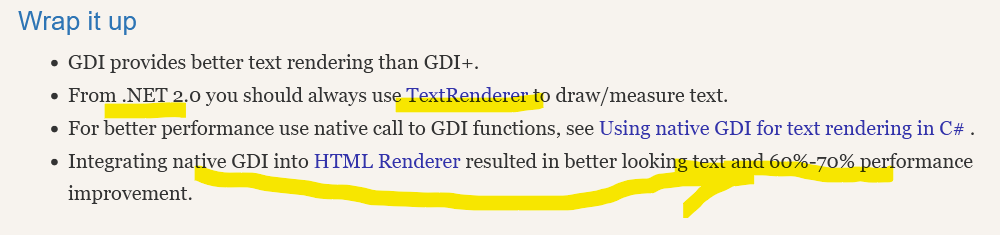
This could lead to a major overhaul of the code base to use TextRenderer (Or even to go native) for massive improvements:
https://theartofdev.com/2013/08/12/the-wonders-of-text-rendering-and-gdi/
This could lead to a major overhaul of the code base to use
TextRenderer(Or even to go native) for massive improvements: https://theartofdev.com/2013/08/12/the-wonders-of-text-rendering-and-gdi/
I would (if possible) go native if it offers good performance boosts and better results
I would (if possible) go native if it offers good performance boosts and better results
Native leads to problems that have to be "overcome" for Transparent backgrounds: https://theartofdev.com/2014/04/21/text-rendering-methods-comparison-or-gdi-vs-gdi-revised/
I have changed the "Test" code, so that it is now comparing apples with apples.
i.e. before the Winform Button was set without a starting size, which meant the the difference between auto-size and the initial size was zero, thus preventing the FlowTable from redrawing after each resize.
Now that both KButton and WinButton are created the same, the following figures are seen:
(@ 400 buttons in Release mode, no vs attached)
| Type | 1st | 2nd |
|---|---|---|
| KBon | 24772 | 23321 |
| KBoff | 50305 | 37650 |
| WBon | 34090 | 27842 |
| WBoff | 57002 | 37097 |
Q: Why are the KButtons better ? A: I have implemented a caching mechanism to test it, which saves about 10 -> 15% of the time when not hosted in a KView element. I still need to work on this so that it flushes if is not created, but the overhead is minimal
AS for the Theme changing. @Wagnerp I have noticed that switching between different themes take a while to change, but others "Similar" combinations (to -> from) are almost instantaneous. And it's not consistent
i.e. Sparkle Blue <-> 365 Blue = Instant Office 2010 (or 2007) <-> Sparkle ### = Some time (approx 3 seconds for 400 buttons in Flow)
Hi @Smurf-IV, @Wagnerp
Might be an idea to optimize the FlowLayoutPanel or other controls. I've had a look at suspending and resuming the redraw of controls and tried this with two extension methods. Those will extend the FlowLayoutPanel Class with: StopRedraw() and Resume Redraw().
I tried this in the test app in the event: cbButtonAutoSize_CheckedChanged.
The calls to SuspendControls and ResumeControls have been replaced by
flowLayoutPanel1.StopRedraw();
flowLayoutPanel1.ResumeRedraw();
This of course only works for the flow panel.
See util.cs in the zip
Might be an idea to optimize the FlowLayoutPanel or other controls.
Not sure what "We" are trying achieve here.. Because the Test app alters each and every button individually. Therefore it is not really a real life thing, that a developer would not know they are doing, so could implement the Pause / resume update anyway.
As for changing themes, That is something that "could" be optimised (a little) but it's rare thing being driven by the user, so a small delay could be acceptable, as long as it does "It's job".
The original OP, was about setting clearing AutoSize, but it turned out that the Winform Button was never dong a resize, so was quicker.
Now with the code mods (And examples above) it can be seen that when the buttons are created in a similar fashion, the performance is equivalent, on repeated runs.
Overlooked the size thing, thanks for pointing out.
That's a good result an solves the thread imo. Well, like I said earlier a scenario (from topic starter) with a 100 or even 400 buttons, or other controls, is highly unlikely and far form real-life.
I looked to the listview source since that has BeginUpdate and EndUpdate calls to suspend drawing. Turns out the Control class actually has two internal methods BeginUpdateInternal and EndUpdateInternal that stop the control from redrawing. Not all controls deriving from Control seem to do something with this.
I think the extension can be left on the shelf and could be of help if the odd case comes along.
Overlooked the size thing, thanks for pointing out.
That's a good result an solves the thread imo. Well, like I said earlier a scenario (from topic starter) with a 100 or even 400 buttons, or other controls, is highly unlikely and far form real-life.
I looked to the
listviewsource since that hasBeginUpdateandEndUpdatecalls to suspend drawing. Turns out the Control class actually has two internal methodsBeginUpdateInternalandEndUpdateInternalthat stop the control from redrawing. Not all controls deriving from Control seem to do something with this.I think the extension can be left on the shelf and could be of help if the odd case comes along.
In any sort of e.g. game where game elements are implemented as themed buttons, you can easily end up with hundreds of buttons. A probably more obscure example (and what led to this issue for me) was using buttons for extremely dynamic text that has effects on click, hover, etc. and is also changing in response to other user interactions. [This] [is] [a] [button] type stuff.
A probably more obscure example (and what led to this issue for me) was using buttons for extremely dynamic text that has effects on click, hover, etc. and is also changing in response to other user interactions.
Then "DO NOT" use a flow panel that causes a redraw for every element, even when a single element is changed. And also uses a parented Krypton component so that the graphics elements can be "Passed Down" the line, rather than having to regenerate it for every draw / resize. The related Item, will also (Should) give better performance for all controls (Eventually) because almost everything has a textual element in it.
In any sort of e.g. game where game elements are implemented as themed buttons, you can easily end up with hundreds of buttons. A probably more obscure example (and what led to this issue for me) was using buttons for extremely dynamic text that has effects on click, hover, etc. and is also changing in response to other user interactions. [This] [is] [a] [button] type stuff.
@MGRussell Or give the extension methods (a bit higher-up in this thread) a try if you really must use a flowlayoutpanel. And suspend/resume redrawing when an item in the panel changes.