
SysMonTask

SysMonTask copied to clipboard
 KrispyCamel4u
L1 cache info problem
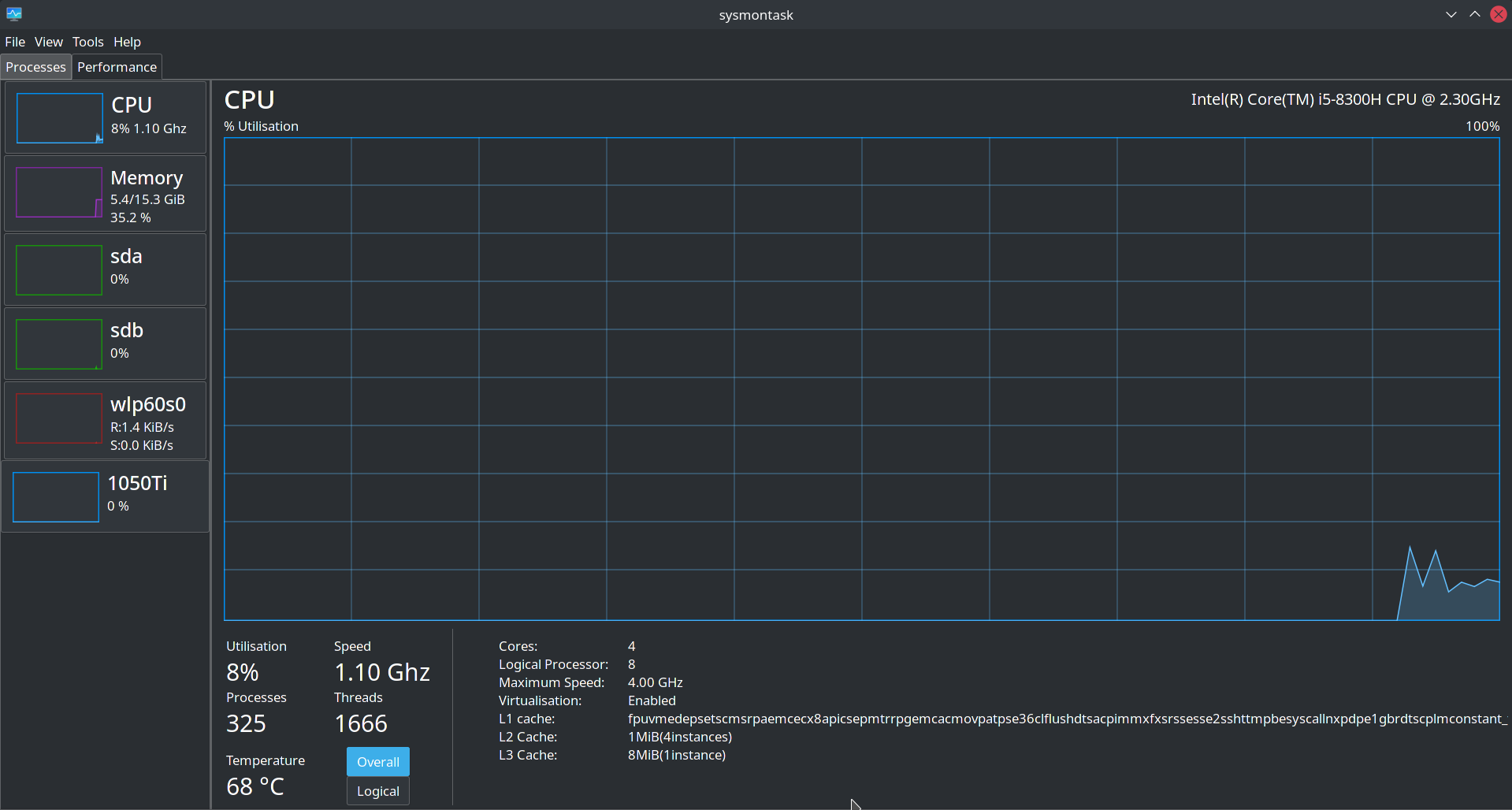

Hi Can you let me know the output of the below command:
lscpu|grep -i -m1 "L1d"
and
lscpu
I will look into this matter and will fix it. Thanks.


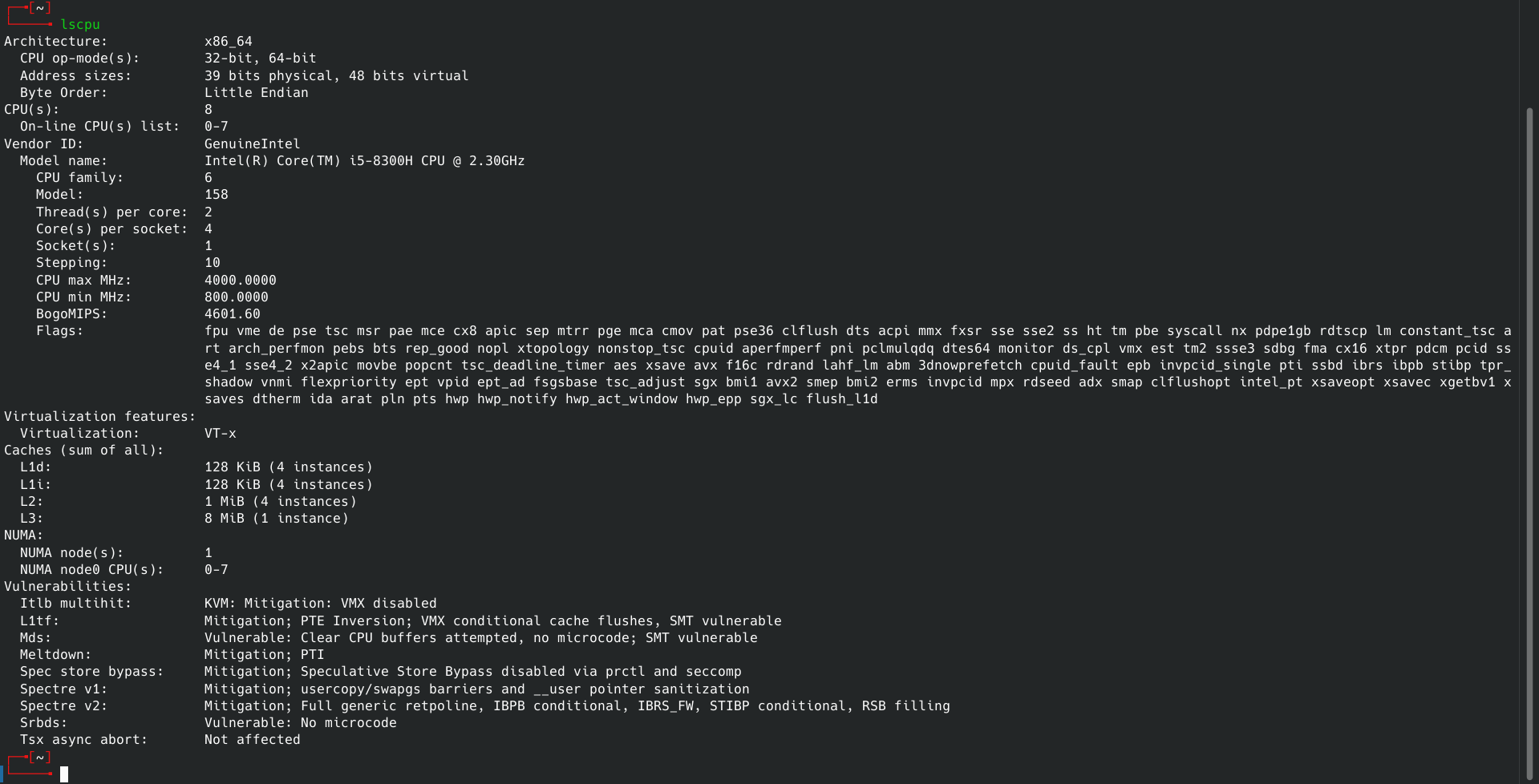

I have this same problem with the L1 Cache Info.
I'm using Kubuntu 22.04.2 LTS. Anyone have a fix yet?

@ShrirajHegde @flavio92ux
I think I found a fix for this issue. In cpu.py in the sysmontask folder. Under #CPU Caches in cpu.py, Instead of being
# CPU Caches
try:
    p=popen('lscpu|grep -i -m1 "L1d"')
    self.cpuL1LabelValue.set_text(sub("[\s]","",p.read().split(':')[1]))
    p.close()

    p=popen('lscpu|grep -i -m1 "L2"')
    self.cpuL2LabelValue.set_text(sub('[\s]','',p.read().split(':')[1]))
    p.close()

    p=popen('lscpu|grep -i "L3"')
    self.cpuL3LabelValue.set_text(sub('[\s]','',p.read().split(':')[1]))
    p.close()
except:
    print("Failed to get Cache information")
Where is says p=popen('lscpu|grep -i -m1 "L1d"') Change it to p=popen('lscpu|grep -i -m1 "L1i"')
Which is just changing out the d for and i.
That should fix it. It fixed it for me.