

 Kozea
Kozea
Footer with Flexbox
Hello,
I would appreciate any input how to use WeasyPrint to meet my requirements:
- One footer even for multipage document.
- Fixed footer to the bottom of the page (for one page document, not necessary for multipag).
- Dynamic footer height. Footer can have half size of document height of can be ommited completely.
- If content meet the footer it appears on next page.
CSS
  .test-wrapper {
    display: flex;
    flex-direction: column;
    flex-wrap: nowrap;
  }

  .test-content {
    flex: 1 1 auto;
    background-color: fuchsia;
  }
  .test-footer {
    background: Lime;
    page-break-inside: avoid !important;
  }
HTML
  <div class="test-wrapper">
    <div class="test-content">
      <h1>This is content</h1>
      <p>Lorem ipsum dolor sit amet consectetur adipisicing elit. Dolor repudiandae tempora aliquam error, dicta animi saepe, sed veritatis molestias, aliquid architecto recusandae repellendus eligendi assumenda eum, harum delectus excepturi vitae.</p>
     </div>

    <div class="test-footer">
      <h1>This is footer</h1>
      <p>This is footer. This is footer. This is footer. This is footer. This is footer. This is footer. This is footer. This is footer. This is footer. This is footer. This is footer. This is footer. This is footer. This is footer. This is footer. This is footer. This is footer. This is footer. This is footer. This is footer. This is footer. This is footer. This is footer. This is footer. This is footer. This is footer. This is footer. This is footer. </p>
    </div>
  </div>
It supose to work except case when content extend into footer. Then it overlap footer or event sometimes break footer.
One page document ✅

Two pages ✅
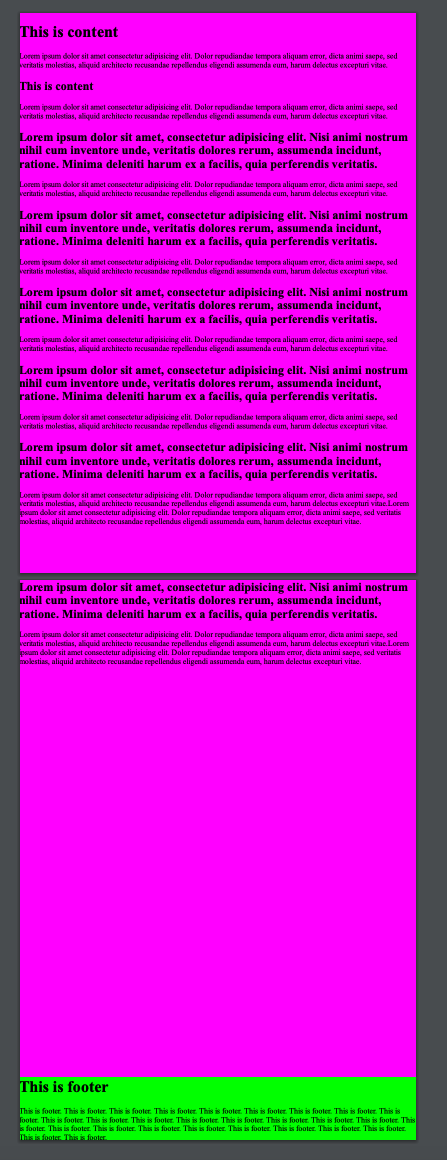
Two pages 🐛
Content overlaping footer. In this case footer should be positioned at the bottom of the second page. Same as second example.

Any ideas to fix this (with or without flexbox)?

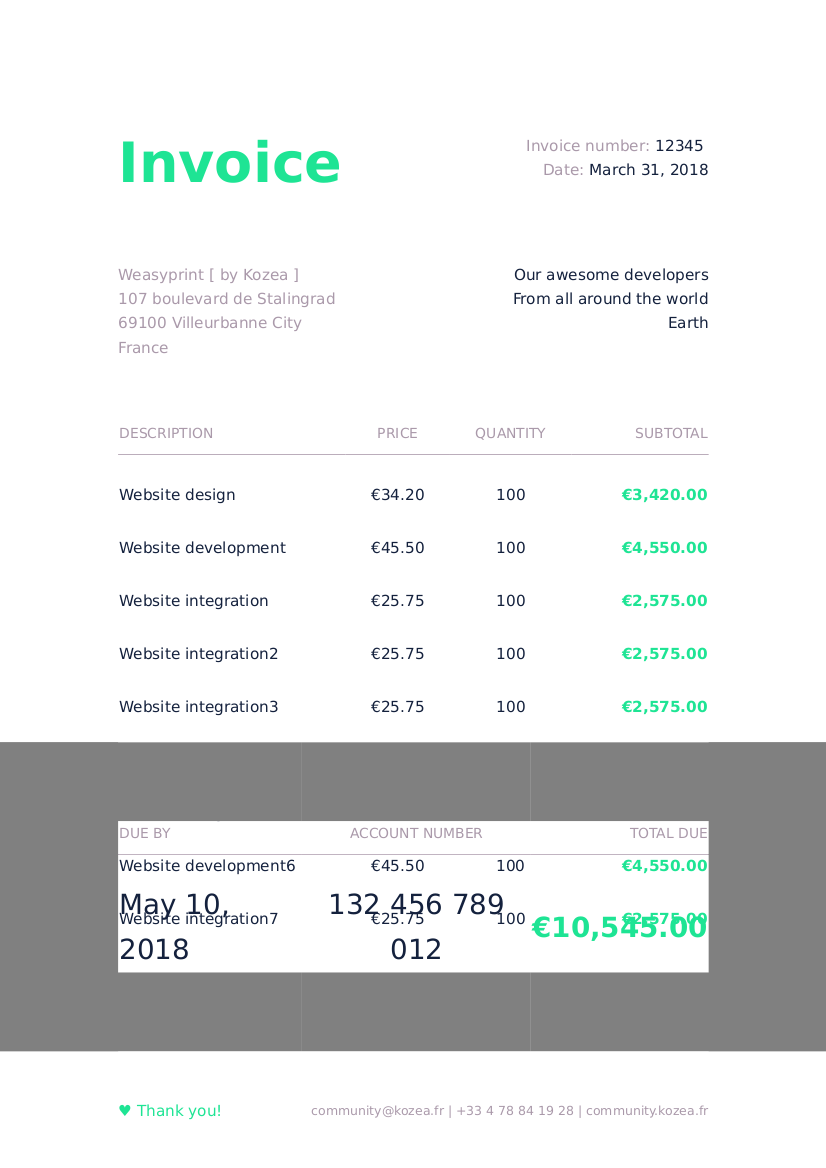
Same behavior when like to show the totals of an invoice at the bottom of the page.
For exemple, the invoice sample [1] (gh-pages branch) is a nice example. When increase lines (more 5 lines), next lines not breatk to new page, same behavior that @martindrzka descrive.
[1] https://github.com/Kozea/WeasyPrint/tree/gh-pages/samples/invoice

You can solve it without flex just by having the same footer html twice:
- The first one will occupy the required height but won't be visible
- The second one will be positioned absolute at the bottom, so it won't occupy any space but will be visible
I have a rather complex footer myself and I was surprised that rendering it twice didn't have any noticeable impact on rendering time.
Example:
<div class="footer" style="opacity: 0;"><!-- visibility: hidden doesn't play well with table borders, opacity works fine -->
    <!-- footer content goes here -->
</div>
<div class="footer" style="position: absolute; bottom: 0; left: 0; width: 100%">
    <!-- exactly the same footer content as above -->
</div>
