

 Klocman
Unreadable UI
A built-in dark theme or detecting windows theme to change font/icon colors appropriately
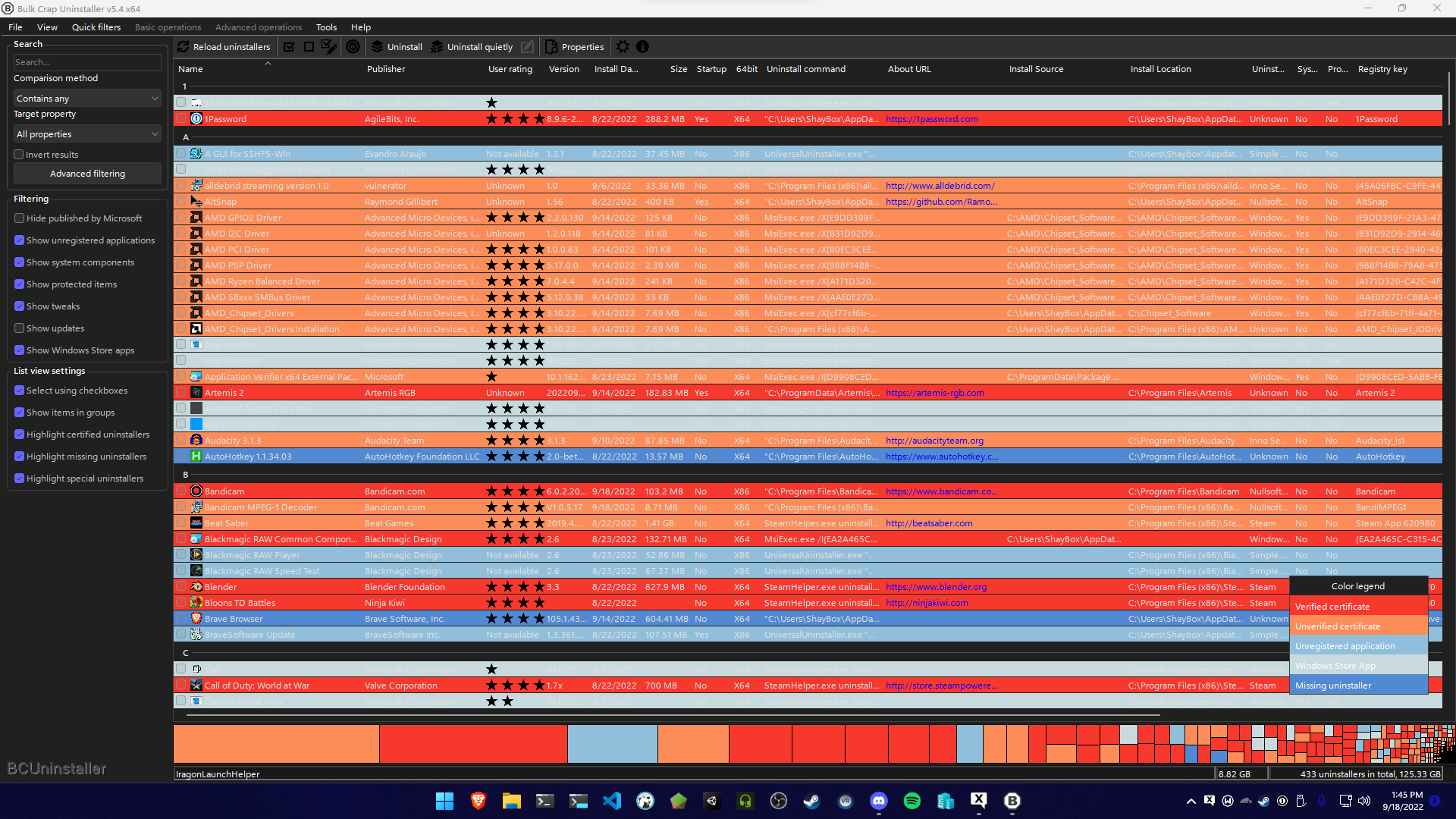 Completely unreadable without colorblind mode on, partially readable with it on.


I used Rectify11, which uses a Theme Patcher (UXThemePatcher, UltraUXThemePatcher, SecureUxTheme)
Though there's no way to whitelist applications that have issues, most don't, I found a good enough solution was unchecking all the highlight boxes on the left, but having support for third party theming would be nice as Microsoft is unlikely to ever do it themselves.
Just a simple toggle to switch font color to black inside the list (and maybe swapping icon color to white) would be enough.
That sounds like an issue with the theme patcher that you're using then, if it doesn't change the text to black. I'm not sure what can be done on BCU side to help with this, I assume the theme patcher specifically overrides the font color to white so even if I set it to black it most likely wouldn't help. You can grab the source to play around with the main window and see if anything helps.