
quant-ux
 quant-ux copied to clipboard
 KlausSchaefers
Widget panel
Proposal
I would like to propose a widget panel, on the left side. The strongest feature of Quant UX is functional widgets. If the product don't show them when someone view it for the first time, they will misunderstand Quant UX, for a normal design tool. QUX much different than a design tool, a good revision of documentation with examples, along with on screen help help the users to realise that, QUX works differently from a normal design tool.
Design
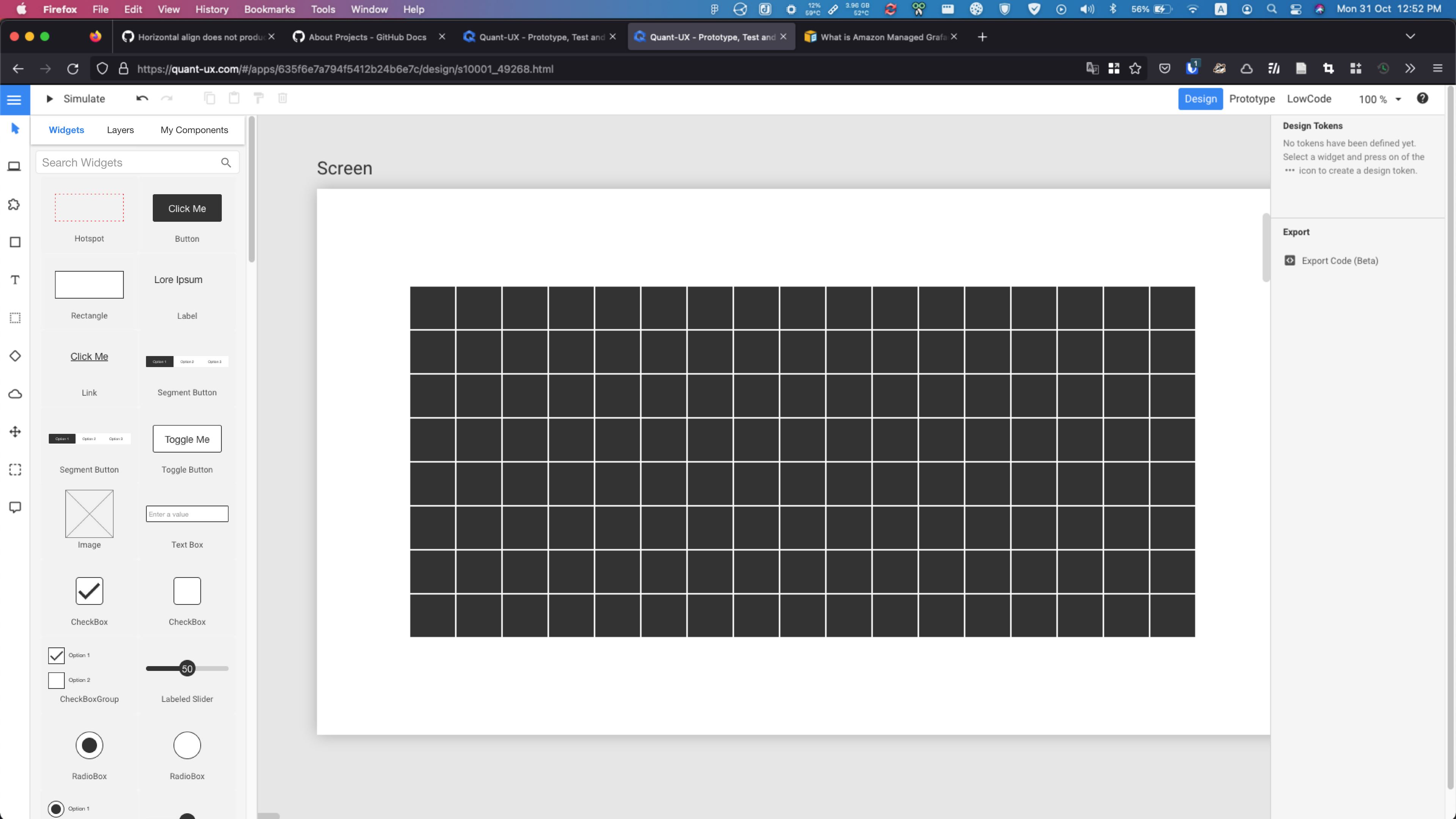
Simple prototype
https://quant-ux.com/#/test.html?h=a2aa10aLzLKKCn4lmyovGJ2ObTIKOu84qEnzkwbY0mFDHpL3BiRQ2GSRYczi&ln=en
Future direction
As on the overall direction of QUX development, I suggest that QUX may focus on wireframing and user testing, instead of being a design tool. Having highly functional widgets will encourage creating high quality wireframes, which can give good results in user testing.
Having the widgets panel on the left will make designing wireframes much more easier.
Here is a sample wireframe I designed for a test,
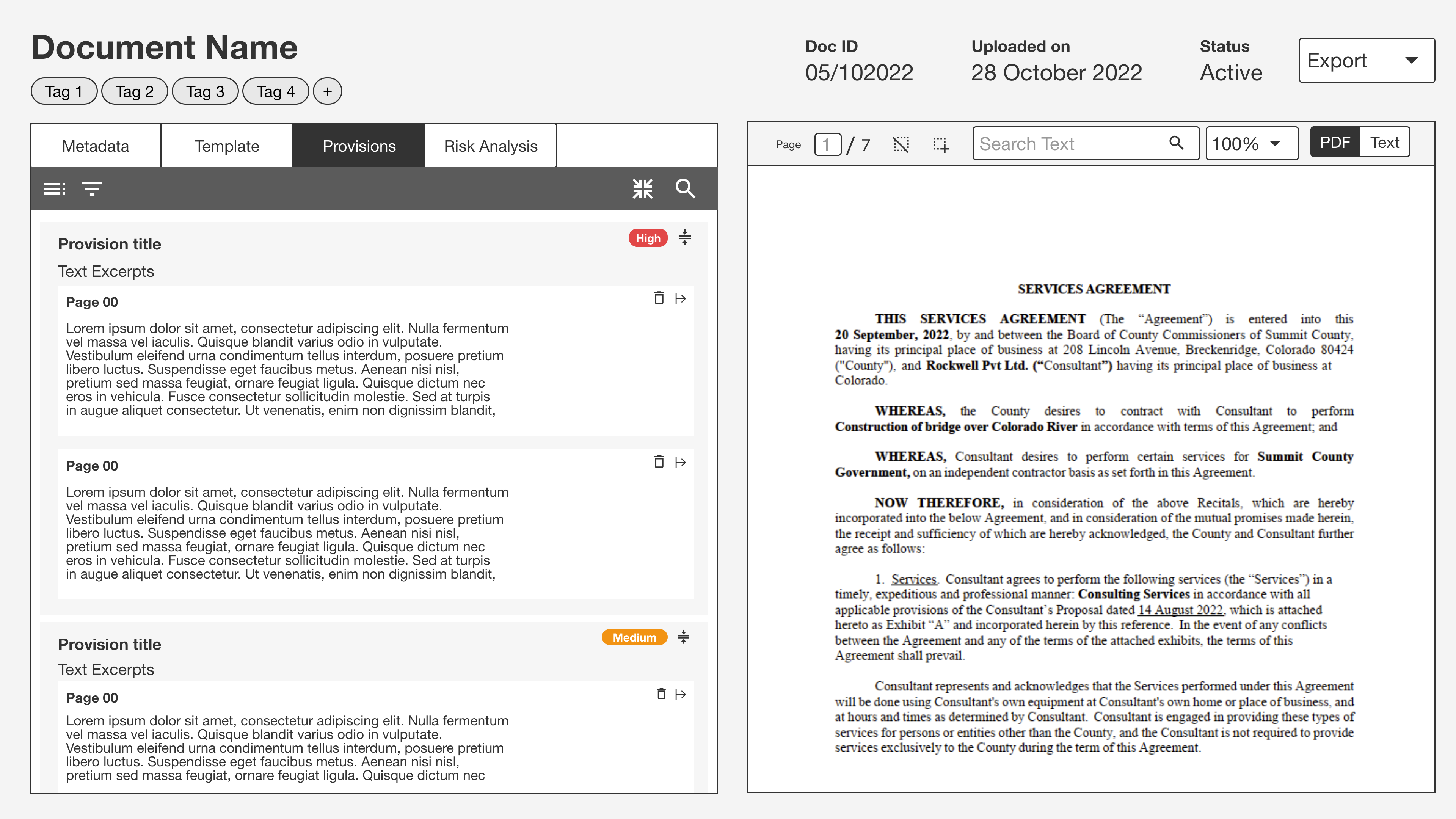
You can test the prototype I created here, https://quant-ux.com/#/test.html?h=a2aa10aVV1JLHk6qHOXpeRonpWXwODxa2A5vnLSkx6hayeSCKOmdHbPzzoJ6

Hi,
I am personally not a big fan of widget panels, yet I recognise that a lot of prototyping and UI builder tools have them. I can add this somehow as an option. One should then think about how to ask the user while onboarding which view mode the prefer.... I assume in this case the complete left small panel should go.
@adithyaappu : Where would the screen button go? The rest I can put in the widget panel...

Are you planning to remove the entire vertical tools bar on the left? I don't think that is a good idea. My suggestion was to just modify the current layers panel, with two more tabs. But I understand why that is an issue. Let me work this out a little more, I will get back to you as soon as possible.
@KlausSchaefers what is your opinion about QUX featuring more UX related tools? For example Whimsical offer a lot of stuff to plan the app. Examples are diagrams and boards.
My point is QUX providing tools to do UX research, mapping, user stories, wireframing, design and prototype. I know it is a lot. So I like to know your opinion about it.
Hi,
I would not want to enter project management tools. Other UX tools might be a good idea, e.g. card sorting. What kind of tools do you have in mind?
On Tue, Nov 1, 2022 at 7:38 PM Adithya Appu @.***> wrote:
@KlausSchaefers https://github.com/KlausSchaefers what is your opinion about QUX featuring more UX related tools? For example Whimsical offer a lot of stuff to plan the app. Examples are diagrams and boards.
My point is QUX providing tools to do UX research, mapping, user stories, wireframing, design and prototype. I know it is a lot. So I like to know your opinion about it.
— Reply to this email directly, view it on GitHub https://github.com/KlausSchaefers/quant-ux/issues/175#issuecomment-1298950527, or unsubscribe https://github.com/notifications/unsubscribe-auth/ABWHOQHNZRH6VVEZUIZNYE3WGFPTRANCNFSM6AAAAAARS2TOWA . You are receiving this because you were mentioned.Message ID: @.***>
-- “Overfitting” is not about an excessive amount of physical exercise...