
Switch-Toolbox

Switch-Toolbox copied to clipboard
 KillzXGaming
White text in light mode when importing model
When importing a model, there are two "Import Settings" popups. The first of these has white text, even in light mode. This makes the options difficult to see. Here are the two popups (the text in the second popup is black, as expected):
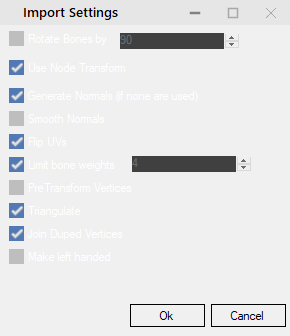
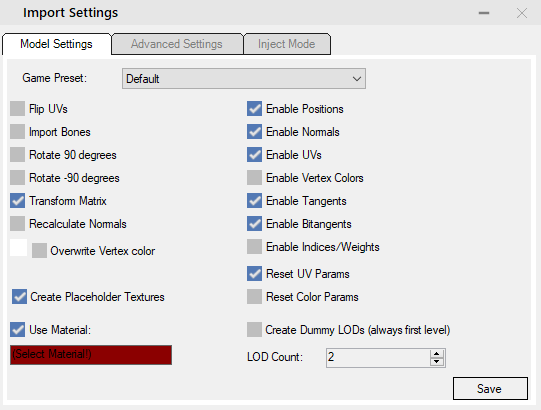 The number pickers of the first menu are also difficult to see - unlike the same number pickers in the second menu.
Finally, the "Select Material" box in the second menu could also use some work.
The number pickers of the first menu are also difficult to see - unlike the same number pickers in the second menu.
Finally, the "Select Material" box in the second menu could also use some work.


There is a light mode? I will use it from now on! Edit: I will try to make a fix that some time later
