
vuelidate-forms
 vuelidate-forms copied to clipboard
 Kelin2025
Refactoring
After a long time (almost 1 year) I reworked this package 🎉
Refactoring
- Removed
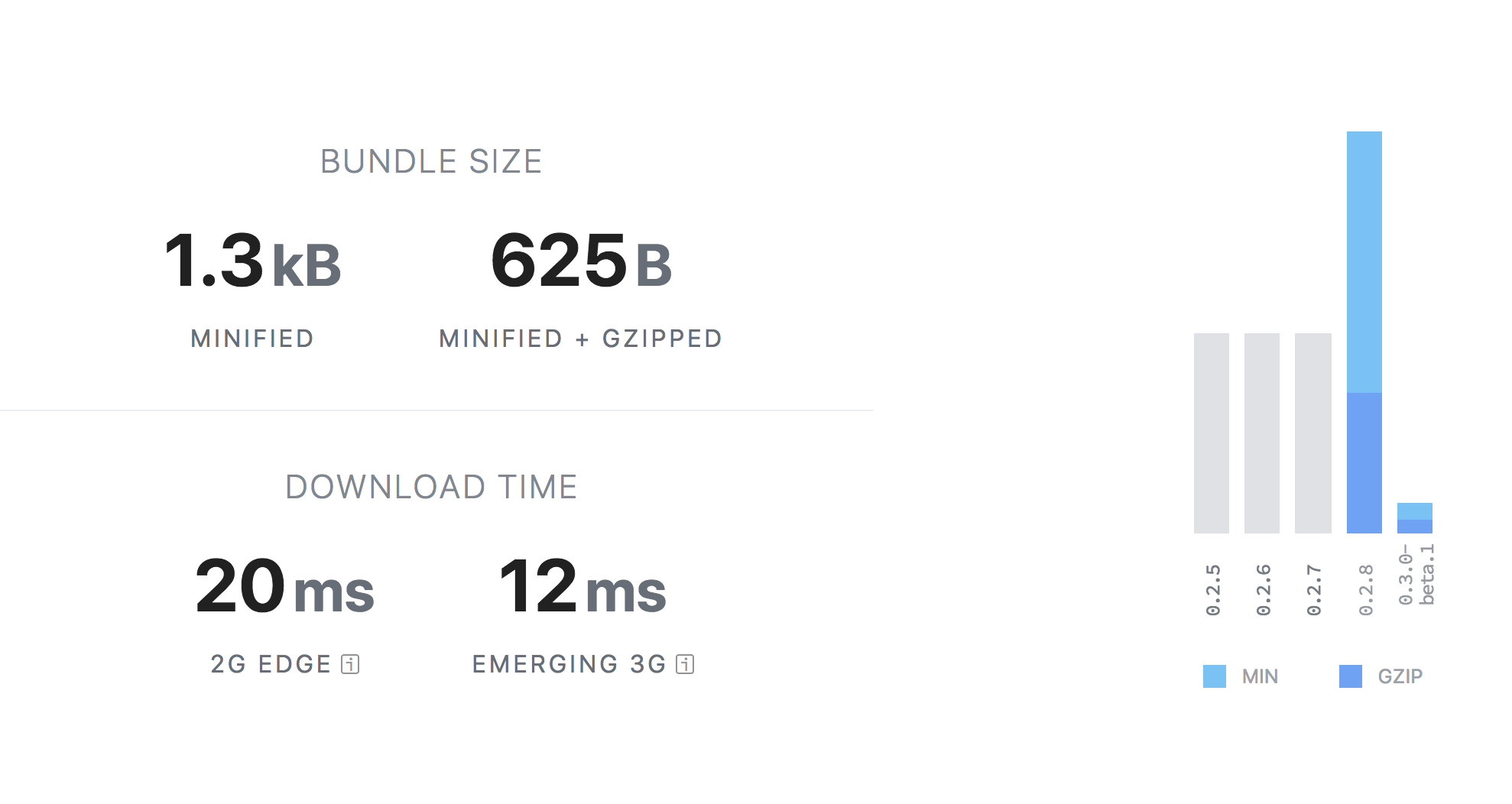
lodash-esand rewritten with vanilla JS (no dependencies more) - Removed rollup build that just use uglifies (your project bundler minifies libraries as well, no need to do it in)
- Added basic tests for
createData()andcreateValidations()methods (more tests later)
Now it's really small! Now it can be named as yet another nano-thing 😄
Updates
Methods now can be imported separately
You can now import { createData, createValidations } from 'vuelidate-forms' for your needs
Local usage
You can now import mixin insetad of using global plugin
import { VuelidateFormsMixin } from 'vuelidate-forms'

export default {
  mixins: [VuelidateFormsMixin]
}
Plugin is available as it was before
import Vuelidate from 'vuelidate'
import VuelidateForms from 'vuelidate-forms'

// Remember: vuelidate-forms first
Vue.use(VuelidateForms)
Vue.use(Vuelidate)
$each rework
Fixed $value behaviour
It didn't work before but now it works
createData({
  list: {
    required,
    $value: [
      { title: 'Foo bar' },
      { title: 'Foo bar' },
      { title: 'Foo bar' }
    ],
    $each: {
      title: {
        required
      }
    }
  }
})

/*
  Data object
  {
    list: [
      { title: 'Foo bar' },
      { title: 'Foo bar' },
      { title: 'Foo bar' }
    ]
  }
*/
New property: $length
You can now fill arrays using $length and $value. Example:
createData({
  list: {
    required,
    $length: 3,
    $each: {
      title: {
        required,
        $value: 'Foo bar'
      }
    }
  }
})

/*
  Data object
  {
    list: [
      { title: 'Foo bar' },
      { title: 'Foo bar' },
      { title: 'Foo bar' }
    ]
  }
*/
Can I try?
Beta version is here: yarn add [email protected]
If you've found some bugs, please write it here before I'll publish stable version

cc @hqdo @mesqueeb @jnarowski what can be improved?
I thought about $model field but didn't understand what it should do
Cool @Kelin2025 Good work!! I haven't gotten around to actually integrating it into my project, I hope I can find some time for that this week!
Keep it up! Big fan!

Hi @Kelin2025 have tried this out and it's working great for me. Please ignore my previous comment regarding the $model parameter.
One other question. I want to create validations for all my fields even the optional fields (so i can get dirty tracking via vuelidate). I am doing this by creating an optional validator as below:
`const optional = () => true;
export default { containerId: { optional }, containerNo: { required, minLength: minLength(10) } }`
Do you think there is a better way to do this or should this be ok?

@hqdo you can use
export default {
  containerId: { $value: '' },
  containerNo: { required, minLength: minLength(10) }
}
To just add field without any validations
So, what's about $model field - I want to add something to use data and validations from a single object to get rid of things like:
<MyInput v-model="my.field" :v="$v.my.field" />
<!-- Instead -->
<MyInput :model.sync="$v.my.field" />
Thanks the $value: '' is working perfectly. I am doing the following to use a single object for both:
I pass in the validator, and use the $v.my.field.$model to get the original data and bind to it.
The $model field is part of standard vuelidate.
<MyInput :model="$v.my.field"/>

<template>
  <MyInput
    :value="$value"
    @input="input"
    v-bind="$attrs"
    v-on="listeners"
    :class="{ 'v-error': $invalid, 'v-dirty': $dirty }"
  />
</template>
<script>
export default {
  inheritAttrs: false,
  props: ['model'],
  data() {
    return {
      originalValue: this.model.$model
    }
  },
  methods: {
    input(payload) {
      this.$emit("input", payload);
      this.model.$model = payload;
      this.model.$touch();
    }
  },
  computed: {
    listeners() {
      const {
        input,
        ...listeners
      } = this.$listeners;
      return listeners;
    },
    $value() {
      return this.model.$model;
    },
    $dirty() {
      return this.model.$anyDirty && this.originalValue !== this.$value;
    },
    $invalid() {
      return this.model.$invalid;
    }
  },
};
</script>
haha, first i was using straight vuelidate with the $model without vuelidate-forms. However once i started using vuex, i need vuelidate-forms (auto data object) to avoid the vuex update state errors.
If we don't use vuex, we can use use straight vuelidate because there is always default $model.