
klayout
 klayout copied to clipboard
 KLayout
2.5d on Mac OSX doesn't work
I have checked that this problem is present in 0.27.4 and 0.27.5 on Mac OSX (klayout-0.27.4-macOS-BigSur-1-qt5Brew-RsysPhb38). The problem is not there on Windows.
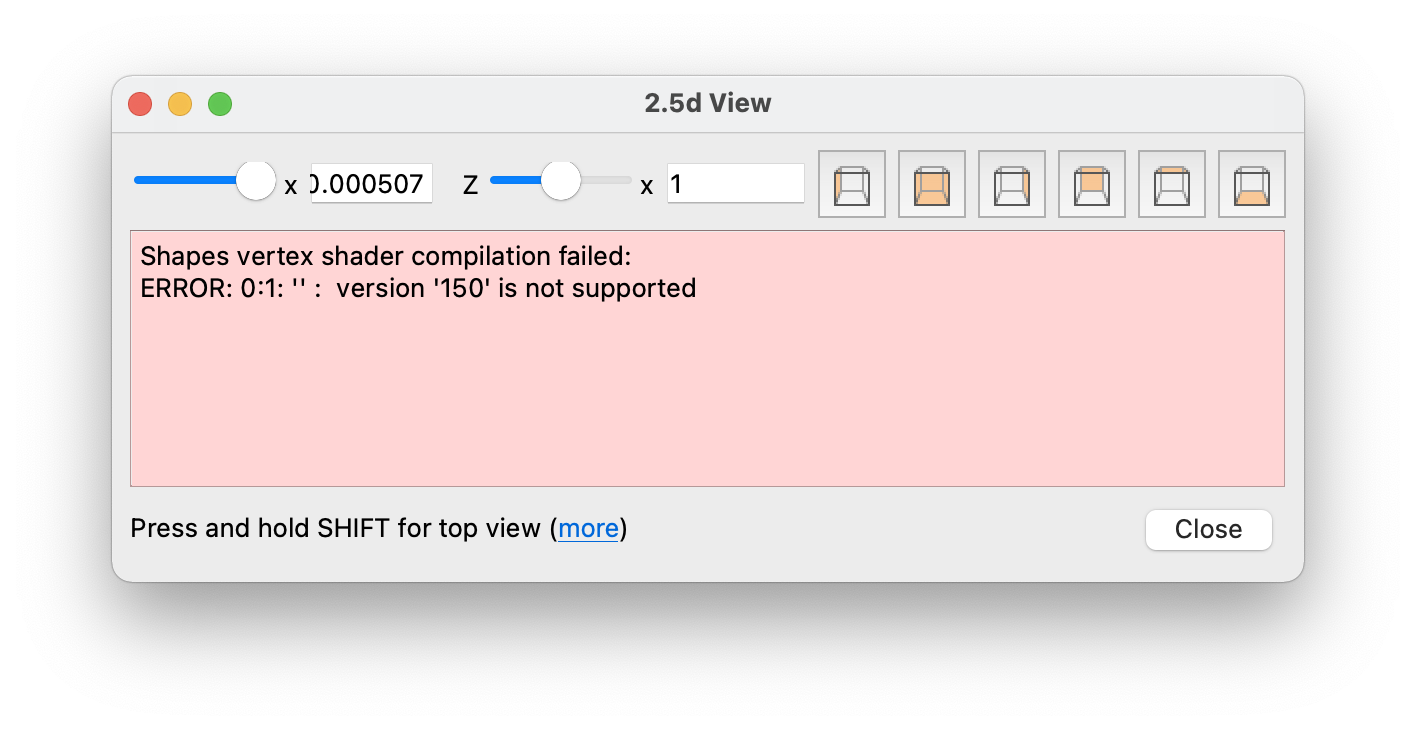
thank you

Yes, that is a known problem. It's OpenGL related and I have not found a way of making OpenGL work on the MacOS/Qt combination.
Any hints are welcome.
Matthias

This link might help, they had a similar error and were able to resolve it. https://stackoverflow.com/questions/55724301/using-opengl-on-mac-version-150-is-not-supported-error/55725864
The 2.5d is great, hopefully process topology might be possible one day but for now this is a great new feature.

This forum post reminded me of this ticket and #1124.
While investigating, I found the #version 150 statements are embedded (hardcoded) in src/plugins/tools/view_25d/lay_plugin/layD25ViewWidget.cc.
In MacOS, the OpenGL version seems to be 2.1 (=> #version 120), while KLayout's 2.5d feature needs #version 150 (=> OpenGL 3.2).
I did some experiments by modifying src/plugins/tools/view_25d/lay_plugin/layD25ViewWidget.cc, where I forcibly set #version 120. Modified code ==> layD25ViewWidget.cc.zip
Linux Mint 20
kazzz-s@Mint20:~ (1)$ glxinfo | grep "OpenGL version"
OpenGL version string: 3.3 (Compatibility Profile) Mesa 21.2.6
- This version corresponds to
#version 330.
- Two global functions appear unsupported in
#version 120.
macOS Monterey
- The original ERROR message disappeared.
- But there is no detailed info.
CentOS 7
Regards, Kazzz-S
