

 JosefNemec
Battle.net failing to import games
Describe the bug For the past ~2-3 weeks my Battle.net library extension will say it has failed to import games as I'm not logged in. I'd say I get this notification about every 4 or so days. Obviously I'll click the notification and click authenticate, log in, and it will say it's authenticated. However, this only lasts a few days until I get the same problem. I have tried launching Battle.net, logging out then in, but this has not fixed it. See screenshot below for the exact notification.
To Reproduce Not sure how to reproduce. Happens randomly.
Screenshots
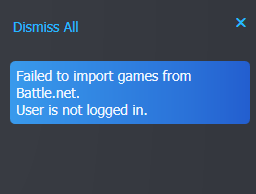
Diagnostics ID c3ba97fd-9d56-4392-8ccb-5a10c4fe2ccb

I am experiencing the same issue. Is it possible to get a longer lived authentication token?

https://github.com/JosefNemec/PlayniteExtensions/wiki/Battle.net-troubleshooting#authentication-being-lost-after-some-time

I am aware of what the Wiki says, but the authentication token often won't even last longer than a day.
Do what the wiki says and enable import of installed games only.
Will the reauthentication will be required then?

I have the same issue with GoG <-> battle.net integration, so I have every expectation that this is Blizzard being stupid

My issue is that I am never able to complete even a single authentication. The addon says "Requires authentication" in the settings section. After clicking Authenticate, I can go through the login process. After logging in, there is a "Checking authentication result" displayed for a short time, then it goes back to "Requires authentication". I am never able to get the addon to work at all. My credentials are correct though, I can login to the battle.net website just fine.
