

 JohnCoates
Uncheck all sources - Crash & cannot recover
General troubleshooting tips
Required information
In order to help us sort your issue, we ask that you provide the following information:
- Mac model: 2019 MBP 16-inch
- macOS version: 12.1
Description of issue / Feature request
When I unchecked all sources, the settings panel crashed and now it cannot be opened again. I cannot find the configuration file in macOS 12 at any of the locations mentioned.

Hi @kathampy
Sorry looks like I missed your issue. So, short term, you can reset your settings by opening Terminal and pasting this :
defaults delete ~/Library/Containers/com.apple.ScreenSaver.Engine.legacyScreenSaver/Data/Library/Preferences/ByHost/com.JohnCoates.Aerial.plist
I'll look at fixing this in an upcoming build. I used to not allow to disable the Apple sources, I've added that ability fairly last minute so that's how that bug got in 🙈
Again sorry for the late reply

Sorry it took so long but this has been fixed since, unchecking stuff won't crash anymore :
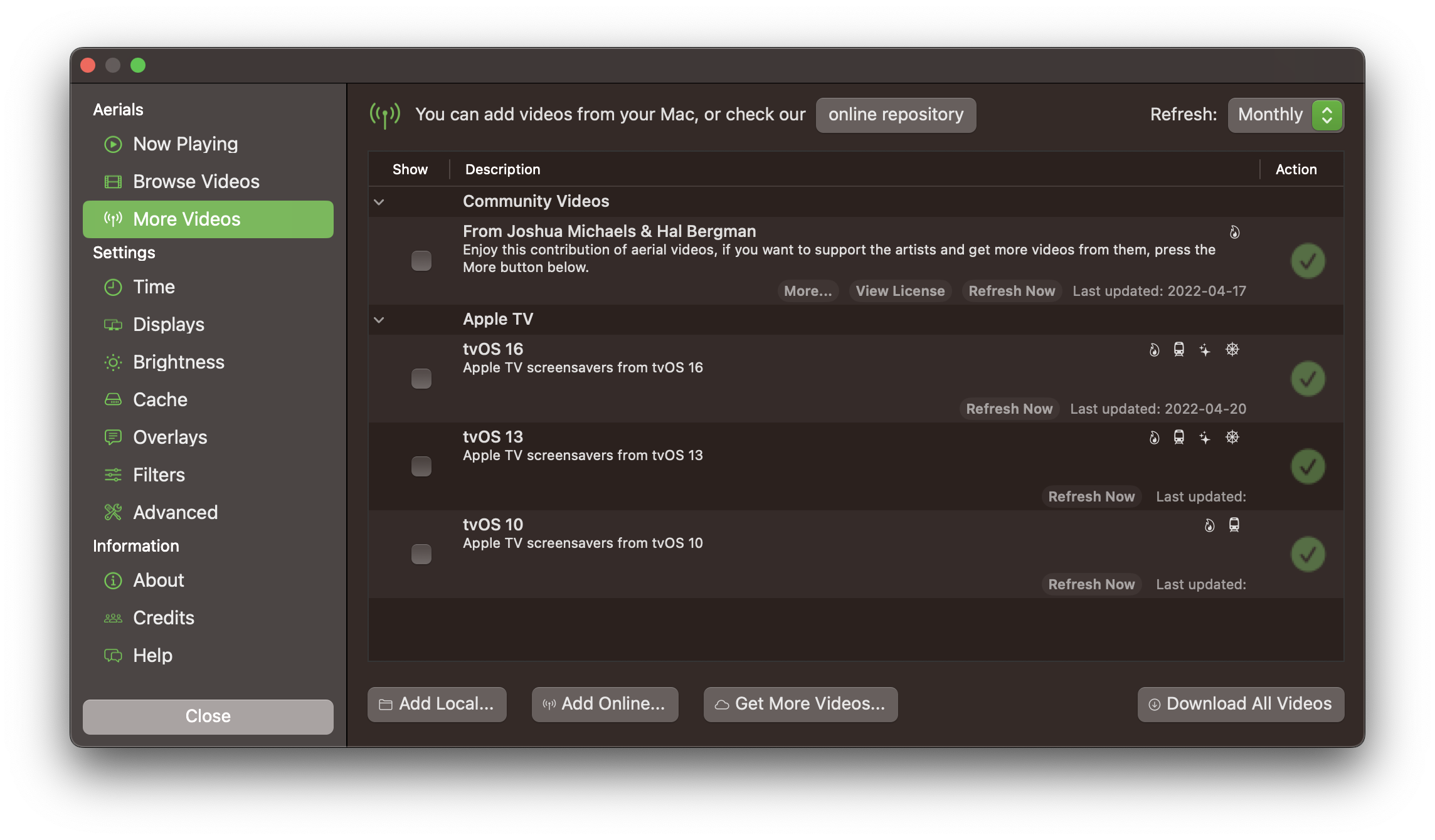
Again thanks a lot for the report!