
batch-rename
 batch-rename copied to clipboard
 JannisX11
VS Code extension to batch-rename files
Batch Rename
Rename multiple files at once inside the editor window. That way you can use find/replace and multi-cursor.
How To Use:
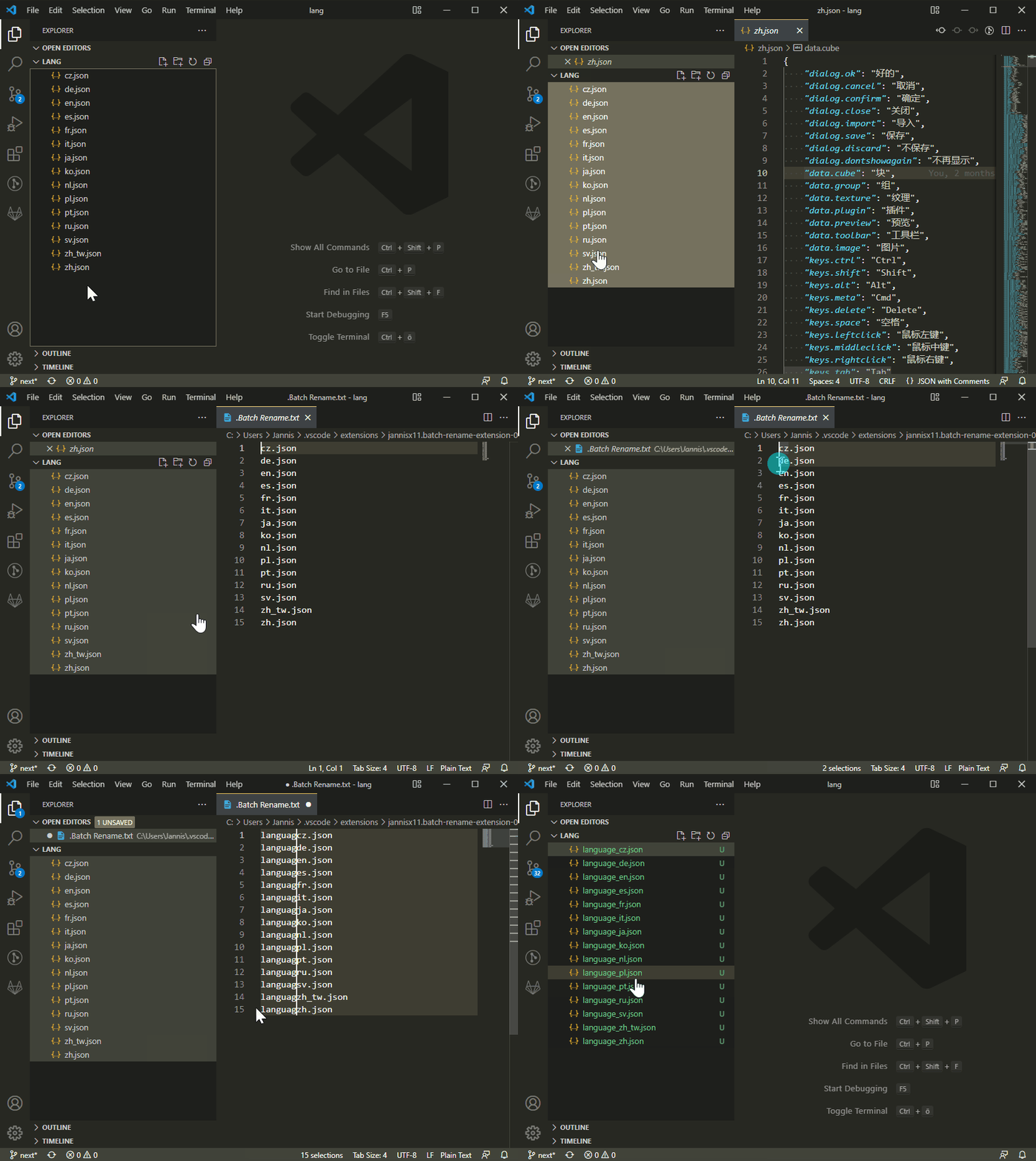
- Select files in the explorer sidebar
- Right click one of the files and click "Batch Rename"
- Edit the file names in the editor
- Hit Save to confirm
 JannisX11