

 JanisEst
Importing from Chrome fails with "One or more errors occurred"
When attempting to import from Chrome I get an error message "One or more errors occurred", no further description available.
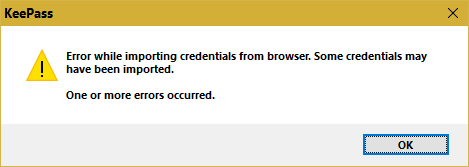
This happens regardless of Chrome being open or not. (I've checked running processes, no "chrome.exe" is present.)

Same issue here. Is there any difference whether Chrome is synced with google's cloud storage or not? Mine is synced tot Google.

Mine are synced too encrypted with a passphrase, but that only applies to cloud storage.
There is no encryption locally. You can even view them as plain text with ChromePassView without any prompt to decrypt.
When I ran into the same error (Win 11 21H1, Firefox 92.0) I checked my profiles (about:profiles). KPBI had not pre-selected the active profile. When I switched to that, KPBI could do its job - although very slowly. About 1 entry per second! (Even though I had unchecked web page titles and icons to avoid web accesses.)
