

 JMoerman
[BUG] Active task wrong in the Timer tab
Describe the bug Sometimes i get strange bug. I select task (mouse click), go to timer tab and have another task name in the field "active task"
OS and application version:
- OS: Ubuntu 19.04
- Application version: [ 1.7.2 / ppa: 1.7+201909280955~ubuntu19.04.1]
- Installation source: daily-builds ppa

Could you provide a bit more information? Have you noticed any possible pattern in this issue showing up? For example: does this happen after switching to a different list/adding a new taskt/etc...? Can you confirm that the timer isn't running when you select a task? (The active task will only change when the timer is not running. This doesn't apply to switching to the next/previous task using the keyboard shortcuts, though.)

I will try to collect more information on this bug. But it does not occur every day.
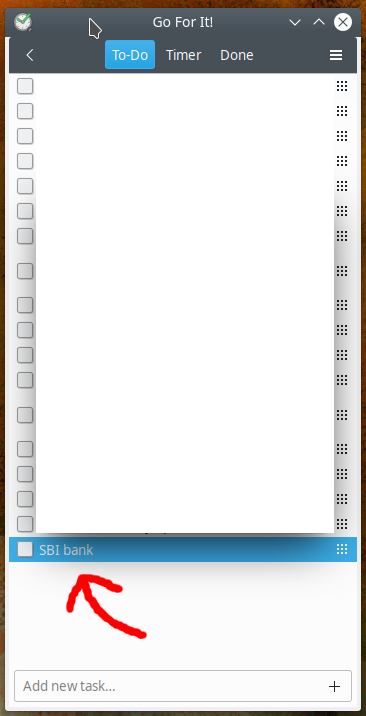
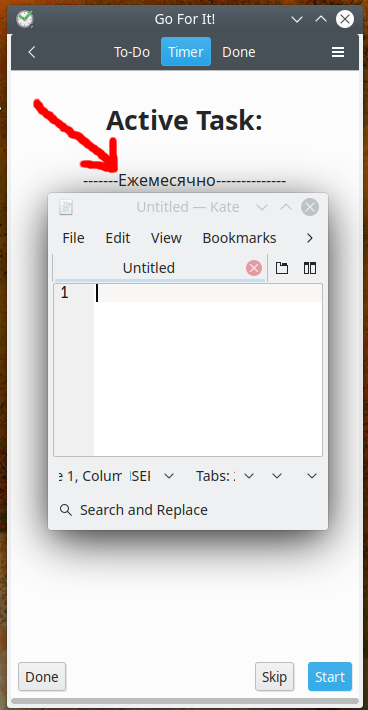
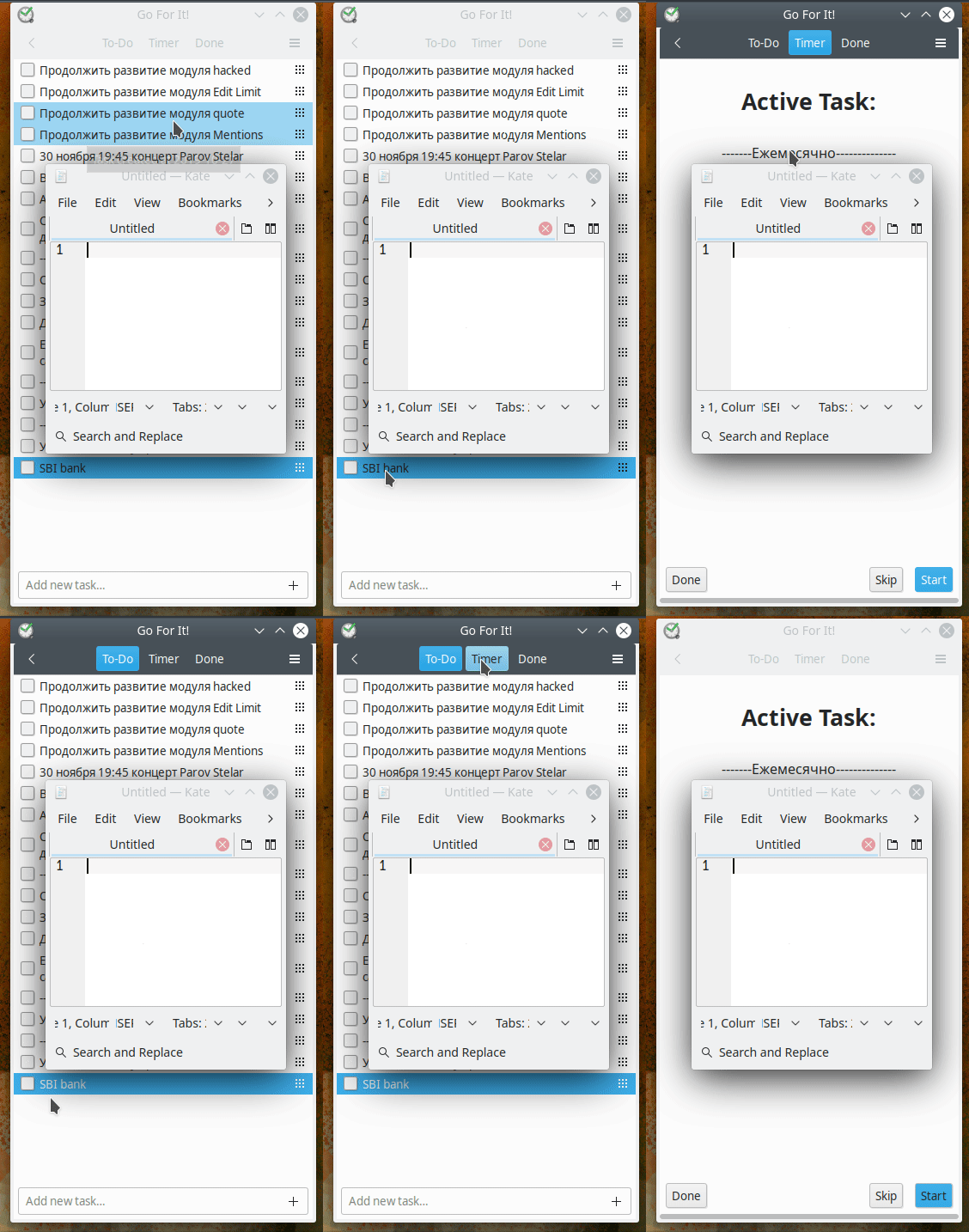
I may have some time to look at it tomorrow. Does the issue correct itself if you select a different task or does it get stuck?
Op ma 4 nov. 2019 13:26 schreef Andrei Ivnitskii [email protected]:
I cant reproduce, but I catch the bug :)
[image: Screenshot_04_11_2019_13_23] https://user-images.githubusercontent.com/29428813/68120876-aa168500-ff06-11e9-95cd-b20a9cf24254.png
[image: Screenshot_04_11_2019_13_23-1] https://user-images.githubusercontent.com/29428813/68120906-b864a100-ff06-11e9-9493-694ded6d8c9f.png
[image: Peek 2019-11-04 13-24] https://user-images.githubusercontent.com/29428813/68120909-bac6fb00-ff06-11e9-8b0e-dcb07839f661.gif
— You are receiving this because you commented. Reply to this email directly, view it on GitHub https://github.com/JMoerman/Go-For-It/issues/87?email_source=notifications&email_token=AC2ZFA6L4CV66K3EHMSP3STQSAIJBA5CNFSM4I6PQ2IKYY3PNVWWK3TUL52HS4DFVREXG43VMVBW63LNMVXHJKTDN5WW2ZLOORPWSZGOEC7CD4Q#issuecomment-549331442, or unsubscribe https://github.com/notifications/unsubscribe-auth/AC2ZFAYGPLNUPOYO3AOTFXDQSAIJBANCNFSM4I6PQ2IA .
That rules out a lot of causes. I still wouldn't know what causes this issue, but that is something.
Op ma 4 nov. 2019 20:21 schreef Andrei Ivnitskii [email protected]:
If I select a different task, bug presents. Only restart the app helps me
— You are receiving this because you commented. Reply to this email directly, view it on GitHub https://github.com/JMoerman/Go-For-It/issues/87?email_source=notifications&email_token=AC2ZFA2A2ZHAVWKAVSMOKRLQSBY4TA5CNFSM4I6PQ2IKYY3PNVWWK3TUL52HS4DFVREXG43VMVBW63LNMVXHJKTDN5WW2ZLOORPWSZGOEDAM77I#issuecomment-549507069, or unsubscribe https://github.com/notifications/unsubscribe-auth/AC2ZFAYYHOWNQZ4XFGT7RY3QSBY4TANCNFSM4I6PQ2IA .
I've had this problem too, and it seems to be related to the pause function of the timer. Here's how to get a similar wrong (?) behaviour:
- Select a task A
- On the timer tab start the timer
- Go back to the ToDo list and select another task B
- Then pause the timer
- Go back to the ToDo list and B is still selected
- Clicking (again) on task B does not change the timer, and it remains showing task A
Probably (fyi: I know nothing of gtk and vala) because you have bound the callback to update the timer to the "selected item changed" event instead of the mouse click. Selecting another task C and then back B sets correctly the timer to C and then B. Or an alternative fix could be, when the timer is paused, it should check if the selected task has changed.
This could be one thing. However sometimes while using the search function and clicking on contexts etc (making it difficult to pin down the cause of problem), the timer tab seems to get stuck on one task for different reasons.

@NaoPross the first issue should now be fixed. Updating the selected task via clicks wouldn't be a good idea as the issue would then still exist when using keyboard shortcuts. Go For It! now checks if the active task needs to be updated when the list receives focus (looking at the list does not change the active task, but clicking on it or moving focus to the list in any other way will get it updated.)
The issue is still there when using the latest Flatpak (1.9.0), however, the bug only appears for newly added tasks and when the application is not restarted after adding them. Only restarting the application displays previously added tasks correctly in the timer section.

@digitalethics Thanks for the info! I'll have another go at reproducing it when I have time.