

 JGCRI
JGCRI
Why is there some difference between the share-weight I set and the share-weight in the subsector displayed by the modelinterface?
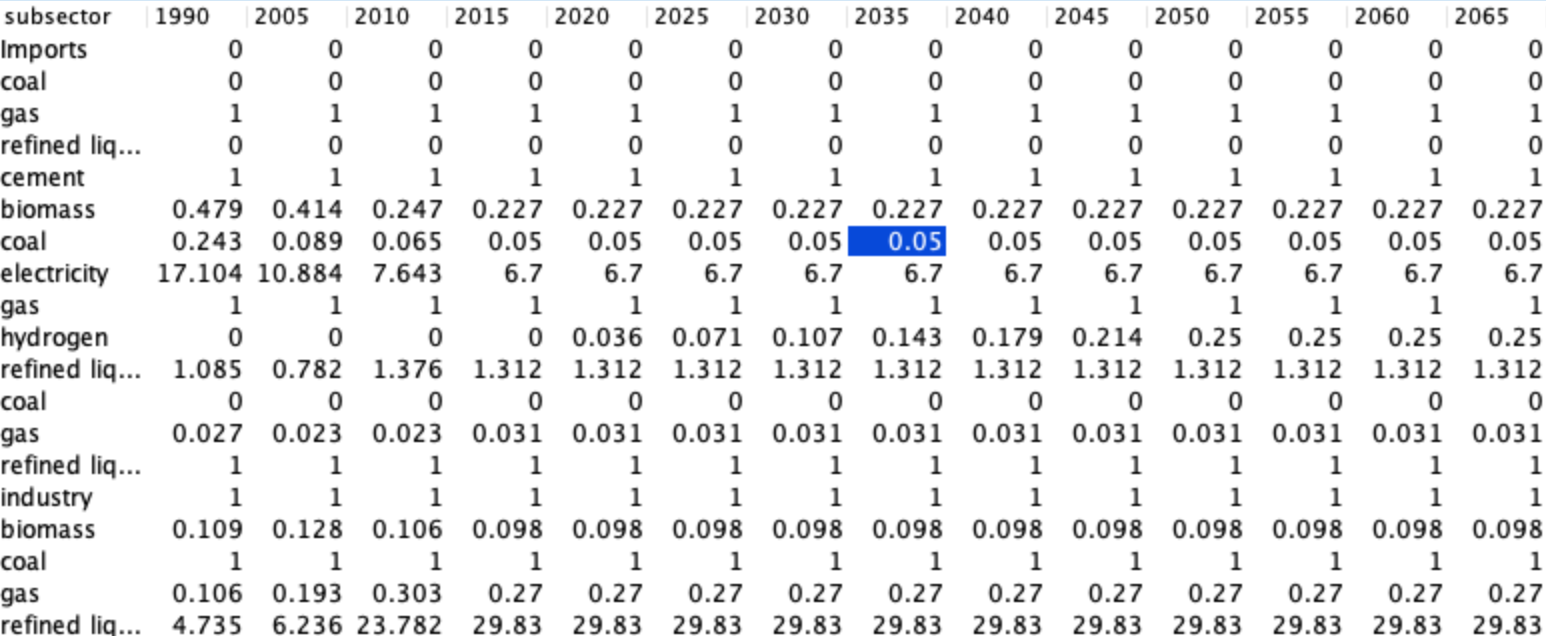 I set almost all share-weights to 1. Why are there differences in the results?

My guess is that there is a shareweight interpolation rule (probably in the global technology database). The shareweight interpolation rule is defined by a start year, final year, and the form of the interpolation (linear, s-curve, fixed, etc.). The important thing here is that the rule takes precedence over values you specify other than those of the start year and final year. So, let's say the rule specifies linear trajectory from 2015 to 2100, ... the value for 2015 is determined in calibration to be 0.01 and the 2100 value is specified as 1.0, then all of the values inbetween would be interpolated and any values you explicitly provided for those intermediate years would be ignored.
In your pasted example, my guess is that a "fixed" interpolation rule is being used. The calibrated shareweight for 2015 is just assumed to carry on through 2100.
How to address this....? It ends up being a bit complicated because if you add an interpolation rule for the China region, it doesn't automatically overwrite the one in the global technology database... they are both in effect. This can give some unexpected behavior.
There are some brute-force ways to deal with this... e.g., by removing the rule from the global technology database and replacing it with annual values. Alternatively, you could modify the rule in the global technology database. In either instance, the modification would be applied globally.
Another option is to delete the shareweight rule just for the region in which you'd like to change the values. You need to match the same type of rule as is in the global technology database when deleting. It might look something like this...
<technology name=coal>
    <interpolation-rule apply-to="share-weight" delete="1" from-year="2015">
          <interpolation-function name="fixed"/>
          <overwrite-policy warn="0">NEVER</overwrite-policy>
    </interpolation-rule>
or this... depending on the type of rule.
<technology name=coal>
    <interpolation-rule apply-to="share-weight" delete="1" from-year="2015" to-year="2100" >
          <interpolation-function name="s-curve"/>
          <overwrite-policy warn="0">NEVER</overwrite-policy>
    </interpolation-rule>

Thanks @DLoughlin ! Coincidentally I just did a short write-up of the different ways that the model sets share-weights, and what gets precedence. Copying here:
* model default value: 0 (if elsewhere unspecified)
* share-weight fillout="1": this will copy the value forward from the given year, up until the next year when anything is specified.
* share-weight: this will over-ride anything from a "fillout" rule but will get over-written by an interpolation rule
* interpolation-rule without from-value and to-value specified: it will inherit the from-value and to-value from whatever came from above (model default, share-weight fillout, or share-weight specified in the given year), but will over-ride anything in any model time periods between the from-year and to-year.
* interpolation-rule with from-value and to-value specified: this will generate the share-weight pathway, over-riding everything else, but importantly, will not apply the to-value in the assigned to-year. The to-value will be used in setting the rule, but once it gets to that specific year, the value will be inherited from elsewhere (another interpolation rule, or one of the top 3 options above)
Note that in the example above, interpolation rules are the one place where the delete="1" string doesn't behave as expected. Using it doesn't remove the interpolation rule. Instead it means that what's in the rule that follows will over-ride anything already set. So, in the example above, one would want to remove the first rule (which I guess would just remove and then replace an existing fixed interpolation rule, with no changes), and add the delete="1" string to the rule that you actually want to apply.
