

 ImageMonkey
recent upload label suggestions
I tried scouring some cc0 stock photo sites (I guess these are what you used) for some batch uploads, with the aim of getting some new label examples; there's a mixture of scene and object ideas:-
"scene"->"workshop"
"scene"->"industry"
"scene"->"nature"
"scene"->"forest"
"scene"->"welding"
"scene"->"renewable energy"
"scene"->"city"
"scene"->"autumn"
"scene"->"railway station"

"building"->"factory"
"building"->"industrial plant"
"building"->"castle"
"building"->"windmill"
"building"->"skyscraper"
"building"->"hut"
"building"->"barn"
"building"->"stable"
"structure"->"building"
"structure"->"tower"
"structure"->"bridge"
"structure"->"wind turbine"
"structure"->"railway track"
"tower"->"lighthouse"
"tower"->"radio tower"
"building"->"lighthouse"
"building"->"railway station"

"renewable energy device"->"wind turbine"

"man made object"->"machinery"

"animal"->"mammal"
"animal"->"quadrupedal animal"
"mammal"->"primate"
"mammal"->"quadrupedal mammal"
"quadrupedal animal"->"quadrupedal mammal"
"quadrupedal mammal"->"bovine"
"quadrupedal mammal"->"giraffe"
"quadrupedal mammal"->"big cat"
"big cat"->"lion"
"big cat"->"tiger"
"big cat"->"leopard"
"animal"->"arthropod"
"arthropod"->"spider"
"arthropod"->"insect"
"insect"->"ant"
"insect"->"bee"
"insect"->"beetle"
"beetle"->"ladybird"


"animal"->"lizard"

"container"->"bucket"
"bucket"->"metal bucket"
"bucket"->"plastic bucket"

"device"->"camera"
"device"->"timepeice"
"timepeice"->"clock"
"timepeice"->"hour glass"
"clock"->"alarm clock"
"timepeice"->"watch"
"watch"->"wrist watch"
"device"->"quadcopter drone"
"device"->"typewriter"
"device"->"padlock"
"device"->"key"

"vehicle"->"train"
"vehicle"->"railway locomotive"

"tool"->"hammer"
"tool"->"mallet"
"tool"->"drill"
"tool"->"circular saw"
"tool"->"measuring tool"
"tool"->"woodwork tool"
"tool"->"hacksaw"
"woodwork tool"->"chisel"
"woodwork tool"->"hand plane"

"measuring tool"->"square measure"
"measuring tool"->"set square"
most of those only have a few examples , but i was able to get a bunch of examples for:-
-
castle- interesting distinctive buildings. -
wind turbine(modern renewable energy device) -
windmill(similar to wind turbine but contrasting, it's a building - "mill" - with integrated wind power) -
tower -
lighthouse- distinctive type of building/tower -
bucket(metal, plastic) - similar to basket but distinct -
skyscraper(another distinctive city building)
anything that broadens the label list is good IMO.. remember even if you only have a few examples of a specific label it still contributes down the graph (eg 'mammal vs lizard' ... 'quadrupedal animals' etc) and it will help invite more contributions
(note on tower - i'm not sure all towers are buildings, 'radio towers' dont always have interior, hence a new suggested node 'structure' which would include 'bridge'. a building is a structure, https://en.wikipedia.org/wiki/Building , and the rest eg bridges are 'non building structure'
)

(FYI i just made a little tool as an experiment to grab loads of thumbnails, i've tagged those uploads with "low res". not sure if you'd want many of those but it does allow quick submission. I dont want to pile too many suggestions on but imagine being able to submit higher res images at a later date .. "if a new image scaled down matches an existing one : replace the existing one and scale up the annotations.."
#!/usr/bin/env python
import os
import sys
from PIL import Image
import io


def is_row_all(img,y,color):
    for x in range(0,img.size[0]):
	if img.getpixel((x,y))!=color:
	    return False
    return True;

def is_subcolumn_all(img,x,y0,y1,color):
    for y in range(y0,y1):
	if img.getpixel((x,y))!=color:
	    return False
    return True;

def cut_image(filename):
    raw_img=Image.open(filename)
    img=Image.new("RGB",raw_img.size,(255,255,255))
    img.paste(raw_img, mask=raw_img.split()[3])
    img.show()

    print(filename,img.size)
    #img.show()
    print(dir(img))
    bg=img.getpixel((0,0))
    print(bg)
#    for y in range(0,img.size[1]):
#        print(img.getpixel((0,y)))
    y=0;
    ymax=img.size[1]
    xmax=img.size[0]
    basename=os.path.splitext(os.path.basename(filename))[0]
    n=0
    while y<ymax:
	while y<ymax and is_row_all(img,y,bg):
	    y=y+1
	y0=y
	while y<ymax and (not is_row_all(img,y,bg)):
	    y=y+1
	y1=y
	print("span of images - ",y0,y1)
	#im1=img.crop((0,y0,xmax,y1))
	#im1.show()
	x=0;
	while x<xmax:
	    while x<xmax and is_subcolumn_all(img,x,y0,y1,bg): x=x+1;
	    x0=x
	    while x<xmax and not is_subcolumn_all(img,x,y0,y1,bg): x=x+1;
	    x1=x
	    rect=(x0,y0,x1,y1)
	    if x1>x0 and y1>y0:
		outfile=basename+"_crop"+str(n)
		print("crop at",rect,"->",outfile)
		im1=img.crop(rect)
		#im1.show()
		im1.save(outfile+".jpg","JPEG")
		n=n+1

if len(sys.argv)<2:
    print("imagecut utility - supply images as command line args")

for imgn in sys.argv[1:]:
    print(imgn)
    if os.path.isdir(imgn):
	for fn in os.listdir(imgn):
	    cut_image(imgn+"/"+fn)
    else:
        cut_image(imgn)
this takes something like this, and spits out the component images (so long as the border starts inthe top left etc..)
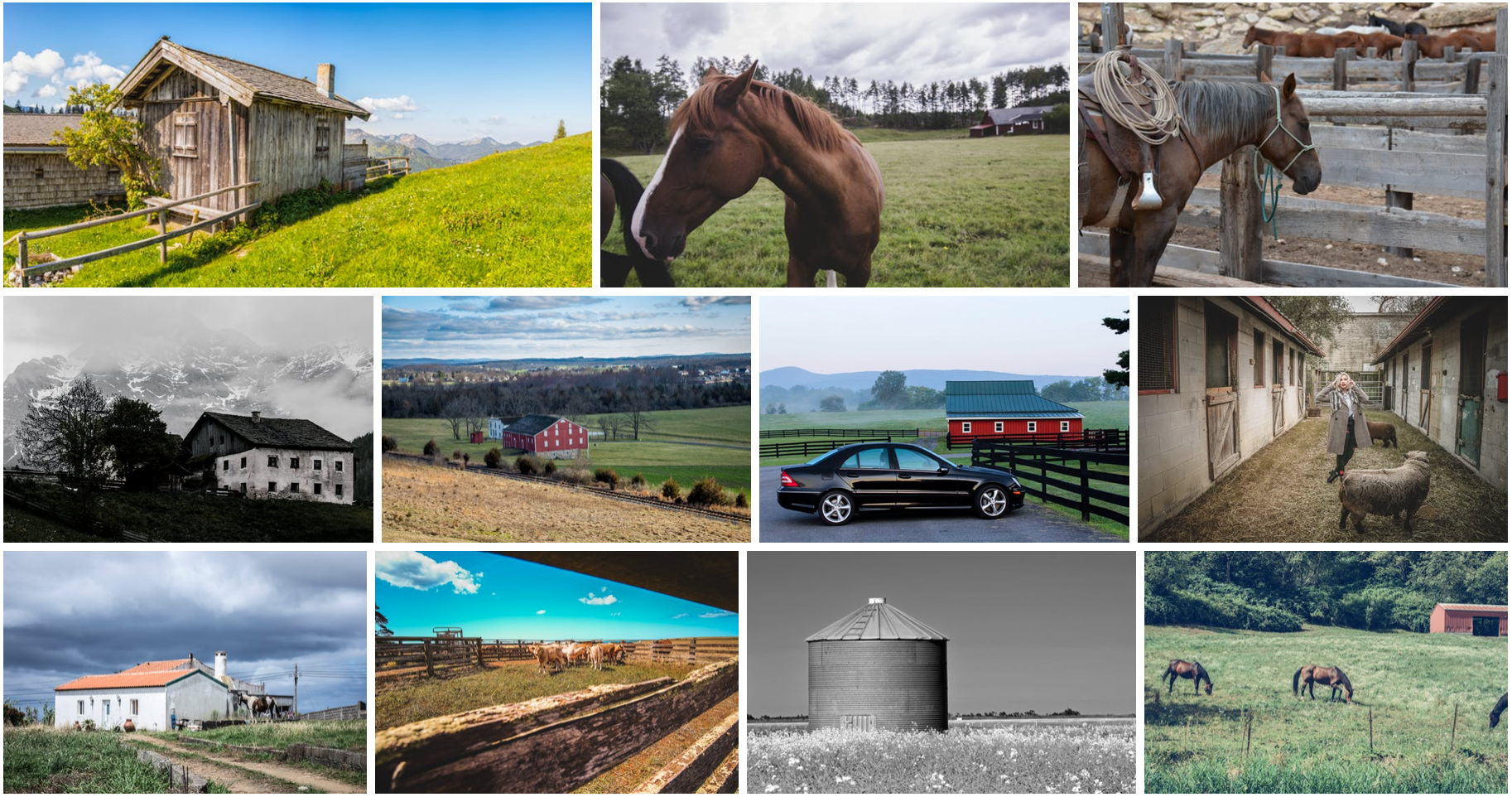
do any of those stock photo sites just allow bulk download?
Awesome, thanks a lot for sharing - really appreciated! Very cool idea with the Python script, btw - like that!
do any of those stock photo sites just allow bulk download?
In case you are interested: I have two Python scripts here that allow to scrape images from pexels (pexels.com) and pixabay (pixabay.com). I used those scripts in the early days to scrape images from those sites. But unfortunately I haven't had much time recently to use them. If you are interested, I could upload the scripts tomorrow. (I think they might need an error check here and there, but apart from that they should be complete).
In the Python script you basically specify the label expression and then the script downloads the images that were tagged with that label expression to a folder. The scripts itself, are not very polished, but they did the job. One disadvantage with the mass scraping is, that, depending on the search query you get quite a lot of false positives. So after downloading the images, I always quickly checked each image in the image viewer, if the image was valid and deleted all the invalid images. But even with the time intensive manual checking, it was easily possible to upload ~1000 images a day. :)
I think it would be pretty cool if we could collect a bunch of (Python) scripts that allows us to scrape images from different sites. I think there are a lot of sites out there we could scrape (https://en.wikipedia.org/wiki/Wikipedia:Public_domain_image_resources)

ah great, actual scraping is a lot better.. full res I presume :) Combined with sorting in directories for upload, it would be great to use that
yikes I made a mistake with my scrip pushing dub director directly, which corrupts the label.. i have a few hundred "low res/bridge" labels which would be "low res","bridge" .. is it possible to do some sort of emergency search replace, or would a bulk search/annotate handle a correction like this efficiently. (these were a lot of interesting bridge/cityscape images , i think they're worth having.)
(I should change my upload script to NOT do that!)
(i had another mistake with volkswagen beetle mistakenly in a arthropod/insect/beetle directory.. i've tried to tag that with a ~arthropod
seems like 'pexels' is a goldmine. i've grabbed thumbnails from the following keyword searches:-
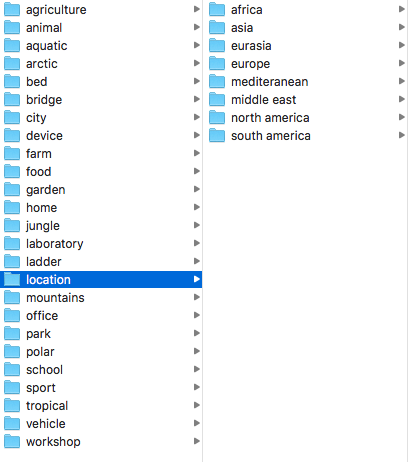
I can imagine 10-30 scene-labels/keyword/categories that would give a broad range of images (then refining beyond that with the ever deepening label list).
What I'm hoping is starting by training a net on the broad categories (whole images) will give a nice set of feature detectors for re-use in domain-specific detection (e.g.: if you're asking it to distinguish 'park' from 'garden', 'home' from 'office' .. 'farm' from 'forest' etc.. it's going to pick up on all sorts of objects in those scenes, without even having labelled them yet). I hope the thumbnails will be sufficient for that .
'location' is an interesting distinction to have aswell, e.g. there will be subtle differences between cities and terrain from each continent
yikes I made a mistake with my scrip pushing dub director directly, which corrupts the label.. i have a few hundred "low res/bridge" labels which would be "low res","bridge"
no worries, I can fix those. manually. I guess it would be a good idea to add some moderator functionality which allows you to also do that :)
I can imagine 10-30 scene-labels/keyword/categories that would give a broad range of images (then refining beyond that with the ever deepening label list).
What I'm hoping is starting by training a net on the broad categories (whole images) will give a nice set of feature detectors for re-use in domain-specific detection (e.g.: if you're asking it to distinguish 'park' from 'garden', 'home' from 'office' .. 'farm' from 'forest' etc.. it's going to pick up on all sorts of objects in those scenes, without even having labelled them yet). I hope the thumbnails will be sufficient for that .
awesome idea!
btw: I am working on something that is maybe also of interested to you. It's a script that automatically starts a GPU instance on AWS, configures it appropriately for training and then trains a neural net on the data we have. The idea is to automate that as much as possible, so that it's really just one click to spin up an instance. That way we could regularly (depending on how much it costs) train a neural net with our current dataset as input.
Something that I personally would really like to try is, whether the neural net is able to split annotation taks in two groups (easy/hard), so that we can show smartphone and tablet users the easy ones.
regarding the pexels script: Looks like pexels has added some checks to prevent scraping data from their site, which broke the script I created a while ago. But I think they are only checking the user agent string for that. So I think it should be possible to fix that. I'll upload the script as soon as it works.
Here's the Pexels script:
https://github.com/bbernhard/cc0-image-scraper/tree/master/pexels
The pixabay script will be next :)
ok i hope they dont also target my semi-manual approach for prevention (i still have to scroll past their adverts etc)
regarding easy/hard tasks, I would hope different device users would gravitate to suitable modes of working, and there should eventually be no 'hard' tasks - it's just a question of giving the user more choice, or asking the same amount of information in a slightly different order.. more ways of working through progressive refinement (other threads detail these ideas.
e.g. it's often easier to annotate components. each component is an easier task, and they combine to make the whole.. easier work that actually gives more total information once done.
(the problem with simple polygon editing is you are locked in to a complex outline, i.e. once started you must commit high attention for a length of time.. but with the right tools there's just no need for this - you can start with a blob and gradually refine it as far as your patience goes... and at every step the data also has an idea of the approximate error.. and it can always be improved in another pass right until pixel-level accuracy is reached
What I imagine is something like touch-the squares which can be subdivided in successive passes - almost like a quad tree .. this would be even better than the kind of 3d-tools inspired subdivision approach I was experimenting with. A subdivision approach could even apply with the whole label list, e.g once you've got more than a certain number of labels in a region, that's a hint of complexity: time to split the region and describe it's quarters separately instead.
Imagine combining label refinement with area subdivision. "what do you see?" .. "a dog" .." do you see 1 whole dog, many dogs, or part of a dog? - which part?" .. draw a box around it.. if its a large enough box, split it up & refine..
the easiest way to fix all this would probably be a unified 'draw/choose label' mode, just like a paint program or labelme. then it's just common sense on the part of the user .. "what is worth annotating here..". Some more advanced UI as described above may be better, but will probably be more work to get right
That way we could regularly (depending on how much it costs) train a neural net with our current dataset as input.
this will be great .. i do have a gtx1080 here intended for that sort of thing but i haven't organised myself for that yet
new version of the script uses a directory structure (replicated for output, for use with the upload script)
#!/usr/bin/env python
import os
import sys
from PIL import Image
import io


def is_row_all(img,y,color):
    for x in range(0,img.size[0]):
	if img.getpixel((x,y))!=color:
	    return False
    return True;

def is_subcolumn_all(img,x,y0,y1,color):
    for y in range(y0,y1):
	if img.getpixel((x,y))!=color:
	    return False
    return True

def get_border_color(img):
    xmax=img.size[0]
    ymax=img.size[1]
    bg0=img.getpixel((0,(ymax-1)/2))
    bg1=img.getpixel((xmax-1,(ymax-1)/2))
    if bg0!=bg1:
	print("warning all images must be enclosed by consistent border color")
	return
    return bg0

def cut_image(filename,outdir):
    ext=os.path.splitext(os.path.basename(filename))[1]
    print("file ext="+ext)
    if not (ext==".png" or ext==".PNG" or ext==".JPG" or ext==".jpg"):
	print("only support png/jpg")
	return
    raw_img=Image.open(filename)
    img=Image.new("RGB",raw_img.size,(255,255,255))
    img.paste(raw_img, mask=raw_img.split()[3])
    #img.show()

    print(filename,img.size)
    #img.show()
    ymax=img.size[1]
    xmax=img.size[0]
    bg=get_border_color(img)
    print(bg)
#    for y in range(0,img.size[1]):
#        print(img.getpixel((0,y)))
    y=0;
    basename=os.path.splitext(os.path.basename(filename))[0]
    n=0
    #skip window header
    while y<ymax and not( img.getpixel((0,y))==bg and img.getpixel((xmax-1,y))==bg): y=y+1;
    # skip any lines until the first horz border

    while y<ymax and not is_row_all(img,y,bg) :
	y=y+1

    while y<ymax:
	#skip any lines that aren't all/start-end with 'bg'
	#this allows it to skip window decration for full screen grabs..
	while y<ymax and is_row_all(img,y,bg) :
	    y=y+1
	y0=y
	while y<ymax and (not is_row_all(img,y,bg)):
	    y=y+1
	y1=y
	print("span of images - ",y0,y1)
	#im1=img.crop((0,y0,xmax,y1))
	#im1.show()
	x=0;
	while x<xmax:
	    while x<xmax and is_subcolumn_all(img,x,y0,y1,bg): x=x+1;
	    x0=x
	    while x<xmax and not is_subcolumn_all(img,x,y0,y1,bg): x=x+1;
	    x1=x
	    rect=(x0,y0,x1,y1)
	    if x1>x0 and y1>y0 and (y1<ymax):
		outfile=basename+"_crop"+str(n)
		print("crop at",rect,"->",outfile)
		im1=img.crop(rect)
		#im1.show()
		if x1-x0>2 and y1-y0>2:
			im1.save(outdir+"/"+outfile+".jpg","JPEG")
		else:
			print("crop size="+str(rect)+"-assume too thin=error")
		n=n+1

if len(sys.argv)<2:
    print("imagecut utility - supply images as command line args")

def cut_or_recurse(loc,out):
    num=0;
    try: os.stat(loc)
    except:
	print("file doesn't exist: "+loc)
	return 0

    if os.path.isdir(loc):
	locbase=os.path.splitext(os.path.basename(loc))[0]

	try: os.stat(out+"/"+locbase)
	except: os.mkdir(out+"/"+locbase)
	for fn in os.listdir(loc):
	    num+=cut_or_recurse(loc+"/"+fn, out+"/"+locbase)
    else:
	cut_image(loc,out)
	num+=1
    return num


for imgn in sys.argv[1:]:
    print(imgn)
    num=cut_or_recurse(imgn,".")
    print("files created: "+str(num))
(another batch scraped with technique being uploaded with the tag low res batch , trying to use some more scene/broad label suggestions
Edit: clumsy mistake, its come through with the label ./low res batch)
seems the batch upload (./low res batch) was more examples than I anticipated: I wonder if some scalings trick your duplicate detector - I hope not! (e..g i wonder if the preview crops them a little to pad them out naturally?) but what I did was grabs of different keyword searches, so the same images would have appeared in different directories.
what I could try to do later is duplicate detection offline , and create extra subdirectories to add the overlapping labels.. that would leave less to chance; I hope there will be a chance to retroactively correct this, as per the idea of adding labels if a duplicate upload is detected.
I realise i've missed out on some of my own directory labelling with duplicates where an image appears lower, gets uploaded, then a duplicate with finer label gets rejected. To avoid that I'd have to change the upload script to work more strictly 'depth first'.
their labels were deliberately vague (especially scene labels), and there are some errors.. of course every manual specific label addition will serve as validation.
like the fisheye images i'm a bit worried many people wont like low-res images , so a user resolution filter might be a nice idea. however they are enough to train on (I know a lot of training is done with 256x256 or even 32x32 images.. these are more like 500x300 ). They will also be fine for batch labelling where you scroll through thumbnails anyway (label refinement through tagging.. successive passes could refine images indefinitely). to throw yet another idea out there imagine being able to draw annotations directly in the thumbnail overview..
in future I'll go back to individual high res examples with more accurate offline labelling, but it's nice to have a much broader/extensive image set aswell
wow, you uploaded quite a bunch of images. very nice!
seems the batch upload (./low res batch) was more examples than I anticipated: I wonder if some scalings trick your duplicate detector - I hope not! (e..g i wonder if the preview crops them a little to pad them out naturally?) but what I did was grabs of different keyword searches, so the same images would have appeared in different directories.
In theory, the duplicate detector (based on image hashing) should detect duplicates, even if the image size changed. But I've only tested it on a handful of images, so it might be that it's not working in all cases. Do you have the ./low res batch still on your harddisk? Would be interesting to know how many images are in there in total.
I guess it might make sense to run some offline duplicate detection on those images, just to see if we get roughly the same number of unique images. If there is a bug hiding in the duplicate detector, the images you've uploaded might be helpful in reproducing the bug :)
in future I'll go back to individual high res examples with more accurate offline labelling, but it's nice to have a much broader/extensive image set aswell
In general, I am also more in favor of high res images. But as you said, there is plenty of stuff we can already do with the low res images. I think having different sizes of images in the database, is also some sort of "real life test". Users will always upload images in all different sizes and shapes - which is good. It's our job to make sure, that the service can handle the differently sized images properly (e.q giving users the option to query the dataset for images with a min. dimension,...).
Speaking of image dimension: It's great that you've tagged the uploaded images with low res resp. ./low res batch. That makes it really easy to perform some bulk operations on all the images from that batch.
I am not entirely sure whether it's a good idea, but what do you think about, if we rename the low res/./low res batch to something else? I have the feeling that users will have different perceptions of low res; for some < 100px is low res, while for others < 500px is already low res. If a user wants to see images with a specific size he could query explicitly for those (e.q: dog & image.width > 500px)
But to be honest, I have also no idea what we could replace low res with. Removing the low res/./low res batch labels is also not very nice, as it groups the images logically together. (in case we ever want to perform some bulk operations on your uploads this might be really helpful). This brings me to another point: Should we maybe introduce a tags/collections concept?
Tags allow users to tag images with some arbitrary text. Tags are no labels per se, they are just there to group images logically together (i.e you can't search/label/annotate tags). e.q: If I am uploading a bunch of images via API, I could tag them e.q like this:
tags: "pexels-upload-2018-09-15-low-res"
{
"annotatable": false,
"label": "apple"
}
Tags can be arbitrary strings - in most cases the tags are only of interest to the image uploader itself. e.q: if I messed something up while uploading, I can say: "please delete all the images with the tag pexels-upload-2018-09-15-low-res, I've accidentally uploaded the wrong images". I would see tags similar to labelme's collections. (maybe we can even visualize the image collections in the users profile page)
if we rename the low res/./low res batch to something else?
sure - it would indeed be better to replace more prominent batch names for later use - combining the date is a good idea (or even having an upload date generally for searches?)
I have the feeling that users will have different perceptions of low res; for some < 100px is low res, while for others < 500px is already low res.
agree. perhaps 'thumbnail' indicates the image is actually available in a bigger resolution.. whether its an older low res image or a medium res thumbnail of some modern ultra high res 4K era photo
in most cases the tags are only of interest to the image uploader itself. e.q: if I messed something up while uploading, I can say: "please delete all the images with the tag pexels-upload-2018-09-15-low-res
thats exactly what I had in mind, plus being able to find them more easily to add more labels (as those scene labels may appear in other images)
seems there's 40976 in my low res batch directory, of which I was guessing up to half could have been duplicates
seems there's 40976 in my low res batch directory, of which I was guessing up to half could have been duplicates
Not sure how much images we exactly had, before you pushed the low res batch, but I would say ~16k. We have now ~41k...that means ~15k were dropped (most probably by the duplicate detector). I think that's not too far off what you estimated. So it looks like, that a significant portion of the images were rejected - so at least the duplicate detector doesn't seem to be completely broken :)
But nevertheless, I think it's a good idea to add a few integration tests to the test suite.
thats exactly what I had in mind, plus being able to find them more easily to add more labels (as those scene labels may appear in other images)
Awesome! I'll suggest, that we keep it like that, until we have a better system in place. In the meantime we can use a label to group image batches together. As soon as we have a tags/collections mechanism I'll migrate those labels. I have a few smaller improvements on my list, but as soon as those are done I want to invest a bit of time in the scene labels stuff. Maybe I can kill two birds with one stone here and add the tags/collections stuff too.
just messing around with images in python (haven't messed with it so much.. numpy etc) a bit as a sidetrack - scratching some itches e.g. heirachical clustering - I might try to make a DIY duplicate detector and see how it fares with multiple rescales , amongst other things . This should help me verify if i can recover an overlapping label list per image; I was also curious to use clustering to pick (visually) varied examples from a big set.
just messing around with images in python (haven't messed with it so much.. numpy etc) a bit as a sidetrack - scratching some itches e.g. heirachical clustering - I might try to make a DIY duplicate detector and see how it fares with multiple rescales , amongst other things . This should help me verify if i can recover an overlapping label list per image; I was also curious to use clustering to pick (visually) varied examples from a big set.
that sounds really interesting - looking forward to it :)
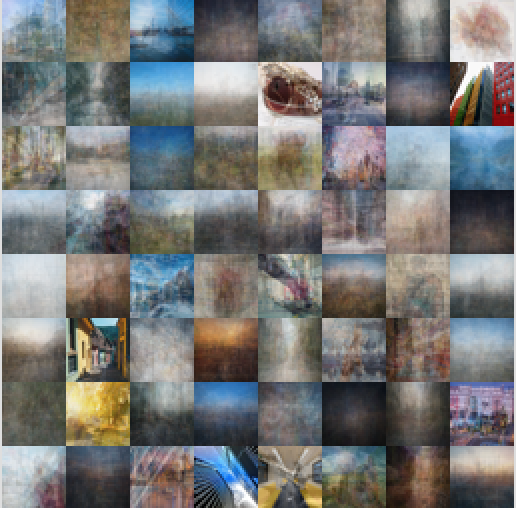
so i have some python code that does this 'hierarchical clustering' e.g. split into 16 clusters, then each into another 16.. this arranges images into a tree. showing the 'cluster centres' starts showing blurry images which refine down the tree. it would be possible to pick the closest real image to each cluster centre and use that as a sort of navigation aid. i'm just doing it on RGB at the moment, but it would probably be more useful to do it on an edge-detected image (channel per edge orientation)
'top level cluster centres' (eg here i started splitting 1000 images into 64 clusters)
a few clusters , eg. each group here is under one 'centre' .. this run was just one level but the code can produce multiple levels(i'd have to makes something else to visualise conveniently like spit out a big sheet with a grid-of-grids, or perhaps spit out as static pages)

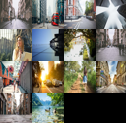
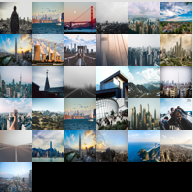
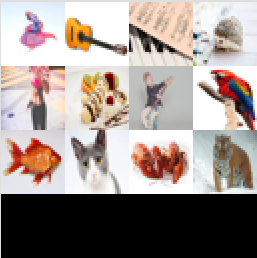
so it could be used for a duplicate detector (build the cluster tree and check for duplicates within each cluster?)
i wondered if it could be used for compression, e.g store images down the tree as deltas from their parent..
#!/usr/bin/env python
import numpy as np
import os
import sys
import math
import random
from PIL import Image
import io

print("numpy test")

v0=np.array([1,-2,3])
v1=np.array([0.5,2.0,0.5])
dv=v1-v0
print(dir(dv))
print(dv*dv,sum(dv),dv.min(),dv.max(),np.maximum(v0,v1))

def draw_points(img,sz,pts,color,cross_size=1):
    for x in pts:
	img[(x[0]*sz[0],x[1]*sz[1])]=color
	for i in range(1,cross_size):
	    img[(x[0]*sz[0]-i,x[1]*sz[1])]=color
	    img[(x[0]*sz[0]+i,x[1]*sz[1])]=color
	    img[(x[0]*sz[0],x[1]*sz[1]-i)]=color
	    img[(x[0]*sz[0],x[1]*sz[1]+i)]=color

def index_of_closest(point,centres):
    mind2=1000000000.0
    min_index=-1
    for cti in range(0,len(centres)):
	d2=((point-centres[cti])**2).sum()
	if d2<mind2 or min_index is -1: min_index=cti; mind2=d2
    return min_index

def kmeans_cluster_sub(src,centres):
    new_centroids=[]
    num_per_cluster=[]
    i_per_cluster=[]
    for i in range(0,len(centres)):
	new_centroids.append(np.full(src[0].shape,0.0))
	num_per_cluster.append(0)
	i_per_cluster.append([])

    for i in range(0,len(src)):
	pt=src[i]
	ci=index_of_closest(pt,centres)
	new_centroids[ci]+=pt
	num_per_cluster[ci]+=1
	i_per_cluster[ci].append(i)

    for i in range(0,len(centres)):
	n=num_per_cluster[i]
	if n>0: inv=1.0/float(n);new_centroids[i]=new_centroids[i]*inv;
	else: print("clustering error");new_centroids[i]=np.full(src[0].shape,0.0)

    return new_centroids

def kmeans_cluster(src,num_clusters,its=10):
    centres=[]
    for i in range(0,num_clusters): centres.append(src[i])

    for x in range(0,its):
	print("kmeans cluster iteration "+str(x)+"/"+str(its))
	new_centres=kmeans_cluster_sub(src,centres)
	centres=new_centres

    return centres

def kmeans_cluster_split(src,num_clusters,its=10):
    centres=kmeans_cluster(src,num_clusters)
    splits=[]
    for ci in range(0,num_clusters):
	splits.append([])

    for s in src:
	ci=index_of_closest(s,centres)
	splits[ci].append(s)
    ret=[]
    for ci in range(0,num_clusters):
	ret.append(
	    (	centres[ci],
		(splits[ci],[]))
	)

def centroid(src):
    centre=np.full(src[0].shape,0.0)
    for s in src: centre+=s
    centre*=1.0/float(len(src))
    return centre

def kmeans_cluster_tree(src,num=16,depth=0):
    if len(src)>num and depth<4:
        centres=kmeans_cluster(src,num)
        make_thumbnails(vectors_to_images(centres),32).show()
	splits=[]
	for ci in range(0,len(centres)):
	    splits.append([])

	for s in src:
	    ci=index_of_closest(s,centres)
	    splits[ci].append(s)

	nodes=[]
	for ci in range(0,len(centres)):
	    nodes.append(
		(centres[ci], kmeans_cluster_tree(splits[ci],num,depth+1))
	    )
	return nodes
    else:
	centre=centroid(src)
	sub=[]
	for s in src: sub.append((s,[]))
        make_thumbnails(vectors_to_images(src),32).show()
        nodes=[(centre,sub)]
	return nodes


def test_kmeans_cluster():
    pts=[]
    for x in range(0,10):
	cp=np.array([random.uniform(0.2,0.8),random.uniform(0.2,0.8)]);
	for x in range(0,10):
	    pts.append(cp+np.array([random.uniform(-0.1,0.1),random.uniform(-0.1,0.1)]))

    #clusters=kmeans_cluster(x,16)
    img=Image.new('RGB',(256,256))
    pixmap=img.load()

    clusters=kmeans_cluster(pts,16)
    draw_points(pixmap,img.size,clusters,(0,128,0))
    draw_points(pixmap,img.size,pts,(255,0,0),1)
    print(clusters)
    print("cluster centres:",clusters)
    draw_points(pixmap,img.size,clusters,(0,255,255),2)
    img.show()

#load all images TODO with directory names
def load_dir(loc):
    out=[]
    try: os.stat(loc)
    except:
	print("file doesn't exist: "+loc)
	return 0

    if os.path.isdir(loc):
	for fn in os.listdir(loc):
	    sub=load_dir(loc+"/"+fn)
	    for x in sub: out.append(x)
    else:

	try:
	    raw_img=Image.open(loc); raw_img.load()
	    out.append(raw_img)
	    print("loaded "+loc)
	except:
	    print("could not load "+loc)
    return out

def make_thumbnails(src,thumbsize):
    gridsize=int(math.sqrt(float(len(src)))+0.99)
    sheet=Image.new('RGB',(gridsize*thumbsize,gridsize*thumbsize))

    index=0;
    for im in src:
	sheet.paste(im.resize((thumbsize,thumbsize), Image.BICUBIC),((index%gridsize)*thumbsize,(index/gridsize)*thumbsize))
	index+=1
    return sheet

def images_to_vectors(srcs,thumbsize=32):
    dsts=[]
    for src in srcs:
	v=np.array(src.resize((thumbsize,thumbsize), Image.BICUBIC))
	dsts.append(v)
    return dsts

def vectors_to_images(srcs):
    dsts=[]
    for s in srcs:
	im = Image.fromarray(s.astype(np.uint8))
	dsts.append(im)
    return dsts

def test_img_from_nparray():
    print("test img from nparray")
    arr=np.array(
	[
	    [	[255,255,255],[255,0,255],[255,255,255]   ],
	    [	[0,255,255],[255,255,0],[255,255,255]    ]
	]
	)
    arr=np.full((15,15,3),[0,255,0])
    print(arr[0][0])
    print(arr[1][1])
    #im = Image.fromarray(np.uint8(imgv))
    im=Image.fromarray(arr.astype(np.uint8));
    #im.show()
    return im

if len(sys.argv)<1:
    test_kmeans_cluster()


test_img_from_nparray()

for src in sys.argv[1:]:

    print("loading:"+src)
    imgs=load_dir(src)
    print(str(len(imgs)))
    make_thumbnails(imgs,32).show()

    imgvec=images_to_vectors(imgs)

    image_tree=kmeans_cluster_tree(imgvec,64)
    print("display image tree:")

#    cluster_images=vectors_to_images(clusters)
#    make_thumbnails(cluster_images,32).show()
#    make_thumbnails(vectors_to_images(imgvec),32).show()
#    make_thumbnails(cluster_images,32).show()
one thing I'm curious to see is how far you could get in some AI tasks with a decision tree built this way. lets say you started out with framegrabs of video with motion , i.e. RGB/ VX/VY .. would an expansive decision tree be a way to leverage RAM more than GPU power, e.g. if you filled 1gb of data with such a tree of 32x32's. 512mb (half a raspberry pi) could fit 500,000 32x32x8bit examples. Or would it fail through not having the generality (can't cover the variation of real world states through brute force memory use) .. but what if these tables were specific to a geographic region and paged in as you move around..
1level clustering for the downloaded 'animals' example, the blurry bit is the cluster centres
i tried removing duplicates by plain hashing, and it seems that alone removes some but doesn't work (some visually identical examples slip through).. i suspect that is indeed 'a pixel out of place' because exact degenerates break the clustering (it'll fail by risking empty clusters which it doesn't deal with)

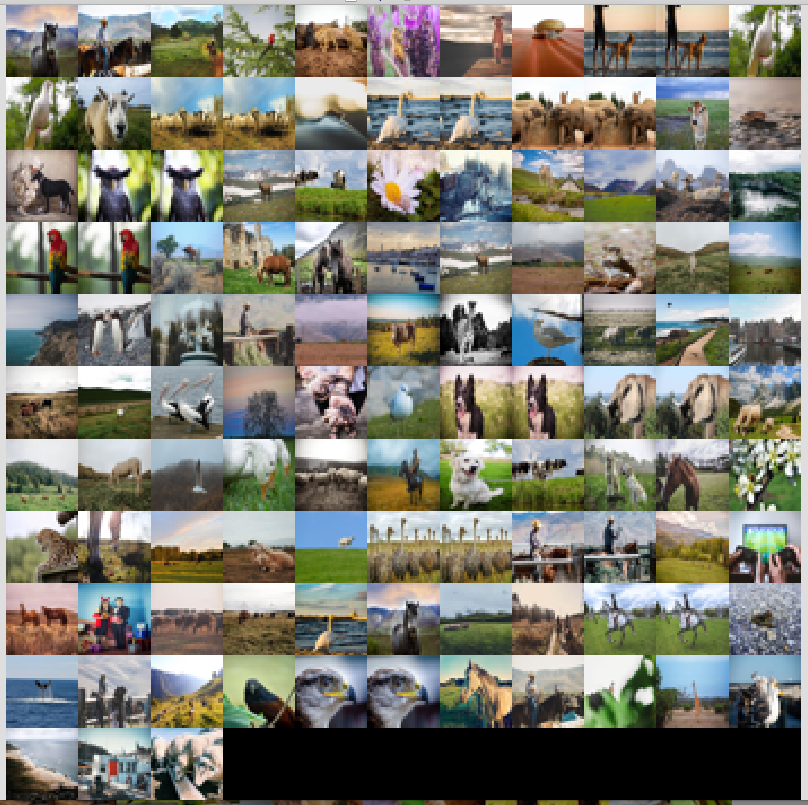
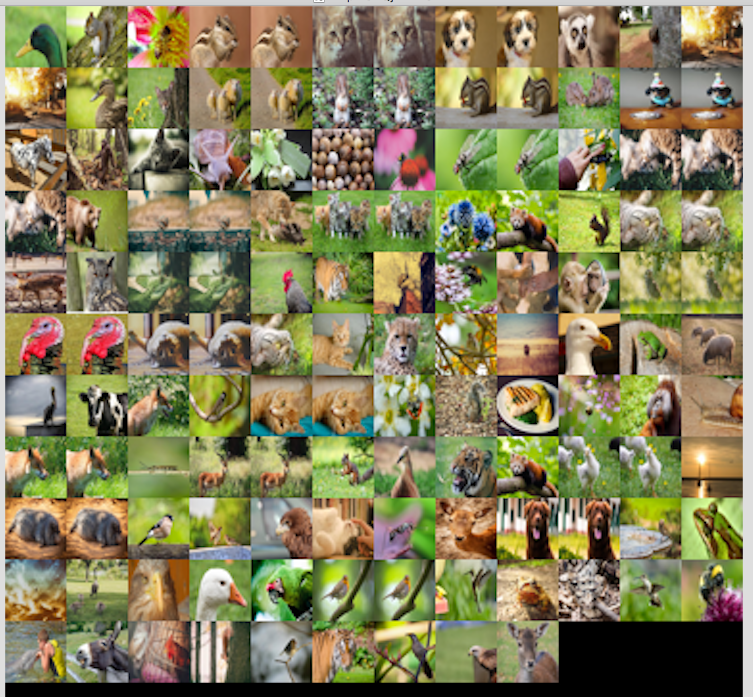

Wow, that's sooo cool!
Not sure, whether you want to go in that direction, but after seeing your screenshots, I immediatelly had to think about a visual image browser. I haven't seen anything like this before, but I think that could be really cool. In general I am fan of web applications, as you can also use them on mobile devices, but in that case I think it could even be a advantage to target the desktop (I imagine that those image manipulations are quite expensive and in case of desktop applications it's probably easier to switch to a more performant language (like Rust) to overcome bottlenecks).
I think with a clever designed backend, it could also be of interest to other open source projects. I imagine some sort of plugin mechanism, where one can register different data sources. e.q: one could implement a ImageMonkey plugin, where the images will be fetched directly via API calls. (e.q: you could search for cat|dog and then it will download all the images and you can do all the image manipulations offline. I guess there are a lot of possibilities how the images could be aggregated/manipulated. Maybe also the possibility to export statistics in a machine processable format. Wow, that would be a heck of a tool
Not sure, whether you want to go in that direction, but after seeing your screenshots, I immediatelly had to think about a visual image browser.
yes me too. I think of it finding the most representative examples of a large range of images.. then maybe a little slideshow of each cluster contents, or a heirachical browser. One simple idea was to just make it spit out static pages referencing the image thumbnails
i'm seeing how far i can go with it in python. i haven't even looked for existing python clustering algorithms (they must exist..).
after getting to a certain complexity i'm kind of itching to get back to C++ or Rust with types anyway.
I'd be amenable to "rewriting it in go" aswell just for practice, seeing how people claim it can be intermediate between the 'quick hack' and 'big app' languages.
I think with a clever designed backend, it could also be of interest to other open source projects.
at the minute it just grabs a directory of images, but I see what you mean. it could easily be setup to take an image iterator object, or just an array of thumbnails
this is cleaner code. it still just spits it out as debug, but now builds some sort of tree class. I'll make a proper project soon as this is still seems quite fun to take further. I could imagine a range of options like spitting out JSON and static pages; the ordering could be refreshed periodically and just sit as a file on the server for the site to present in a browser page. i'm also still just curious to get better with the python ecosystem as I see so many people using it as an interface to the AI libraries. It seems quite relaxing to mess with.
#!/usr/bin/env python
import numpy as np
import os
import sys
import math
import random
from PIL import Image
import imagehash
import io
import time

g_debug=1 #=0 to remove debug previews

# bounding sphere tree class for results,
# also used for intermediate acceleration
class SphereTreeNode:
    def __init__(self,centre,radius, data, children):
	self.centre=centre
	self.radius=radius
	self.data=data
	self.children=children

    def closest_node(self,point,curr_dist=1000000000000000.0):
	dist=math.sqrt(((point-self.centre)**2).sum())

        if curr_dist<dist-self.radius:
	    return (None,curr_dist)

	if len(self.children) is 0:
	    return (self,dist)
	else:
	    min_dist=curr_dist
	    min_node=None
	    for subtree in self.children:
		(sdata,sdist)=closest_node(point,subtree,min_dist)
		if sdist<min_dist:
		    min_dist=sdist
		    min_node=subtree
	    return (min_node,min_dist)

    def data_of_closest(self,point,curr_dist=1000000000000000.0):
	(node,min_dist)=closest_node(self,point,curr_dist)
	return (node.data,min_dist)


    def num_children(self): return len(self.children)
    def is_leaf(self): return self.num_children() is 0


def draw_points(img,sz,pts,color,cross_size=1):
    for x in pts:
	img[(x[0]*sz[0],x[1]*sz[1])]=color
	for i in range(1,cross_size):
	    img[(x[0]*sz[0]-i,x[1]*sz[1])]=color
	    img[(x[0]*sz[0]+i,x[1]*sz[1])]=color
	    img[(x[0]*sz[0],x[1]*sz[1]-i)]=color
	    img[(x[0]*sz[0],x[1]*sz[1]+i)]=color

def index_of_closest(point,centres):
    mind2=1000000000.0
    min_index=-1
    for cti in range(0,len(centres)):
	d2=((point-centres[cti])**2).sum()
	if d2<mind2 or min_index is -1: min_index=cti; mind2=d2
    return min_index

def kmeans_cluster_sub(src,centres):
    new_centroids=[]
    num_per_cluster=[]
    i_per_cluster=[]
    for i in range(0,len(centres)):
	new_centroids.append(zero_from(src[0]))
	num_per_cluster.append(0)
	i_per_cluster.append([])

    for i in range(0,len(src)):
	pt=src[i]
	ci=index_of_closest(pt,centres)
	new_centroids[ci]+=pt
	num_per_cluster[ci]+=1
	i_per_cluster[ci].append(i)

    for i in range(0,len(centres)):
	n=num_per_cluster[i]
	if n>0: inv=1.0/float(n);new_centroids[i]=new_centroids[i]*inv;
	else: print("clustering error"); new_centroids[i]=zero_from(src[0])

    return new_centroids

def kmeans_cluster(src,num_clusters,its=10):
    centres=[]
    for i in range(0,num_clusters):
	# 10% * noise to randomize cluster centres a little
	# will prevent degenerate points from producing degenerate clusters
	centre=(np.random.rand(*(src[0].shape))-0.5)*0.1
	centre+=src[i] # added to a real datapoint
	centres.append(centre)

    for x in range(0,its):
	print("kmeans cluster iteration "+str(x)+"/"+str(its))
	new_centres=kmeans_cluster_sub(src,centres)
	centres=new_centres

    return centres

# do k-means clustering slightly accelerated by a tree of cluster centres
# TODO there must be better ways starting with a tree of *points*

def kmeans_cluster_accel(src,num_clusters,its=10):
    centres=[]
    for i in range(0,num_clusters):
	# 10% * noise to randomize cluster centres a little
	# will prevent degenerate points from producing degenerate clusters
	centre=(np.random.rand(*(src[0].shape))-0.5)*0.1
	centre+=src[i] # added to a real datapoint
	centres.append(centre)

    num_points=len(src)
    for x in range(0,its):
	print("kmeans cluster iteration "+str(x)+"/"+str(its))
	#Turn the centres into a BVH
	centre_indices=[i for i in range(0,num_clusters)]
	print("build centre tree")
	cluster_centre_tree=make_sphere_tree(centres,centre_indices)

	print("recalc centres")
	new_centres=[np.full(src[0].shape,0.0) for i in range(0,num_points)]
	num_per_centre=[0 for i in range(0,num_points)]
#	points_per_cluster=[[] for i in range(0,num_points)]

	for pt in src:
	    #(ci,r)=data_of_closest(pt, cluster_centre_tree)
	    ci=index_of_closest(pt,centres)
	    #print("index of closets vs tree",r,ci,ci1)
	    new_centres[ci]+=pt
	    num_per_centre[ci]+=1

	for i in range(0,num_clusters):
	    if num_per_centre[i]>0.0:
		centres[i]=new_centres[i]*(1.0/float(num_per_centre[i]))


    return centres

#makes a zero vector/array shaped the same as the example param
def zero_from(another_vec):
    return np.full(another_vec.shape,0.0)

def kmeans_cluster_split(src,num_clusters,its=10):
    centres=kmeans_cluster(src,num_clusters)
    splits=[[] for ci in range (0,num_clusters)]

    for s in src:
	splits[index_of_closest(s,centres)].append(s)
    return [(	centres[ci],
		(splits[ci],[]))
	    for ci in range(0,num_clusters)]

def centroid(src):
    return sum(src,zero_from(src[0]))*(1.0/float(len(src)))

def normalize(pt):
    return pt * (1.0/math.sqrt((pt**2).sum()))

def dot_with_offset(point,centre,axis):
    return ((point-centre)*axis).sum()

def closest_point(ref_point,point_list):
    mind2=100000000000.0
    min_point=None
    for s in point_list:
	d2=((s-ref_point)**2).sum()
	if d2<mind2: mind2=d2; min_point=s
    return min_point

def furthest_point_sub(centre,points):
    maxd2=0.0
    furthest_point=-1
    i=0
    for s in points:
	d2=((s-centre)**2).sum()
	if d2>maxd2:
	    furthest_point=i
	    maxd2=d2
	i=i+1
    return (furthest_point,maxd2)

def furthest_point_and_dist(centre,points):
    (index,d2)=furthest_point_sub(centre,points)
    return (index,math.sqrt(d2))

#todo, can this use the TreeNode class
def kmeans_cluster_tree(src,num=16,maxdepth=4,depth=0):
    #bounding sphere of the whole lot
    main_centre=centroid(src)
    (pt,main_radius)=furthest_point_and_dist(main_centre,src)

    if len(src)>num and depth<maxdepth:
	#apply kmeans clustering to the given nodes, and make tree nodes.
        t0=time.time()
        centres=kmeans_cluster_accel(src,num)
	dt=time.time()-t0
	if dt>5.0: print("clustering time elapsed:",dt)

	if g_debug:
	    make_thumbnail_sheet(vectors_to_images(centres),32).show()

	#assign the points to the clusters.. (TODO should kmeans_cluster do it?)
	splits=[[] for ci in range(0,len(centres))]

	for s in src:
	    ci=index_of_closest(s,centres)
	    splits[ci].append(s)

	nodes=[(centres[ci], kmeans_cluster_tree(splits[ci],num,maxdepth,depth+1))
	    for ci in range(0,len(centres))]
	return SphereTreeNode(main_centre,main_radius,None, nodes)
    else:
	#place all the given images as children of one tree node.
  	if g_debug:
          make_thumbnail_sheet(vectors_to_images(src),32).show()
	return SphereTreeNode(
		    main_centre,main_radius,None, #centre/radius for the whole lot,
		    [SphereTreeNode(s,0.0,None,[]) for s in src] #node per image..
		)

def test_kmeans_cluster():
    pts=[]
    for j in range(0,10):
	cp=np.array([random.uniform(0.2,0.8),random.uniform(0.2,0.8)]);
	for i in range(0,10):
	    pts.append(cp+np.array([random.uniform(-0.1,0.1),random.uniform(-0.1,0.1)]))

    #clusters=kmeans_cluster(x,16)
    img=Image.new('RGB',(256,256))
    pixmap=img.load()

    clusters=kmeans_cluster(pts,16)
    draw_points(pixmap,img.size,clusters,(0,128,0))
    draw_points(pixmap,img.size,pts,(255,0,0),1)
    print(clusters)
    print("cluster centres:",clusters)
    draw_points(pixmap,img.size,clusters,(0,255,255),2)
    img.show()

#load all images TODO with directory names
def load_dir(loc):
    out=[]
    try: os.stat(loc)
    except:
	print("file doesn't exist: "+loc)
	return 0

    if os.path.isdir(loc):
	for fn in os.listdir(loc):
	    sub=load_dir(loc+"/"+fn)
	    for x in sub: out.append(x)
    else:

	try:
	    raw_img=Image.open(loc); raw_img.load()
	    out.append(raw_img)
	    print("loaded "+loc)
	except:
	    print("could not load "+loc)
    return out

def make_thumbnail_sheet(src,thumbsize):
    gridsize=int(math.sqrt(float(len(src)))+0.99)
    sheet=Image.new('RGB',(gridsize*thumbsize,gridsize*thumbsize))

    index=0;
    for im in src:
	sheet.paste(im.resize((thumbsize,thumbsize), Image.BICUBIC),((index%gridsize)*thumbsize,(index/gridsize)*thumbsize))
	index+=1
    return sheet

def make_thumbnails(imgs,thumbsize=32):
    return [im.resize((thumbsize,thumbsize), Image.BICUBIC)
	    for im in imgs]

def image_difference(a,b):
  im = [None, None] # to hold two arrays
  for i, x in enumerate([a,b]):
    im[i] = (np.array(x) # reduce size and smooth a bit using PIL
                 ).astype(np.int)   # convert from unsigned bytes to signed int using numpy
  return np.abs(im[0] - im[1]).sum()

def filter_degenerate_images(images):
    out=[]
    d={}
    for im in images:
	hash=imagehash.average_hash(im)
	if hash in d:
	    for x in d[hash]:
		if image_difference(x,im)<1: break
	    else:
		d[hash].append(im)
	else:
	    d[hash]=[im]
    for x in d:
	out+=d[x]
    return out

def images_to_vectors(srcs):
    return [np.array(x) for x in srcs]

def vectors_to_images(srcs):
    return [Image.fromarray(s.astype(np.uint8)) for s in srcs]

def test_img_from_nparray():
    print("test img from nparray")
    arr=np.array(
	[
	    [	[255,255,255],[255,0,255],[255,255,255]   ],
	    [	[0,255,255],[255,255,0],[255,255,255]    ]
	]
	)
    arr=np.full((15,15,3),[0,255,0])
    print(arr[0][0])
    print(arr[1][1])
    #im = Image.fromarray(np.uint8(imgv))
    im=Image.fromarray(arr.astype(np.uint8));
    #im.show()
    return im


def make_sphere_tree(points,point_data):
    if len(points)==1:
	return SphereTreeNode(points[0],0.0,point_data[0],[])
    centre=centroid(points)
    (fi,radius)=furthest_point_and_dist(centre,points)
    #TODO - just taking an axis to the furthest ISN'T the best way.
    # see 'PCA'
    axis=points[fi]-centre
    new_points=[[],[]]
    new_point_data=[[],[]]

    for i in range(0,len(points)):
	p=points[i]
	dp=dot_with_offset(p, centre,axis)
	side=0 if dp>0.0 else 1
	new_points[side].append(p)
	new_point_data[side].append(point_data[i])

    subtrees=[ make_sphere_tree(new_points[0],new_point_data[0]),
		make_sphere_tree(new_points[1],new_point_data[1])  ]

    #want 4 per node.
    for i in range(0,2):
        new_subtrees=[]
	for x in subtrees:
	    if x.num_children()==2:
		new_subtrees+=x.children
	    else:
		new_subtrees.append(x)
	subtrees=new_subtrees

    return SphereTreeNode(centre,radius,None,subtrees)


for src in sys.argv[1:]:

    print("loading:"+src)
    imgs=load_dir(src)
    print(str(len(imgs)))
    make_thumbnail_sheet(imgs,32).show()
    imgthumbs=make_thumbnails(imgs,32)

    imgthumbs=filter_degenerate_images(imgthumbs)
    print("removed degenerates - remaining="+str(len(imgthumbs)))


    imgvec=images_to_vectors(imgthumbs)
    print("bvh tree::")
    st=make_sphere_tree(imgvec,[i for i in range(0,len(imgvec))])
    print("kmeans:")

    #generate a 1 level clustering, max 256 groups, but roughly same count of images per cluster and clusters.
    image_tree=kmeans_cluster_tree(imgvec,min(256,int(math.sqrt(len(imgs)))),1)

    #generate a 2level tree. 16 splits per node
    #image_tree=kmeans_cluster_tree(imgvec,min(16,int(math.sqrt(len(imgs)))),2)

#    cluster_images=vectors_to_images(clusters)
#    make_thumbnails(cluster_images,32).show()
#    make_thumbnails(vectors_to_images(imgvec),32).show()
#    make_thumbnails(cluster_images,32).show()
yes me too. I think of it finding the most representative examples of a large range of images.. then maybe a little slideshow of each cluster contents, or a heirachical browser. One simple idea was to just make it spit out static pages referencing the image thumbnails
i'm seeing how far i can go with it in python. i haven't even looked for existing python clustering algorithms (they must exist..).
after getting to a certain complexity i'm kind of itching to get back to C++ or Rust with types anyway.
I'd be amenable to "rewriting it in go" aswell just for practice, seeing how people claim it can be intermediate between the 'quick hack' and 'big app' languages.
awesome! Great to hear, that you decided to extend the tool :) Really looking forward to see the tool mature - it has a lot of potential.
at the minute it just grabs a directory of images, but I see what you mean. it could easily be setup to take an image iterator object, or just an array of thumbnails
exactly. As a temporary solution you could also download the images first and then run your program. That's probably faster to implement, and can easily be changed later. Your folder approach is acutally pretty flexible - like that.
edit: in case you decide to create a github repository for it, please drop the link here ;)
ok here's a repo for it. to get the ball rolling as a potential general purpose tool, it's default behaviour is to spit out JSON holding the clustered image filenames, and an option -show displays the debug output immiediately instead
https://github.com/dobkeratops/clusterimages