

 Icinga
Windows domain user, permission requirements for Icinga PowerShell Service
hello team,
could you provide me the permission requirements for Icinga PowerShell Service when it comes to using a Domain user. What should be requested?

Hello
You would only reuquier to grant the service user permission to run as service, which should be done by Icinga for Windows during installation. Afterwards I would rely on JEA profiles for the permission management instead of figuring out every single required permission for every plugin.
Does this help?

hello @LordHepipud
-
tell me plz if I will staid using NT AUTHORITY\NetworkService but with disabled seImpersonatePrivilege. Would it be an issue? While running PowerShell Service and plugins.
-
JEA topic. Can I use domain user with "JEA with non-managed user"
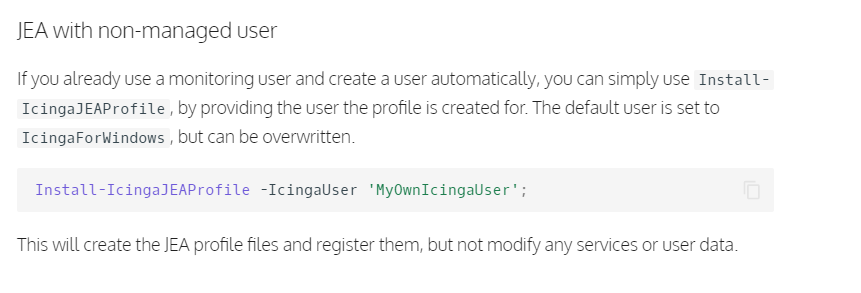
Sorry for the late response. Yes, you could use a domain controlled user for JEA, but I would not recommend it. Once the user becomes hijacked there, all machines can be accessed. Therefor we highly recommend using a local user only.
There is no real problem by simply providing the domain user during installation. You will just have to provide the users password as well.
Sorry for the late response. Yes, you could use a domain controlled user for JEA, but I would not recommend it. Once the user becomes hijacked there, all machines can be accessed. Therefor we highly recommend using a local user only.
There is no real problem by simply providing the domain user during installation. You will just have to provide the users password as well.
While the local account is a better solution, because of the less privileges account cannot be used for lateral movement, as the account has no permissions for logon and no remote capability, we ran into a different Sec issues. Governance team does not accept local accounts with "Password never expire" on servers. Is there any way we can implement a Password rotation process ? I saw that Update-IcingaJEAProfile (alias of Install-IcingaJEAProfile) would reiterate through the entire process collecting the JEA Profile Context, but not sure how it handles the already existance of the local account. Would this update the "random password" also ?
I'm trying to find the easiest possible way to be able to leverage of removing the "Password Never Expire" on the account and also rotate the password every 6 months or once a year.
Not sure though what would be the impact when rotating the password also.
